


Elevate your study, research, and reflection with Logos 10 Bible Software.
Faithlife has released Logos 10 Bible software and what an update it is! After 5 years of using Logos, this is by far the most impressive and beneficial update I’ve seen to the software yet.
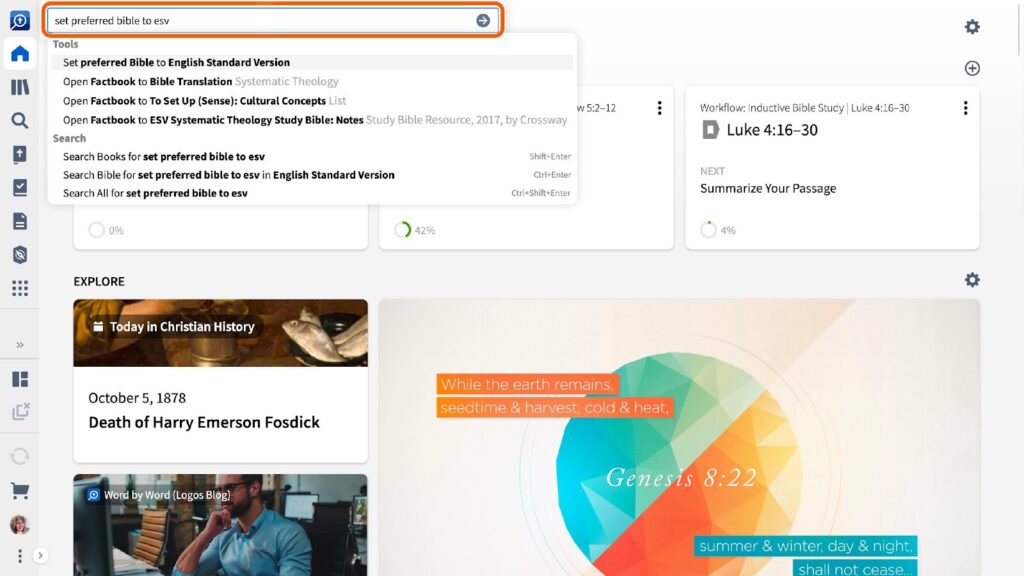
From the first launch, it’s clear that Faithlife has focused on efficient performance and feature-rich usability.
Here are some key takeaways from this impressive update.
5 Reasons Why Logos 10 is the Most Impressive Version Yet
1. Speed Upgrades
If you have used previous versions of Logos, you are going to be pleasantly surprised with the speed of Logos 10.
In various communities, many Logos users have mentioned that Logos Bible can be a slow starter. Plus, the indexing has been notorious for lack of speed, highlighted by the built-in ability to postpone indexing for 4 hours.
While there is quite a lot going on when you launch Logos, you may be amazed at how fast version 10 launches.
Plus, during my initial testing, downloads were finishing quickly, and indexing was occurring in real-time. This made Logos 10 feel even faster.
During the launch, Logos software developers provided the following information showcasing some of the speed improvements. Keep in mind that they did add that official benchmark testing is still to come:
- Apple Silicon native support will provide a “good performance increase across the board.” Those using an M1 processor will experience improvements between 10%-40%.
- Windows users get an increase also likely between 10%-40% due to .NET 6 support.
- Faster indexing of about 15% for everyone on desktop, and about 10% less disk space for the index.
- Improved server performance improves the speed of most online functions, which is especially beneficial to mobile and web apps.
The speed improvements in Logos 10 are most welcome and maybe for some users the best new feature.
The best upgrade with Logos 10? SPEED. Quick launching, faster downloads and real-time indexing make Logos 10 the most impressive version yet. Share on X2. Accessible and Modern New Interface
If you are a new user to Logos with version 10, you will be greeted by a very nicely redesigned UI. If you are an upgrading user, you’re going to be amazed at the fresh design.
The main toolbar, which used to reside at the top, has been relocated to the left side of the screen. What seems like a simple change has actually brought added benefits.
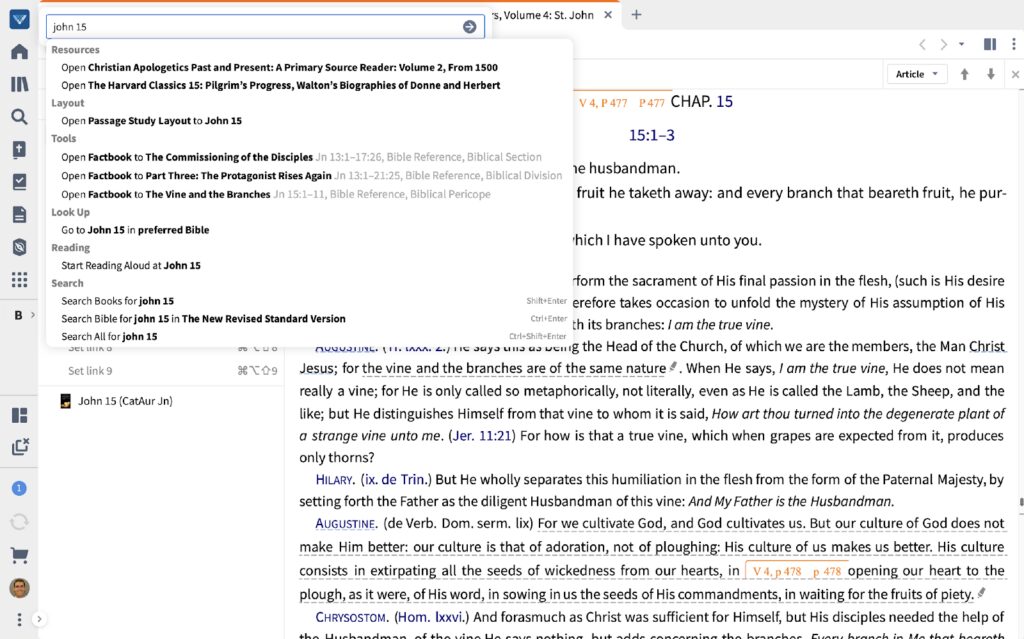
The look is more inviting as you receive more screen area to work in. Additionally, the vertical toolbar is customizable and you’re able to easily launch the tools and resources you access most frequently.
Perhaps the clean new UI adds to the improved overall speed of Logos 10, and a more natural interface is certainly a benefit.
3. Simplified Search
In Logos 10, search has been tremendously improved and simplified, making it more useful to more users.
In previous versions, to find search results you would have used curly braces and angle brackets to communicate to the search AI what you’re looking for. With the search simplification in Logos 10, it works like most search engines would when you’re looking for specific results. As an advanced search example, to find all of the times that Jesus mentioned Moses, you would simply use person:Moses IN speaker:Jesus. No more brackets and braces!
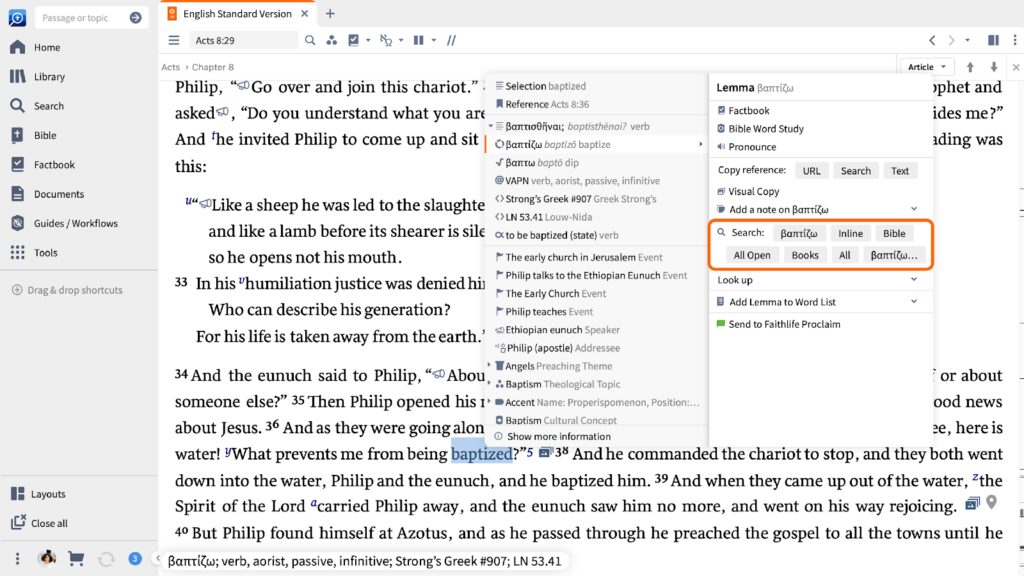
Again, the simplified search improvement also comes with a speed enhancement over previous versions, plus the auto-complete suggests terms as you search so you really don’t even need to remember the above search example.
Faithlife has also added an auto-complete feature to search as you type. This is even more helpful for those of us who are not power searchers. Even better, you’ll now have search tabs which will allow you to more easily search maps, Factbook, your Logos documents, and other resources.
Keep reading: Logos 10 Focuses On Integration And Performance
4. Print Library Catalog
This feature has already been creating quite a lot of positive feedback in Logos 10 communities!
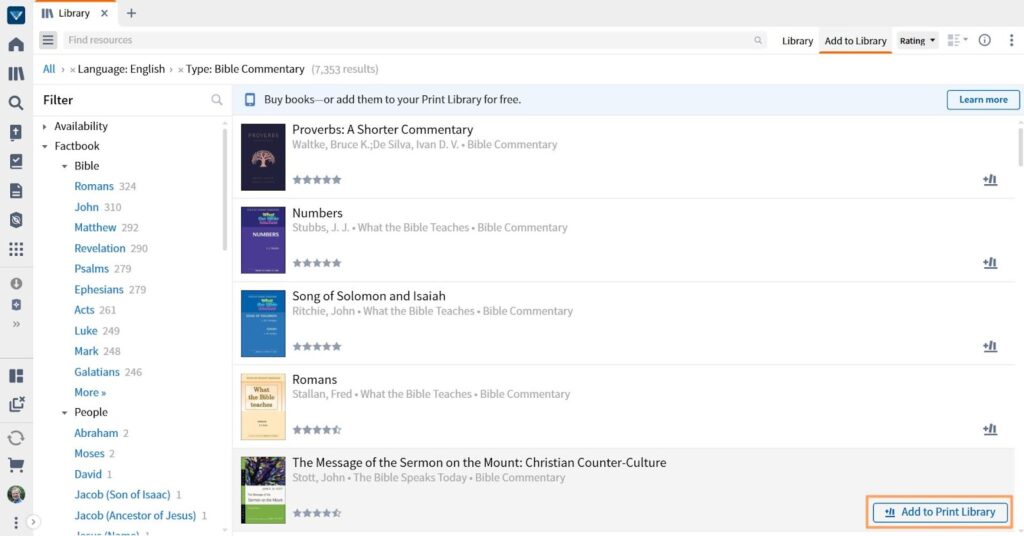
With Logos Gold Library, now you can add any print book, ebook, or library book to your Logos account! When you scan the ISBN or search for your print book (or ebook) within Logos, you’ll find the newly added resource in your Logos Print Library Catalog. If the book is in the overall Logos library, you’ll be able to search that resource within Logos. The results will show you a snippet from the book and a page number or reference. This will help you find a specific page in your print book, and that’s going to save you .so much time in your study and research.
The community buzz around this great new feature sounds like it’s changing everything!
5. Logos Bible on Mobile and Tablet
Logos 10 has also brought some welcome improvements to the mobile and tablet versions. Instead of the previous 2 panels allowing 2 resources on your screen, now you can have up to 6.

There’s also an update to the panel linking feature which now allows you to more easily link tools together that have synchronized scroll.
Apple iPad users of Logos 10 now can draw on your screen. You can markup your text with pens, pencil, and highlighter tools.
In my initial testing of Logos 10 on an Android 12 tablet, I once again noticed speed improvements even on the mobile platform.
The Logos developers at Faithlife have really put in the effort to bring you a highly optimized version of Logos Bible software. Logos 10 is well worth checking out or upgrading to, and with the Faithlife partner links, you could save 15% as a new user or 30% as an upgrading user.
A Word for the Linux Users
While Faithlife doesn’t officially support Linux, they have been making the software extremely accessible to a certain amount of Linux development. I am using a Windows laptop to test Logos 10, but my everyday work environment is Linux. I have successfully been using Logos on Linux for a few years, and there is an active Telegram and Logos forum community where you can find help or contribute.
I have not yet had the opportunity to test on Linux, but I’m hearing encouraging things from the other Linux users!

