
Digital bulletins assist your team in meeting everyone’s needs.
Digital bulletins provide a connection point with your congregation at your services. Unlike a traditional printed bulletin, your digital service bulletin includes interactive elements, conveys important information to your church, allows people to take live surveys, download contact or calendar information, interact with Bible Trivia, and much more. Each bulletin also automatically includes a visitor contact card that enables newcomers to connect with your church directly from the bulletin.
If you already use worship programming software like Faithlife Proclaim, a bulletin can be automatically generated and published with each presentation. You can, of course, manually create a bulletin or edit an existing bulletin whether or not you use Faithlife Proclaim.
Regardless of if your digital bulletins are manually created or automatically generated, they are great for connecting with members and newcomers. Bulletins allow people to:
- Quickly access donation links
- Automatically add events to their digital calendars
- Continue reading any passages included in the sermon
- Fill out contact cards with ease
- Interact with live surveys
Level up giving: 8 Effective Digital Giving Practices For Your Church
Digital bulletins also make it easier for staff to repurpose and share content. Here’s how to use them:
How to Create Digital Bulletins Using Proclaim Software
1. Generate Bulletins through Proclaim
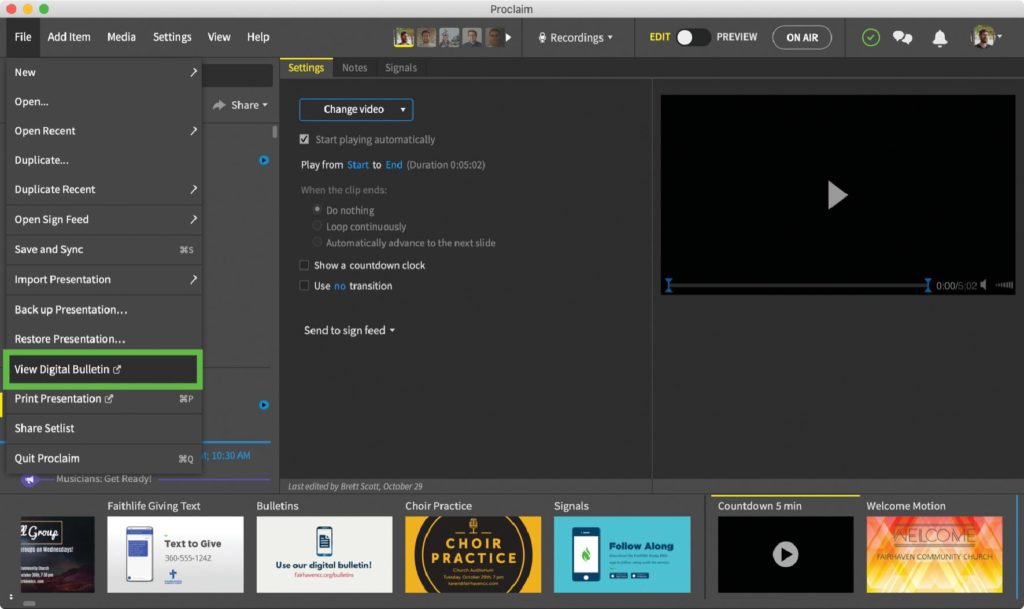
We’ll use one of the popular worship presentation software platforms, Faithlife Proclaim to show you how easy it is to automatically generate a digital bulletin from your service presentation.
To find it in Proclaim, expand the Files menu and click View Digital Bulletin.
2. Find Your Bulletin on Faithlife.com
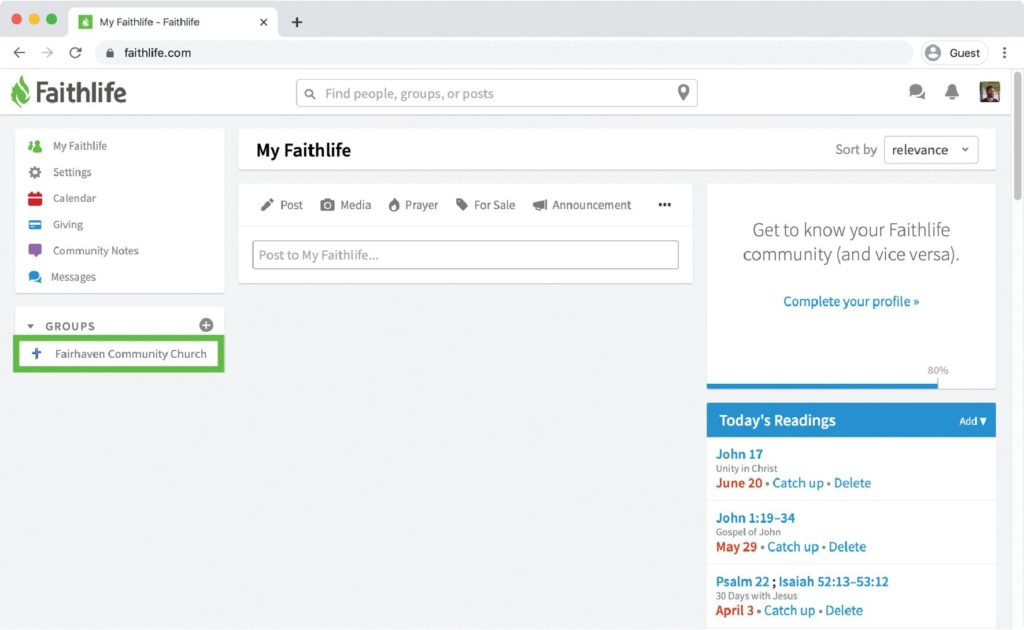
Go to Faithlife.com and log in. Select your church group in the left-hand sidebar.
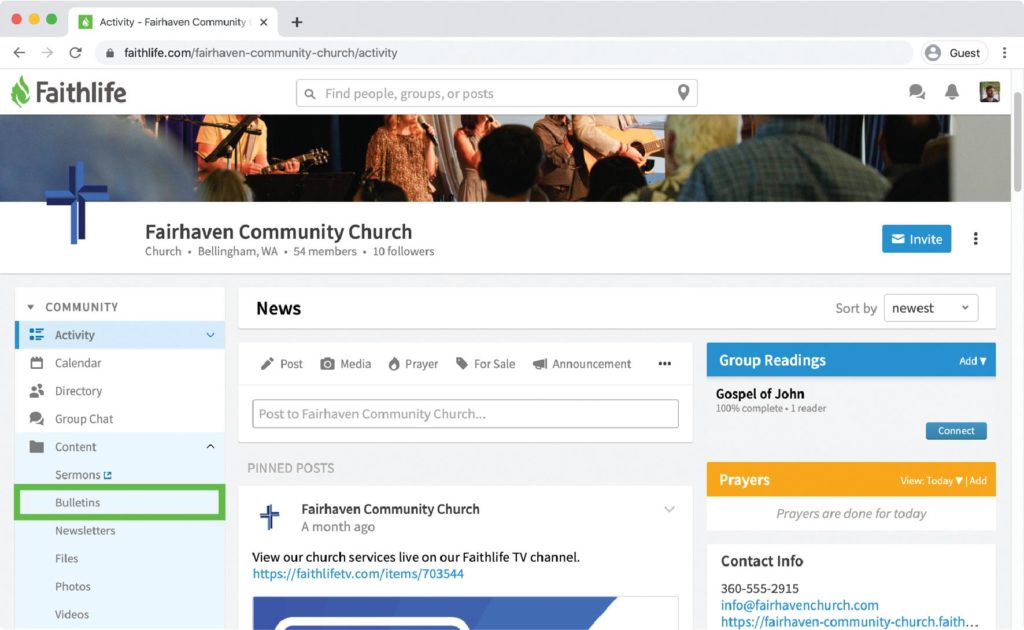
Expand Content and select Bulletins.
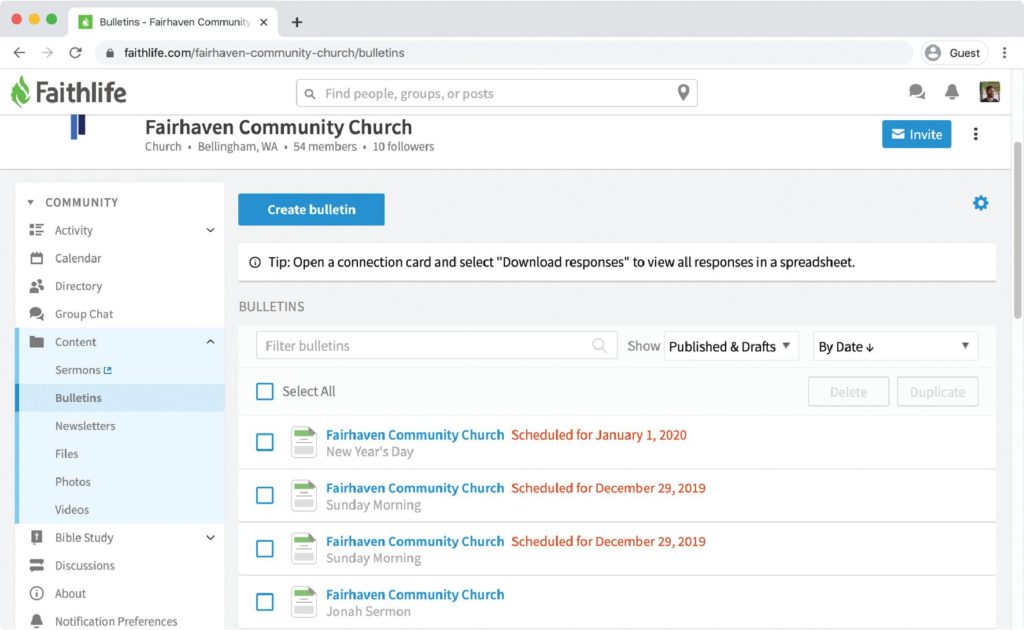
If you are an admin or a member of your church’s bulletin team (within your Faithlife group), all your bulletins—published and unpublished—are displayed here. Select your presentation’s bulletin to view and edit its contents.
3. Customize Your Bulletin
Auto-generated bulletins contain every service item in your presentation—though some are hidden by default unless you undelete them. You can remove items, add items, or adjust the publish date or timing. Select Preview to view your changes. Be sure to click Save to secure any adjustments.

4. Share your bulletin
You can share your bulletin in several ways both online and in print.
PUBLISH ONLINE
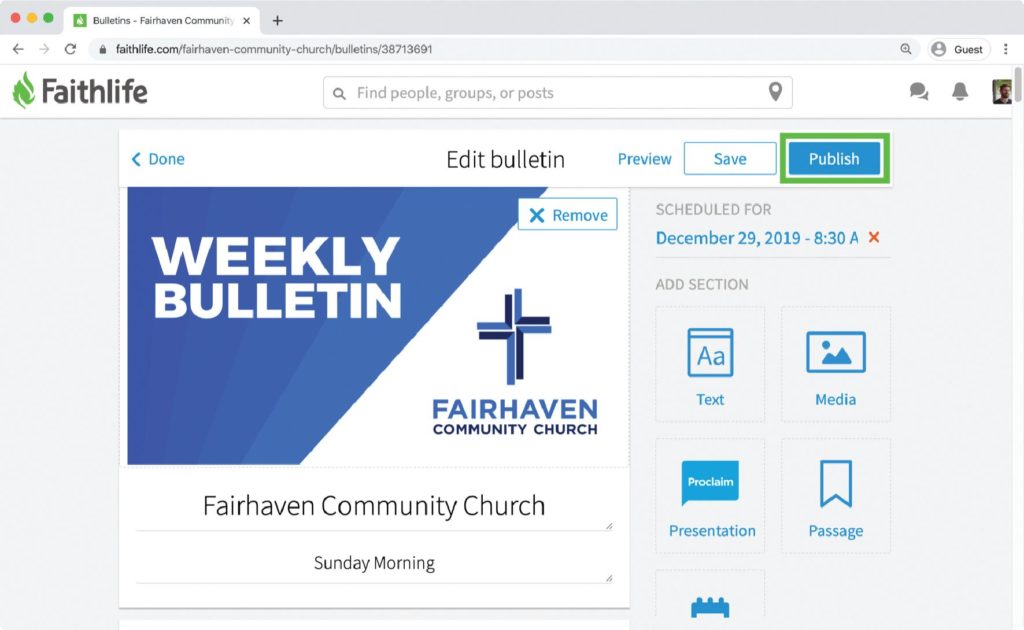
When you’ve finished customizing your bulletin, click Publish to set your bulletin to publish at the scheduled time.
Your bulletin will be posted to your Faithlife church group at the scheduled date and time. If you have a Faithlife Site, it will also publish on your website at the scheduled time.
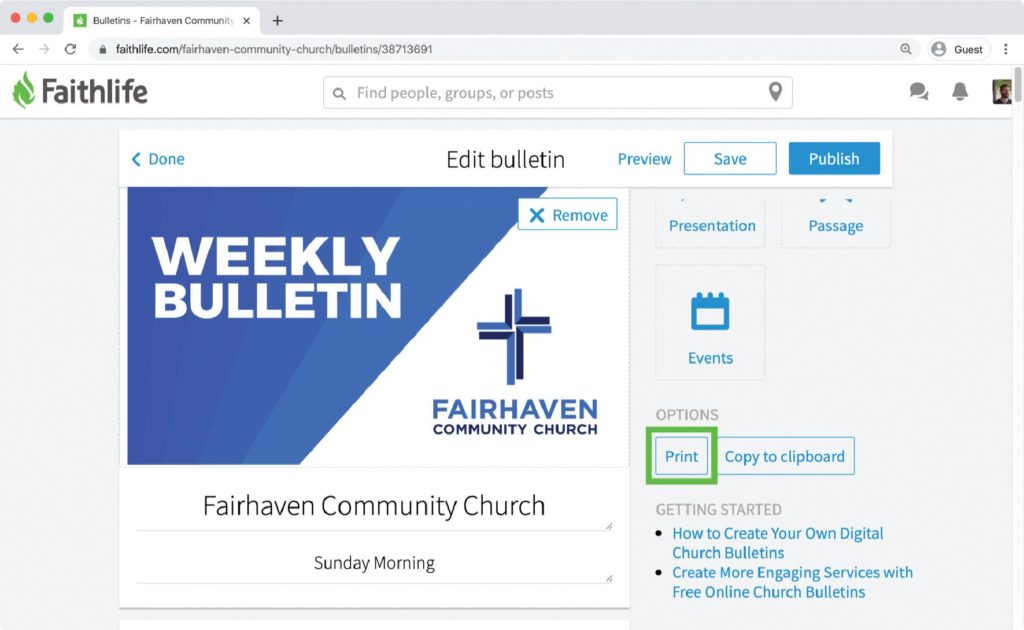
PRINT AN OFFLINE COPY
Click Print in the right panel to convert your bulletin to a printable version you can hand out to people.
Revamp your bulletin.
Newsletter 2.0: 5 Clever Church Newsletter Alternatives To Use In 2021
IT’S TIME TO CREATE DIGITAL BULLETINS
By now, you understand how digital bulletins are inviting and practical to access. They also make it easier for your team to meet everyone’s needs. Essentially, digital bulletins allow your church family to see a clear picture of what’s going on at your church, which will increase connection and involvement within the life of your church.