|
TL;DR Choosing church-specific accounting software ensures accuracy, transparency, and efficiency in managing finances, donations, and ministry budgets. 1. Prioritize church-focused features (fund accounting, donation tracking). 2. Look for ease of use, reporting, and integrations. 3. Ensure strong security, scalability, and fair pricing. |
Choosing the Right Church Accounting Software:
Essential Tips and Considerations
Managing church finances is a sacred trust. Beyond the weekly collections and bills, you’re stewarding resources that fuel ministry, outreach, and the very heart of your community. But let’s be honest, juggling spreadsheets, manual data entry, and donation records can quickly become overwhelming. That’s where church accounting software steps in, offering a lifeline for financial clarity and efficiency.
Why Invest in Church Accounting Software?

Before diving into choosing software, let’s understand why it’s such a valuable investment for your church:
- Accuracy and Reduced Errors: Manual calculation is history! It does not belong to the digital age we live in today, so such errors are basically unacceptable. Software automates calculations, ensuring greater accuracy in your financial records, from income and expenses to fund balances.
- Time Savings and Efficiency: Imagine reclaiming hours spent on tedious data entry and report generation. Church accounting software streamlines workflows, freeing up your staff or volunteers to focus on ministry and people.
- Improved Financial Transparency and Accountability: Software provides a clear and auditable trail of all financial transactions. This transparency builds trust with your congregation and ensures accountability in how church funds are managed.
- Simplified Reporting and Analysis: Need to present financial reports to your board or congregation? Specialized software makes it easy to generate professional financial statements, contribution summaries, budget reports, and more, providing valuable insights for strategic decision-making.
- Enhanced Donation Management: Track donations efficiently, generate contribution statements for tax purposes, and manage donor information in one centralized system. This is crucial for donor relations and compliance.
- Fund Accounting Capabilities: Churches often operate with restricted funds for specific ministries or projects. Dedicated church accounting software understands fund accounting principles, allowing you to manage and report on these funds accurately, ensuring compliance and proper stewardship.
Essential Tips and Considerations When Choosing Church Accounting Software

Choosing the right accounting software for your church is key to your success. Here are some tips to guide you through your research and decision-making process:
- Church-Specific Features are Paramount: Don’t settle for generic business accounting software. Prioritize software designed specifically for churches. Look for features like:
- Fund Accounting: Essential for managing restricted funds.
- Donation Tracking and Management: Every church needs features for recording donations, generating statements, and managing donor data.
- Contribution Statements: Easy generation of IRS-compliant contribution statements is essential.
- Ministry-Specific Reporting: The ability to track income and expenses by ministry or department is needed to measure your church finances appropriately.
- Ease of Use and User-Friendliness: The software should be intuitive and easy to learn, even for those with limited accounting experience. Consider the following:
- User Interface: Is it clean, well-organized, and easy to navigate? Does it feel intuitive and are you having an easy time using it, overall?
- Training and Support: Does the vendor offer adequate training resources and responsive customer support?
- Accessibility: Is it web-based and accessible from anywhere, or is it limited to desktop use?
- Reporting Capabilities: Ensure the software offers the reports your church needs:
- Standard Reports: Does it offer essential reports like income statements, balance sheets, or contribution summaries?
- Customizable Reports: Can you tailor reports to your specific needs and data points?
- Export Options: Can you export reports in formats like Excel or PDF for sharing and further analysis?
- Integrated Church Management Features: Consider if the software offers other tools your church uses, for instance for church management, online giving, or payroll. Integrations with such tools are also useful (though more tedious) and can further streamline workflows.
- Security and Data Protection: Financial data is sensitive. Ensure the software provider has robust security measures in place to protect your data. Look for:
- Data Encryption: Is your data encrypted while hosted on their servers?
- Secure Hosting: Is the software hosted in a secure environment?
- User Access Controls: Can you control user permissions and access levels granularly?
- Scalability and Future Growth: Choose software that can grow with your church. Consider:
- Pricing Structure: Is the pricing scalable as your church grows in size or complexity?
- Feature Expansion: Does the vendor regularly update the software with new features and improvements?
- Budget and Pricing: Church budgets are often tight. Evaluate the pricing structure and ensure it fits within your financial constraints. Consider:
- Subscription vs. One-Time Purchase: Most church accounting software nowadays operates on a subscription basis. One-time purchases are usually associated with legacy software.
- Pricing Tiers: Do they offer different pricing tiers based on church size or features needed?
- Free Trial or Demo: Take advantage of free trials or demos to test the software before committing. A free trial is more beneficial because you can experience the software on your own rather than through a salesperson, but lacking that, a demo is acceptable, too.
ChMeetings: Church Accounting Software for Small Churches (2025)

Compared to platforms like QuickBooks and ChurchTrac, ChMeetings offers a more accessible and user-friendly fund accounting experience. It offers a comprehensive suite of features, including:
- Robust Accounting Module: Specifically built for church fund accounting, donation management, and financial reporting. The module offers features like transaction imports, bank sync, reconciliation, budgeting, check printing, and more.
- Integrated Donation Tracking: Seamlessly manage online and offline donations, generate contribution statements, and track donor history.
- Extensive Reporting: Generate a variety of financial reports, including income statements, balance sheets, fund balance reports, and contribution summaries.
- Affordable fund accounting software for ministries of all sizes: Access essential financial tools with no setup or cancellation fees—built to serve your church without stretching your budget.
- User-Friendly Interface: Designed to be intuitive and easy to use for volunteers and staff alike.
- Part of a Broader Church Management System: ChMeetings integrates accounting with other essential church management functions like people management, communication, events, and more, offering a unified church operations platform.
- High Security: ChMeetings encrypts church data, is hosted securely, offers 2-factor authentication for safer login, backs up data daily, and takes many more measures to ensure that your important data stays secure.
- Regular Updates and Improvements: ChMeetings is continuously evolving and adding new features based on user feedback and the changing needs of churches.
- Top-Notch Support: A dedicated team of experts is available to help you make the best of ChMeetings. Along with their very well organized help center, you get the resources you need to benefit from the full potential of this platform.
- User-Friendly: A modern look and feel and a cohesive system that flows seamlessly are key design principles at ChMeetings. This is why this solution is fast for churches to implement and easy for people to learn.
- Scalable, Affordable Pricing: ChMeetings is priced based on church size, and only partially on feature complexity, so it’s suitable for a wide range of churches.
- Free Data Migration: ChMeetings moves your church data for free, from any external software, as long as you subscribe to any paid plan.
For a comprehensive list of features, Check ChMeetings church accounting features
Making the Right Choice for Your Church
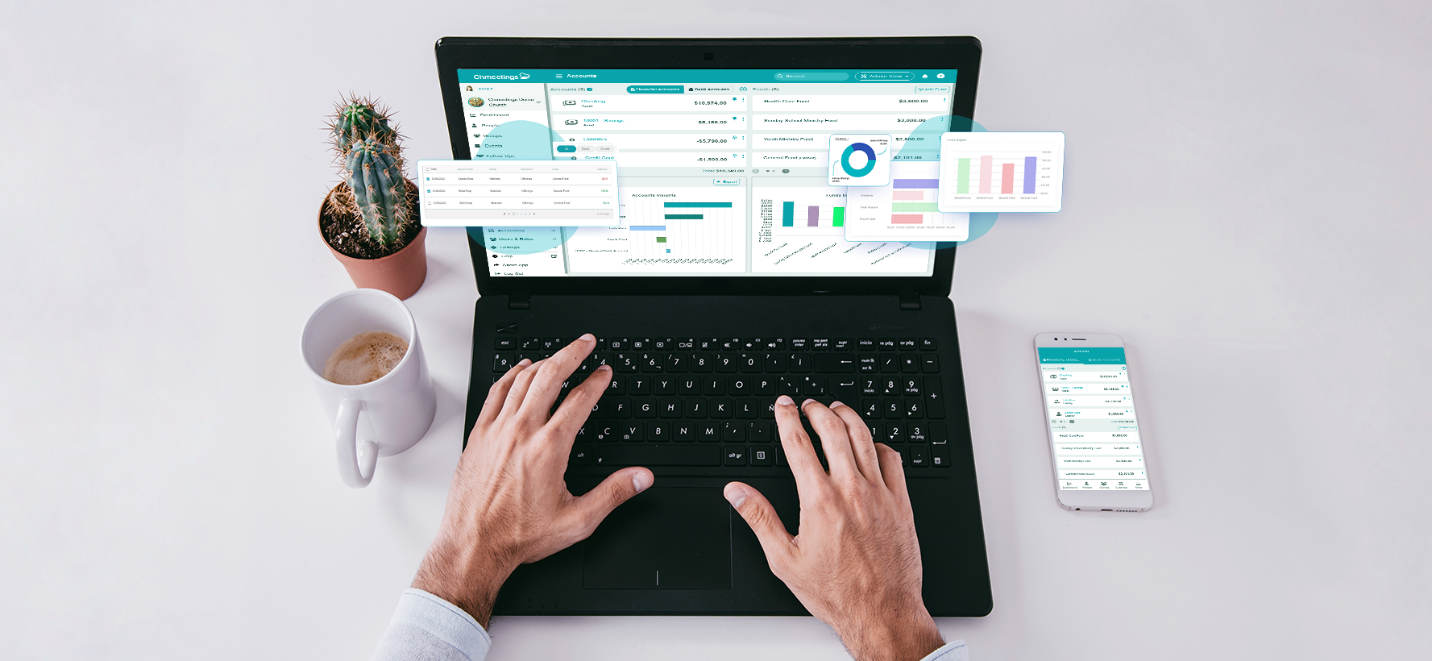
Choosing the right church accounting software is a significant decision. Take your time, evaluate your church’s specific needs, and carefully consider the tips outlined above. By investing in a robust and user-friendly software solution, you can streamline your financial processes, enhance transparency, and ultimately free up more time and resources to focus on your core mission: ministry and serving your community.