|
TL;DR Google NotebookLM acts like a personal research assistant for pastors, transforming sermons, studies, and church resources into summaries, devotionals, guides, and training tools. 1. Summarize sermons, videos, and notes. 2. Repurpose old content into devotionals or FAQs. 3. Equip leaders with study guides, glossaries, and playbooks. 4. Integrate with other AI tools for deeper impact. |
If you’re a pastor trying to get your arms around AI tools, Google NotebookLM is one of the most underrated ones available.
It’s like having a full-time research assistant trained on your content. It helps you read, think, ask questions, and write more effectively. It draws only from the sources you give it. You don’t need to be tech-savvy or learn a new platform. If you know how to upload a Google Doc, you’re already most of the way there.
Let’s walk through how Google NotebookLM can serve your ministry in specific, powerful ways.
What Is Google NotebookLM?
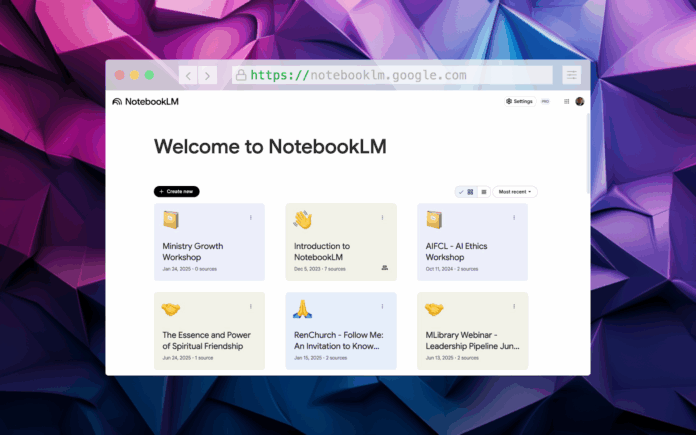
NotebookLM is an AI-powered tool that organizes your research and study into notebooks. Each notebook holds sources (like Google Docs, Slides, PDFs, URLs, YouTube videos, or even audio files). Once added, NotebookLM can:
- Answer your questions using only the sources you upload
- Provide inline citations showing exactly where the answer comes from
- Summarize documents and pull out major ideas
- Generate reports, FAQs, study guides, timelines, and even audio summaries
- Support real-time collaboration with others
NotebookLM is particularly useful for “knowledge workers”. That describes much of pastoral ministry. Let’s dive in!

Practical Use Cases of Google NotebookLM for Pastors
1. Summarize Your Weekly Sermon
After you finish writing your sermon notes, drop them into a Google Doc and add it to NotebookLM.
Ask it to:
- Write a 1-minute summary for the church newsletter
- Draft a tweet or post to promote the message online
- Create small group discussion questions
You instantly multiply your sermon’s usefulness without doing extra work.
2. Create a Podcast or Video Recap Script
Want to engage people who don’t yet watch your sermons?
Use NotebookLM to create a two-person conversation script that previews the big ideas in the sermon. You can gear it toward skeptics, new believers, or small group leaders. This makes the full message more accessible and increases engagement online.
3. Turn Old Content Into Devotionals
Upload past sermon transcripts or outlines.
Ask NotebookLM to:
- Generate a 5-day devotional with daily themes
- Add a reflection question and prayer for each entry
- Adapt it for youth or new believers
This lets you extend the life and impact of messages you’ve already preached.
4. Summarize YouTube Videos for Research
Instead of watching a 50-minute video twice, just paste the YouTube link into a Google Doc, upload it as a source, and let NotebookLM extract:
- Key points
- Quotes
- Discussion prompts
You save time while still gathering insights.
5. Equip Your Ministry Leaders
Upload sermon outlines, leadership training notes, or vision documents.
Use NotebookLM to:
- Generate a playbook for small group leaders
- Draft a volunteer training FAQ
- Summarize leadership principles into bullet-point checklists
NotebookLM won’t combine audio or video files directly, but if you upload transcripts or notes from them (or upload the YouTube URL’s or the mp3 and mp4 files), it becomes a powerful organizational tool.
6. Automatically Generate FAQs and Glossaries
NotebookLM has built-in tools to extract the most common questions and insider terms from your materials.
Upload things like your membership manual or ministry handbooks. NotebookLM will:
- Auto-generate a frequently asked questions list
- Pull out glossary terms and define them based on your content
This makes it easier to onboard new families, train volunteers, and communicate clearly without rewriting everything.
7. Build Study Guides from Slide Decks
Upload any Google Slides file you use for teaching or training. Then prompt NotebookLM to:
- Create a study guide or quiz based on the material
- Generate a group discussion guide
- Identify and define key terms or theological concepts
This is especially useful for youth leaders, Sunday school teachers, or small group facilitators.
8. Use It with Other AI Tools
Once you’ve uploaded and cleaned your content in NotebookLM, you can use that material with:
- ChatGPT for rewriting, design ideas, or building social media posts
- Claude for long-form summarization or formatting a teaching series
- Gemini to tap into your broader Google Drive and calendar context
NotebookLM focuses on understanding your content thoroughly. You can then use other tools to rewrite, format, or publish that material.
9. Generate Reports, Timelines, Audio Summaries, and More
NotebookLM’s Studio panel offers structured outputs beyond summaries:
- Briefing Docs: Outlines or distills key insights from multiple sources
- Timelines: Pulls chronological details from your content to help map out church history, project planning, or character studies
- Audio Overviews: Produces a podcast-style summary where two AI voices discuss your content aloud
- Study Guides: Includes short-answer quizzes, essay prompts, and glossary terms
These tools help your team absorb information faster and in different formats depending on their learning style.
10. Collaborate with Staff and Lay Leaders
NotebookLM lets you share your notebooks with team members.
- Viewers can ask questions, view notes, and follow suggested questions
- Editors can add, remove, or reorganize sources and notes
You can work together on sermon series planning, discipleship pathways, or ministry event prep without endless email threads or version conflicts.
Why Pastors Should Care
Many pastors have years of sermons, staff trainings, and ministry documents sitting unused. These materials hold value, insight, and potential. NotebookLM helps surface what you’ve already created and organize it for active ministry use.
One sermon can support a leadership guide. A vision document can inform volunteer messaging. A training manual can be reshaped for small group content.
Pastors can use a tool like NotebookLM to organize and structure what they have already created. This reduces time spent on redundant work and allows more people to benefit from what’s already been developed.NotebookLM offers a practical workflow for reclaiming past content, organizing future materials, and equipping your team with greater clarity and consistency.
There are many more ways to utilize Google NotebookLM for churches. How are you using it?