


|
TL;DR ChatGPT’s new canvas feature combines Google Docs-style collaboration with Grammarly-like suggestions—helping pastors draft sermons, refine content, and even debug code in one workspace. 1. Collaborative editing: write + edit alongside ChatGPT. 2. Grammarly-style “Suggest edits” improves clarity and grammar. 3. Coding help: debug, comment, and translate code. 4. Version control: roll back to earlier drafts anytime. 5. Ideal for sermons, newsletters, and digital ministry projects. |
OpenAI’s ChatGPT has introduced a new feature called “canvas,” designed to enhance writing and coding tasks by providing a more interactive and collaborative environment. This feature is particularly beneficial for pastors and church leaders who engage in sermon preparation, content creation, and other writing-intensive activities.
What is Canvas?
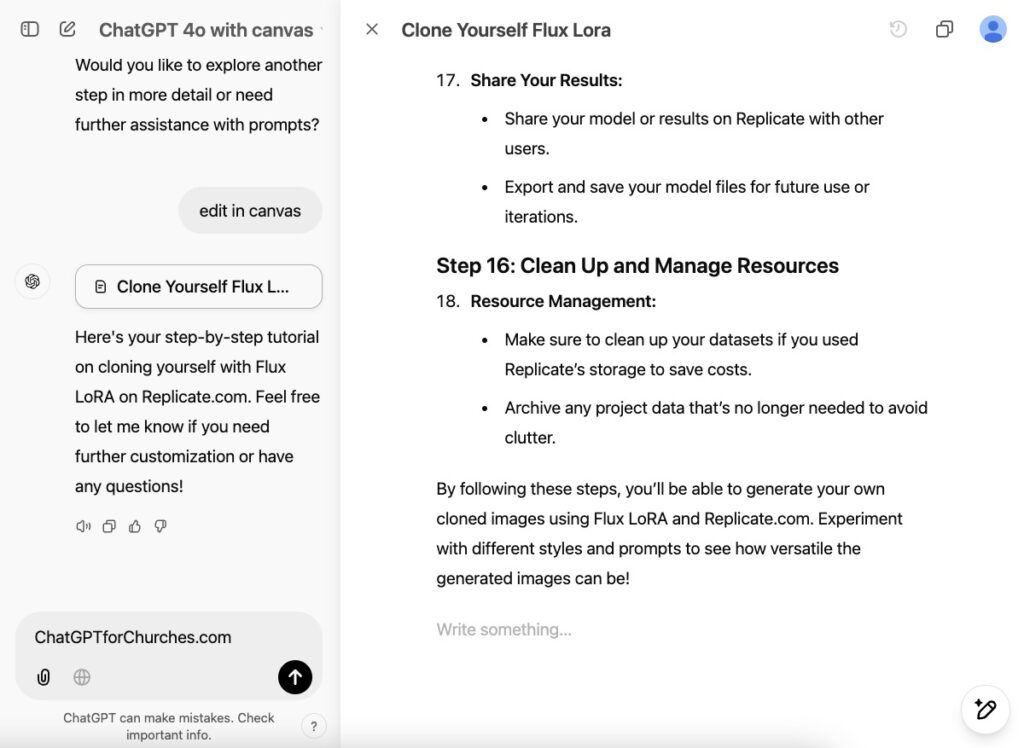
Canvas is an interface within ChatGPT that opens in a separate window, allowing users to work alongside the AI on projects that require editing and revisions. Unlike the traditional chat interface, canvas enables direct editing of text or code, offering a more hands-on approach to content development. This setup facilitates a collaborative experience where both the user and ChatGPT can create and refine ideas together.
How to Use Canvas
To access canvas, select “GPT-4o with canvas” from the model picker at the top of the ChatGPT interface. Once activated, canvas opens a separate window where you can input your text or code. You can highlight specific sections to indicate areas where you want ChatGPT to focus, and utilize a menu of shortcuts for various actions.
Features and Benefits for Pastors
- Collaborative Writing: Canvas allows for side-by-side collaboration with ChatGPT, making it easier to draft sermons, articles, or other written materials. You can directly edit the text, and ChatGPT can provide inline feedback and suggestions, enhancing the quality of your content.
- Coding Assistance: For those involved in managing church websites or developing digital resources, canvas offers coding support. It simplifies debugging, adds comments, and can translate code into different programming languages, streamlining the development process.
- Version Control: Canvas includes a back button that allows you to restore previous versions of your work, ensuring that you can track changes and revert to earlier drafts if needed.
- Grammarly type suggestions: ChatGPT’s canvas feature includes a “Suggest edits” function that offers inline feedback and suggestions for improving your text. This tool can serve as an alternative to Grammarly, assisting in refining grammar, clarity, and overall writing quality directly within the ChatGPT interface.

Practical Applications
- Sermon Preparation: Draft your sermon in canvas, receive real-time feedback from ChatGPT, and make edits directly within the interface.
- Content Creation: Develop articles, blog posts, or newsletters with the assistance of ChatGPT, utilizing its suggestions to enhance clarity and engagement.
- Technical Support: For those managing digital platforms, canvas can assist in writing and debugging code, making it easier to maintain and update church websites or apps.
By integrating canvas into your workflow, you can leverage AI to enhance your writing and coding tasks, making your ministry’s communication more effective and efficient.


Still got no idea about Canvas but will explore it soon. Thanks, mate!