


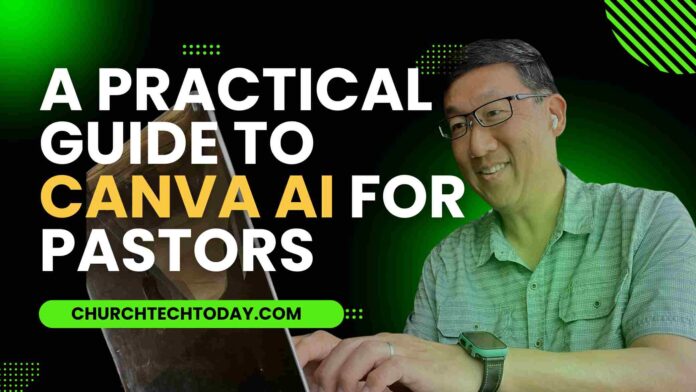

TL;DR Canva AI (via its “Magic Studio” tools) gives church leaders built-in features — like AI writing, design generation, image creation, video editing, and text-to-speech — to make content faster and more creative.
|
Canva, already a favorite among church leaders for creating eye-catching social media graphics, presentations, and print materials, now offers even more. With Canva AI, users can leverage AI tools directly inside Canva. This technology allows churches to create compelling content, including unique graphics, engaging social media posts, and captivating videos – all with just a few clicks.
Let’s explore how Canva AI can transform the creative process for churches. You’ll discover how its AI-powered features can save pastors time and effort while making it easier to produce high-quality content. This is a rundown of Canva’s AI features.
Table Of Contents:
- 5 Canva AI Tools That Help You Serve Your Ministry Better
- Important Considerations When Using Canva AI Functions
- Unlocking Creative Possibilities with Canva AI
- Canva and Its Support for the Developer Community
- FAQs about Canva AI
- Final Thoughts
5 Canva AI Tools That Help You Serve Your Ministry Better
Let’s explore some key Canva AI features and how they can be helpful in ministry:
1. Magic Write: Sermon Outlines, Social Media Posts, and More
Magic Write is an AI-powered writing tool that is integrated directly into Canva. This AI text generator can help you brainstorm ideas for sermons or craft compelling social media posts without leaving the familiar Canva environment.
This feature eliminates writer’s block. Whether you’re struggling to flesh out your sermon outline, craft engaging announcements for your Sunday bulletin, or generate impactful social media posts, Magic Write is here to help.
2. Magic Design: Jumpstart Your Creative Process
With Magic Design, you no longer need to spend hours scrolling through Canva’s template library. This AI design tool generates relevant designs based on your description or an uploaded image. You can use it to create presentations, social media content, videos, or even a simple poster.
Imagine you’re creating a captivating presentation for a youth group event. Input “youth event presentation” or a relevant photo, and watch as Magic Design generates a set of dynamic, themed templates, instantly igniting your creative spark.
3. Text-to-Image: Craft Visuals That Don’t Yet Exist
If you have a specific image in mind but can’t find the right one in stock photo libraries, Canva has the solution. This AI image generator lets you create original artwork based on text prompts.
Canva leverages leading AI image generators, including Magic Media, DALL·E, and Imagen, to give pastors access to millions of AI images. For example, if you’re preparing a spring sermon about renewal, you can enter a phrase like “butterfly emerging from a cocoon against a bright sky”. Canva’s AI technology will bring that symbolic imagery to life for your slides or printed materials.
4. AI Video Editor: Engaging Video Made Easy
Do you want to create compelling video content but lack the time or technical expertise for traditional video editing tools? Canva’s Magic Design for Video feature is an AI Video Editor that simplifies the process.
This feature is especially helpful for ministries that don’t have dedicated video editing personnel. You can use it to quickly and easily create videos showcasing upcoming events, volunteer testimonials, or uplifting snippets of your sermons to share online. Upload your footage and let Canva AI edit them together, adding captions, transitions, and music to make your content truly stand out.
5. Text-to-Speech: Enhance Accessibility
Expand your ministry’s reach and make your content more accessible with Canva’s text-to-speech function. This AI tool, powered by Murf AI, converts text in your designs to natural-sounding voiceovers.
Adding a voiceover is a great way to add an extra layer of engagement for your social media content and presentations. You can even use it to create audio versions of announcements and messages, making your content more inclusive for individuals who prefer audio content or those with visual impairments.
Important Considerations When Using Canva AI Functions
Canva AI unlocks a world of creative possibilities for ministry work. However, it’s essential to remember a few important considerations:
1. AI Isn’t Always Perfect
Canva AI, like all AI, is a work in progress. As such, the results may not always be perfect and might require human oversight. Be sure to carefully review any AI-generated content to ensure quality and prevent the inclusion of any inappropriate content.
This becomes even more critical when working on sensitive topics that might come up in ministry work.
2. Ethical Use
As we increasingly rely on AI tools to create content for a spiritual context, it’s important to ensure that all outputs are genuine and uphold ethical values.
For example, ensure that AI-generated content is used responsibly and doesn’t misrepresent people, ideas, or biases. Canva provides indemnity from copyright infringement concerns with Canva Shield.
However, it is essential to stay informed and carefully evaluate the evolving legal landscape in this area. Cases have been brought against major AI players like OpenAI, Anthropic, and others regarding copyright infringement by AI image generators. Consider your budget, as well. Many powerful Canva AI features, like Magic Switch (which converts designs into countless formats) and Background Remover, require Canva Pro.
While upgrading to Canva Pro gives you 500 image credits that reset monthly, it still feels like an unnecessary limitation, especially since you’re paying for more functionality and features.
Unlocking Creative Possibilities with Canva AI
In ministry, time is precious. Communicating messages effectively is key to connecting with congregations and reaching those in need. Canva AI empowers church leaders and volunteers by giving them access to AI-powered tools to help them work smarter, not harder.
The platform unlocks creative possibilities, allowing pastors and their teams to express their message in compelling and effective ways. This table highlights the benefits and considerations for several key Canva AI tools.
| Canva AI Feature | Benefits | Considerations |
|---|---|---|
| Magic Write | Quickly generate sermon ideas, social media posts, outlines, and other written content. | Content still needs human editing to ensure accuracy and fit the context. |
| Magic Design | Jumpstarts design projects with ready-made templates based on a simple description or image. | Requires experimenting to refine templates for a polished look. |
| Text-to-Image | Create unique visuals even for very specific needs when stock photos don’t cut it. | AI image generators have ongoing copyright considerations, so it’s important to stay informed about this evolving area of the law. |
| AI Video Editor | Easily create videos, even if you have minimal video editing skills. This feature automatically adds captions, transitions, and music. | Requires Canva Pro for certain editing features, like highlights and Beat Sync. |
Canva and Its Support for the Developer Community
Canva understands the incredible power of the developer community. Canva is committed to investing in talented developers through the Canva Developers Innovation Fund. This fund is dedicated to expanding Canva’s growing marketplace, which helps provide users with access to more high-quality design options and functions. Following a pivotal year in AI development, Canva committed $50 Million to developers working on groundbreaking applications and plugins that push the limits of what’s possible within Canva.
Through collaborations with innovative partners like OpenAI and Runway, Canva AI is consistently pushing boundaries and integrating new features, such as its text-to-video generator. This particular feature uses the Gen-2 model from Runway. Canva makes advanced AI features more user-friendly. Canva doesn’t just implement the most sophisticated technologies; it also prioritizes building ethical considerations into its products. Canva says that it doesn’t use your content to train its AI.
FAQs about Canva AI
Does Canva have an AI tool?
Yes. Canva’s “Magic Studio” houses numerous AI tools, including Magic Write, Magic Design, AI Image Generators, AI Video Editor, and Background Remover, among others. You’ll find that many of the platform’s AI tools and features fall under the “Magic” umbrella.
How do you use AI art on Canva?
You can access AI image creation features by going to Magic Studio on your Canva dashboard. From there, you can explore tools like Magic Media (Canva’s in-house AI tool) or use the OpenAI or Google Cloud image generators (accessed via the App Marketplace) to create images from text.
Is Canva using GPT-4?
Yes. Canva utilizes the power of GPT-4, OpenAI’s most advanced language model, to fuel several tools within Magic Studio, including the AI text generator, Magic Write, and Magic Switch, which converts designs into other formats.
Can I open AI in Canva?
While you don’t “open AI” specifically within Canva, it is deeply integrated throughout various functions, particularly those under “Magic Studio”. From there, you can try out various Canva AI tools, such as Magic Media and Magic Write, or explore integrated apps from other providers, like OpenAI (DALL-E) and Google Cloud (Imagen). You’ll also encounter AI-powered features like “Text to Image”, which incorporates various leading AI image generators.
Final Thoughts
Canva AI makes creating stunning visuals, compelling content, and engaging experiences for their congregation practically effortless. By empowering church leaders to embrace this new technology for the benefit of their ministries, pastors can focus more on ministry itself.
Canva AI makes sharing the message in meaningful and accessible ways, no matter your technical background. As technology evolves, embracing helpful content and utilizing technological advancements like Canva AI can serve as powerful tools in the pastor’s toolbox. It’s encouraging to see how this type of technology is being used to further spiritual causes and help people connect more deeply with their communities.




We already rely on Canva for our weekly social media graphics, but I haven’t fully explored Magic Write or Magic Design yet to speed up our workflow. The reminder about ethical considerations and always reviewing the AI’s output is so important for ministry work where authenticity is key. I’m definitely going to test out the text-to-image feature for our upcoming sermon series graphics!
I’ve been using Canva for our church’s social media for a while, but I hadn’t really experimented with Magic Write or the AI video editor yet. The point about keeping an eye on licensing and ethical issues is super important, especially since we want to maintain trust in our community. I’m definitely going to try out Magic Design for our next sermon series graphics to see if it really cuts down our prep time.
Great breakdown of Canva’s Magic Studio tools for church communications! I hadn’t realized how comprehensive the feature set is—having AI writing, design generation, and text-to-speech all built into one platform could seriously streamline how pastors create Sunday bulletins and social media content. The time savings alone from Magic Write and Magic Design would free up energy for the actual ministry work instead of wrestling with design software.
I’ve been using Magic Write for sermon graphics and it’s a huge time-saver, but I hadn’t tried the text-to-speech feature yet—curious if the AI voices sound natural enough for a short video intro. The text-to-image tool sounds promising too, especially for creating custom backgrounds without stock photo fatigue.
HI MEN AND WOMEN OF GOD. HOW ARE YOU TODAY?
IAM BASED AT WEBUYE KENYA.
WILL YOU SHARE WITH ME YOUR EVENTS AND PROGRAMS IN YOUR ORG?