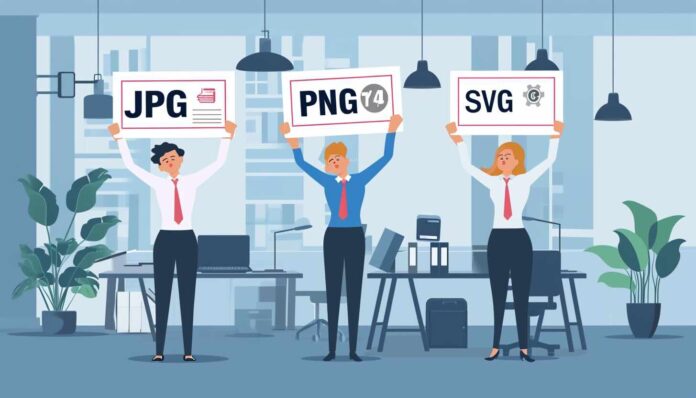
In the realm of church communications, where visual impact is crucial, the use of high-quality graphics plays a vital role. Today, my aim is to help simplify the process of converting standard images (such as PNG or JPG) to vector formats, which are ideal for creating various church-related designs. Whether you’re designing flyers, banners, or social media graphics, understanding the difference between image formats equips you with the ability to elevate your church’s visual presence with excellence.
Understanding PNG and JPG Formats
PNG (Portable Network Graphics) and JPG (Joint Photographic Experts Group) are two widely used image formats.
PNGs are known for their ability to maintain clear and transparent backgrounds, which makes them ideal for overlaying on other visuals. When you place logos “on top” of other backgrounds, PNGs work well.
On the other hand, JPGs are highly popular due to their efficient compression algorithms, resulting in smaller file sizes. This makes them perfect for storing and sharing high-quality photographs while minimizing storage space and download times.
What are Vector Images?
Unlike regular images, vector images are not made up of tiny dots called pixels. Unlike a photograph that is static, vector images are created using special math formulas that allow the image to be replicated at any size since it can be recomputed at any scale without loss of details. This is the great thing about vector images — you can make them bigger without them getting blurry or fuzzy.
Why Opt for Vector Images in Church Media?
Since vector images retain their high quality when printed, no matter the size, this makes them perfect for a wide range of applications, especially you’re creating things like large posters, pull-up banners, exterior signage, etc. With vectors, you can ensure that every intricate detail and fine line is preserved with precision and clarity. When you simply enlarge a jpg or png, it will become quickly pixelated and blurry when you make it larger than 300 dots per inch. You might have seen this issue of resolution because things on a computer screen are generally detailed at 72 dots per inch, but when you print them at less than 250 dots per inch, the human eye notices the jaggedness and pixelation that happens because of the limitations of the image file.
Think of vector images as the superheroes of church media, ready to save the day with their versatility and indispensable nature. They seamlessly adapt to various design needs, allowing you to create stunning visuals that captivate and engage your audience. So, embrace the power of vectors with confidence.
The Challenge of Conversion
Converting a PNG or JPG to a vector image isn’t easy. It’s not just about changing the file type. You see, when you convert a picture to a vector, it’s like creating a whole new picture that can be made bigger or smaller without losing quality. It’s pretty cool because it means you can use the picture for lots of different things, like printing it on a big poster or shrinking it down for a tiny logo. So, basically, it’s like giving the picture superpowers to be whatever size you want it to be.

Step-by-Step Conversion With 4 Online Tool Options
1. Gather Your Images: Start with high-quality PNG or JPG images. The better the original quality, the better the conversion results.
2. Choose A Vector Image Conversion Tool: Various online tools simplify this conversion. Here’s a list of user-friendly tools:
• Adobe Express: Converts JPG images to SVG. This tool is straightforward, making it ideal for beginners.
• Vector Magic: Offers advanced features for converting various image types to vectors. It’s a good choice for more complex designs.
• Vectorizer.AI: Uses artificial intelligence to enhance the conversion process. This tool is great for detailed images.
• Convertio: A versatile tool that supports multiple formats, including PNG to SVG conversion. 3. Understanding the Conversion Process: Upload your image, choose the output format (like SVG for vector), and let the tool do the work. These tools are designed to be intuitive, even for those new to graphic design.
Practical Applications in Church Settings
• Signage: Use vectors for crisp, eye-catching large format signs without any pixelated or jagged images.
• Printed Materials: For bulletins, flyers, and banners, vectors ensure clarity at any size.
• Special Events: Custom graphics for church event collateral like posters, banners, floor decals, pull-up signs, etc, benefit from the scalability of vectors.
Tips for Successful Conversions
• Start with the highest quality image you have.
• Experiment with different tools to find which works best for your specific needs.
• Don’t be afraid to try converting different types of images.
Final Thoughts
For church communicators, mastering the art of converting PNG and JPG images to vector formats opens up a world of possibilities. With the right tools and a bit of practice, you can create stunning, versatile graphics for all your church’s needs.