


Faithlife just released Logos 10. This version of Logos adds several new features, but just as important, improves lots of older features. These updates work together to make Logos 10 one of the best Bible tools available. In this post, we’ll look at 10 amazing features in Logos 10 to help you decide if it’s the right Bible software for your needs.
1. Improved Layout
Logos 10 gives users the ability to move the menu bar. In earlier editions of Logos, the menu was fixed across the top of the screen. It’s now moved to the left side, but users can easily move it to the top if they want. It’s also collapsible, so users can view the text or just the icons, creating a simplified layout that reduces distractions. A new Bible icon opens your favorite Bible.

2. Popup Definitions
Logos books now have tens of millions of tags that connect to the Factbook to show a definition in a popup when the user hovers over an underlined word. Definitions include theological terms, people, places, Greek and Hebrew lemmas, and more. Some of the definitions are short while others supply lots of detail. The popups are a fantastic way to see information quickly without having to open another resource.

3. Quote Tool
The Sermon Builder now has a quote tool. Users can easily search the Logos library for quotes to add to their sermons. Click the quote icon, enter the search terms, and drag and drop the quote into the sermon. The quote appears in a quotation format and includes the name of the resource and the author’s name. The name and source are clickable in the search results, so users can easily see more from that author or see or buy the resource.

4. Sermon Import
Users can import their sermons from Microsoft Word into the Sermon Manager. Import them in bulk or individually. Once the sermon imports, it opens in the Sermon Builder, ready for editing. Importing the sermons is effortless, making Logos 10 a terrific way to manage all sermons in one place. This is especially good for those that have lots of sermons outside of Logos.

5. Improved Search
The search tool is streamlined and easier to use. Search includes templates so users won’t need to memorize search syntax. Easily perform fuzzy searches, use logic operators, and specify the distance and order of the search terms. Search helps supply hints on performing searches in Logos 10. Searching is not only easier, but it’s now faster and more effective.

6. Search Print Books
Logos 10 can include printed books in the search results. Mark a book in the Logos library or scan the book’s ISBN to show that you own the printed version. Then, printed books appear in searches in Logos 10. The search results show the book name and page numbers so users can easily find the information. The book does need to be available in Logos, but you don’t have to own the Logos version. The ability to search printed books is one of the most interesting and requested new features.

7. Questions and Answers
Logos 10 makes it easier to find answers to your questions. Type a question into the search field and find answers from your Logos library. Popular questions and answers appear within a card in regular search results. The cards are clickable, so you can easily see the resources the questions and answers are from. Click the More link to see resources in the library where the questions are covered. This can supply ideas for teaching and preaching, as well as personal study.

8. Machine Translation
The new translation tool translates highlighted text to any one of over one hundred languages. It also includes Latin and biblical Hebrew. A new translation icon is added to the popup that appears when text is selected. Clicking the icon opens the translated text in a sidebar. Users can select any language from the dropdown menu and the text is automatically retranslated. Copy the translated text and use it any way you want.

9. Mobile Improvements
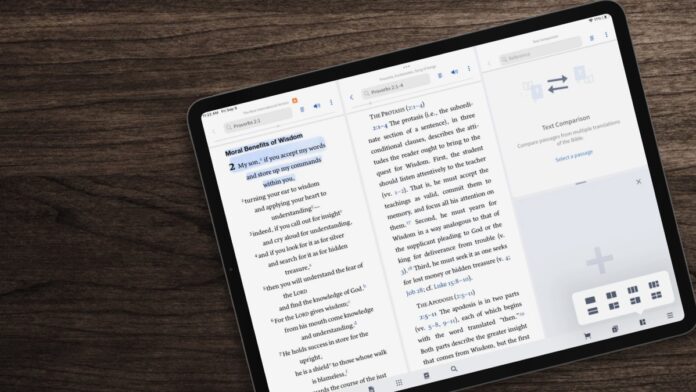
The mobile edition has also gotten some updates that add some of the desktop tools and adds a text-to-speech feature that turns almost any resource into an audiobook. Layout options show multiple resources on the screen at once. iPad users will have access to the Sermon Manager, the ability to draw on the screen, and the Canvas tool.

10. Speed Improvements
Faithlife has made lots of code improvements to the Logos 10 engine for all devices. It includes support for .NET 6 and Apple Silicon. Logos 10 is much faster on every device than in the previous editions. Depending on the resources used, it’s between 10% and 40% faster than Logos 9.
Ending Thoughts on Logos 10
That’s our look at 10 amazing features in Logos 10. There are more features than we’ve covered here, but these are some of the most interesting and provide a good overview of Logos 10. Others include new Workflows, new timeline filters, and additions to the Factbook such as Church History that use your Logos library.
As always, every package includes lots of added resources. The resources will vary depending on the package. With this link, and for a limited time, users can buy Logos 10 at a 15% discount or upgrade from any Logos package for a 30% discount.
For more on Logos 10, see the post Logos 10 Focuses on Integration and Performance.
We want to hear from you. Have you tried Logos 10? Let us know what you think about it in the comments.

