
Your church has a message worth hearing.
But if you’re still sending walls of text to your team, your congregation, and your volunteers — you’re losing them before they ever get to the point.
Video changed everything. And the tools available today aren’t just for Hollywood production teams or megachurch media departments.
They’re for you. Right now. With the budget you have.
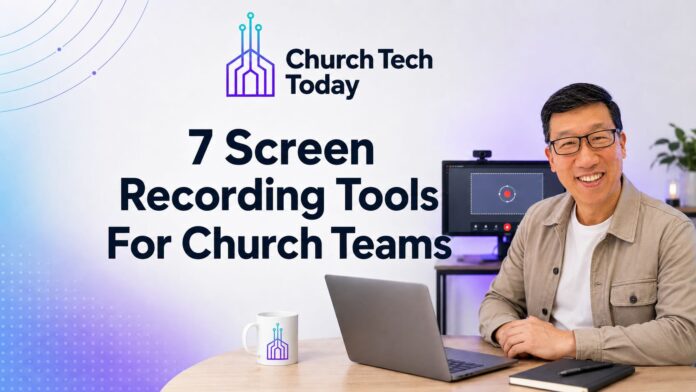
7 Screen Sharing Tools Every Church Should Know About
Tool #1: Descript
Most video editing software punishes you for not being a professional. Descript works differently. You edit the video by editing the transcript — like a Google Doc. Remove filler words. Add captions. Collaborate with your team without scheduling a single meeting.
If your lead pastor stumbles through a sentence, you delete it from the text. Done.
Audio and video, both. Fastest path from raw recording to clean, shareable content I’ve seen.
Tool #2: Kapwing
You have one sermon. One event recap. One announcement.
Kapwing helps you turn it into ten pieces of content — right from your browser. Smart resizing, AI tools, and easy clipping for Reels, TikToks, and YouTube Shorts.
Your media team doesn’t have time to rebuild every video for every platform. Kapwing handles the repurposing.
Tool #3: Loom
Honest truth: most internal church communication is a meeting that should’ve been a video.
Loom lets you record your screen and face at the same time, then share a link instantly. No scheduling. No waiting for everyone to be available.
Volunteer training. Staff updates. Walkthroughs for your tech team. A personal note to a ministry leader who needed to hear your voice, not read your words.
Loom adds the personal touch that email strips out.
Tool #4: Screen Studio (Mac only)
Most screen recordings look like they were made in 2009.
Screen Studio adds automatic zooms, smooth cursor effects, and clean motion — no editing required. If you’re on a Mac and creating tutorials, demos, or training content for your staff, this one will make your output look far more polished than your budget suggests.
Tool #5: ScreenRec
Sometimes you don’t need polish. You need fast.
ScreenRec is lightweight, gets out of your way, and works. Record your screen, get a private link, send it. Zero upload wait. No account setup drama.
For quick feedback, fast walkthroughs, or sending someone exactly what you mean — ScreenRec does the job.
Tool #6: Tella
Your church brand matters, even in video.
Tella is built for people who care about how their video looks — webcam overlays, clean design, story-style layouts, all inside your browser. If you’re building out discipleship content, leadership development materials, or anything with your face on it — Tella gives you branded, polished video without the learning curve.
Tool #7: Vidyard
Most churches send video. Few churches know who watched it.
Vidyard tracks who’s watching, when they stopped, and gives you CRM integration to follow up on it. For executive pastors thinking about donor communication, outreach, or staff accountability around video content — Vidyard gives you data, not just delivery.
Video is the New Black
Your congregation is watching video.
The question is whether they’re watching yours.
Pick one tool. Start this week. The message is too important for the medium to hold it back.
Which one are you already using — and which one are you going to try?