



As AI-adoption increases, many pastors are using AI to generate sermon summaries to create clarity, help staff stay aligned, and preserve key points for social media, YouTube descriptions, and emails.
But inside that summary text sits an unsculpted visual waiting to be shaped.
Online, people engage and learn through visuals that break ideas into clear parts, show relationships between concepts, and guide thinking one step at a time.
According to research from the Social Science Research Network, the brain processes images 60,000 times faster than text, and people retain 65% of information paired with relevant visuals compared to only 10% for text alone.
Without the right visual layers, even your best sermon points won’t translate online, and you’ll miss opportunities to teach these sermon points to your community well beyond Sunday morning.
Why You Need To Turn Your Sermons Into Visuals That Teach
What This Looks Like In Practice
The Best Visuals For “Teaching” Online
The 5-Second Framework For Teaching Visuals
Use AI To Create Your Teaching Visuals

Why You Need To Turn Your Sermons Into Visuals That Teach
Before sharing sermon content online, ask yourself:
- Could someone understand the main idea in under five seconds?
- Would someone be able to share this idea without clarification?
- Could a member grasp this idea without hearing the full sermon?
If the answer to any of these is no, you need to translate your sermon summary into a visual format designed to be seen, understood, and shared throughout the week.
Sermons are delivered in a relational environment with tone, pacing, repetition, and emphasis. Congregants have time to settle into the idea and absorb it as it unfolds.
But online environments work differently. Attention is brief, context is limited, and ideas compete for space in crowded feeds. Viewers decide in seconds, or even micro seconds, whether to engage or move on.
When they encounter big text blocks, readers have to slow down, interpret structure, and infer meaning without guidance. A 2026 study published in the Journal of Marketing analyzed over 34,000 brand posts from Facebook and Instagram and found that posts emphasizing text over pictorial content tend to receive fewer likes and comments than those with strong visual elements.
Teaching online requires shaping ideas so they can be understood quickly and shared easily. Online audiences need to see how concepts relate to one another, and need cues that guide interpretation.

What This Looks Like In Practice
The Three-Point Sermon
- Summary: “Today we looked at three keys to lasting faith: 1) Daily prayer builds connection with God, 2) Scripture reading renews our minds, 3) Community worship sustains us through trials.”
- Visual translation

Cause-and-Effect Teaching
- Summary: “When we understand God’s grace, we respond with gratitude. Gratitude leads to generosity. Generosity transforms communities.”
- Visual translation:

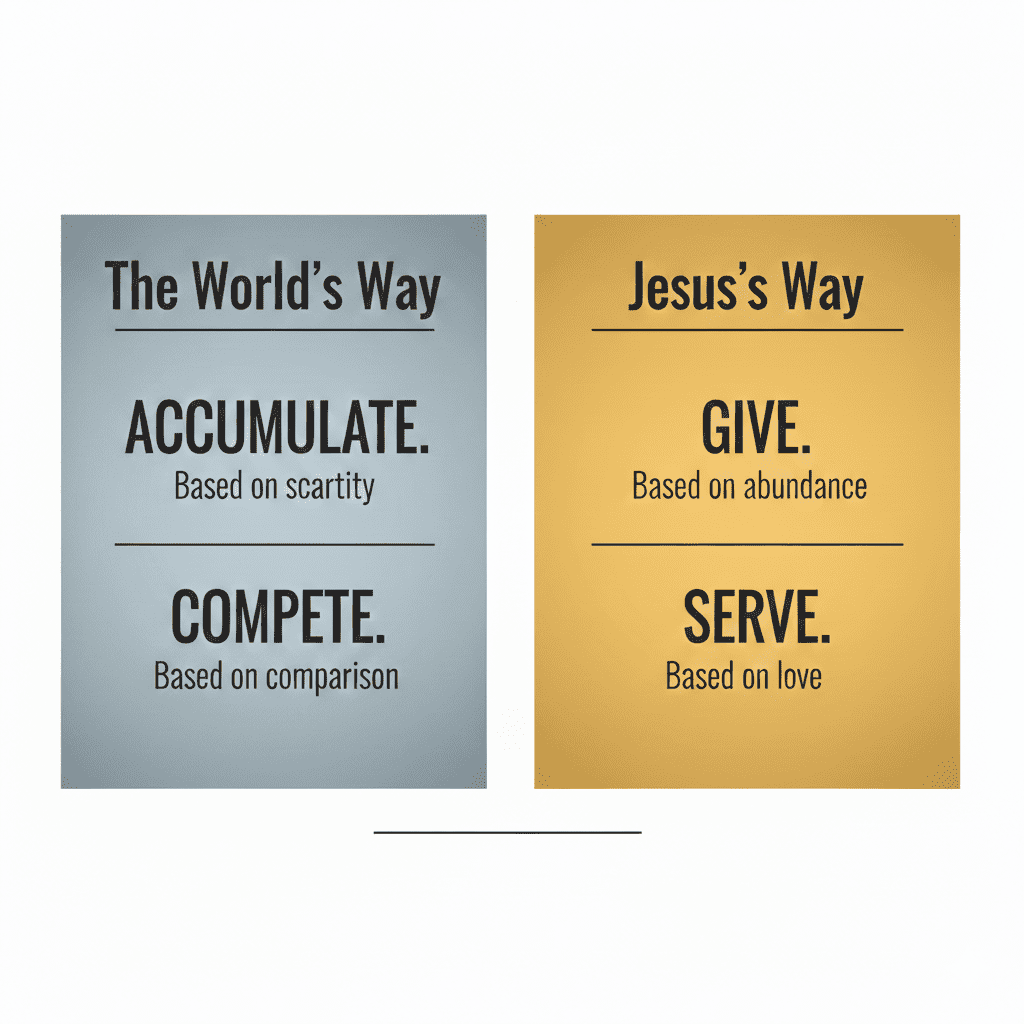
Contrasts
- Text summary: “The world says accumulate. Jesus says give. The world says compete. Jesus says serve.”
- Visual translation:

The Best Visuals For “Teaching” Online
According to industry research compiled by Sproutworth, visual content receives 94% more views than text-only content. More significantly, content featuring infographics sees 650% more engagement on social channels compared to text-only posts.
Visual content creates opportunities for genuine community engagement.
When someone shares an infographic from your sermon with a friend who’s struggling, or when a member saves a carousel to revisit during the week, you’re extending pastoral care beyond the church building.
Likes and comments are surface-level indicators that show us how conversations, discipleship, and connection are forming around ideas ⸺ both inside and outside your congregation.
Infographics, carousels, simple diagrams, and structured slides perform well online because they reduce cognitive load. They show the logic of an idea rather than asking the viewer to extract it from text.
Carousel posts are particularly effective for teaching.
- Research from Socialinsider analyzing over 22 million Instagram posts found that carousels average more engagement than single-image posts.
- A separate analysis by Hootsuite showed carousel posts get 3.1x higher engagement than regular, single-image photos.
Platforms reward multi-slide content because it keeps users engaged longer, signaling to algorithms that the content is valuable.
Infographics achieve much higher attention scores than text.
- A study published in Arthroscopy found that infographics achieved significantly higher social media attention scores (29.75 vs 5.75).
- The same study found that 100% of the infographics had more social media mentions than the original article they visualized (articles were shared at a 70% rate).
Format can determine whether your message travels beyond your immediate audience into the broader community you’re called to serve.
When your sermon includes frameworks, contrasts, step-based teaching, or cause-and-effect reasoning, turn them into visuals. These ideas already have internal structure, and visuals help make that structure visible and shareable in ways that invite conversation and reflection throughout the week.
PRO TIPThree Common Mistakes With Teaching Visuals Too much text If your visual has more than 30 words, it’s a document, not a visual No clear hierarchy Everything is the same size and weight, so nothing stands out Generic stock photos Random coffee cup or sunset doesn’t teach anything; use intentional imagery that supports your point |

The 5-Second Framework For Teaching Visuals
Before you create any visual from your sermon, run it through this filter:
- Identify the core insight
What’s the one thing you want them to remember on Wednesday? - Find the structure
Is it a list, a process, a contrast, a story arc, or a principle with examples? - Strip it down
Remove everything except what’s essential to understanding - Add visual hierarchy
What should their eye see first, second, third? - Test it
Show it to someone unfamiliar with the sermon. Can they explain it back in 10 seconds?
Once you’ve identified the structures, AI tools can speed up the creation process
Use AI To Create Your Teaching Visuals
AI can help you create visuals. Their language models are adept at identifying patterns and organizing ideas into clear components. Tools like Napkin.ai, Notebook LM, Gemini, ChatGPT, and Claude can accelerate the translation process from sermon to scroll-stopping visual.
While the sermon points remain the same, the delivery method expands both your audience and your opportunities for meaningful engagement with your community.
Join the AI for Church Leaders workshop, Create Scroll-Stopping Infographics And Carousels With Nano Banana. Learn how sermon ideas can be reshaped into clear, shareable visuals using practical examples.
You will discover how this step for visuals fits naturally into the weekly sermon workflow for a deeper connection with the people you serve.

