


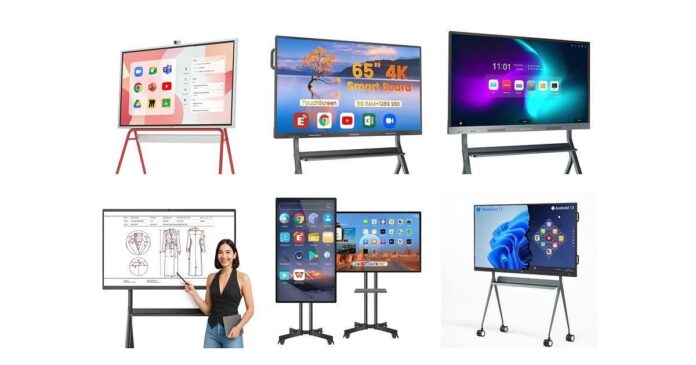
Choosing the right electronic whiteboard can change how you run meetings, training sessions and small group presentations in your church. You want a display that makes worship planning, Bible studies and community meetings easier to run, lets remote attendees join smoothly, and helps people engage with content instead of zoning out.
This guide walks you through ten practical electronic whiteboards so you can pick one that fits your room size, tech comfort level and budget.
Top Picks
| Category | Product | Price | Score |
|---|---|---|---|
| 🏆 Best Overall | Tiburn 75 | $3,399.00 | 95/100 |
| 💰 Best Value | Coolhood 65 | $1,439.99 | 88/100 |
| 🎓 Best for Teaching | Keinone 55 | $1,104.14 | 82/100 |
| 🖼️ Best for Media | Eunivon 55 | $1,053.55 | 81/100 |
| 🛠️ Best Support | Qixzocv 55 | $959.20 | 93/100 |
| 📱 Best All-in-One | Eunivon EV5S | $1,110.55 | 92/100 |
| 🎯 Best Compact | Jyxoihub 49 | $1,799.00 | 76/100 |
| 📹 Best for Conferencing | Jyxoihub 65 | $1,998.99 | 74/100 |
| 📣 Best for Advertising | Jyxoihub 55 | $1,999.00 | 76/100 |
| 💡 Best for Hybrid | Vibe S1 | $3,499.00 | 79/100 |
How We Picked The Smartboard TV’s On The List
You need an electronic whiteboard that works reliably in group settings, so we focused on practical factors you’ll notice every day: screen size and resolution (so everyone in the room can read text and see video clearly), touch responsiveness and pen options (for smooth note-taking and annotations), built-in OS and app support (to run media and collaboration apps without extra hardware), connectivity (HDMI, USB, wireless mirroring), audio/camera features for hybrid meetings, mounting options and portability, and vendor support and warranty. Price and real-world reliability were weighed heavily so you won’t pick something that looks great on spec but frustrates you in use.
💡 Best for Hybrid

Vibe S1 55 Inch
If you want an electronic whiteboard that feels like a true all-in-one for your church conference room, the Vibe S1 makes that easy. You can use it for daily planning, running small group sessions, projecting slides during meetings, or hosting hybrid gatherings where remote attendees need to stay engaged. The 55-inch 4K screen and responsive pen input make note-taking and annotating PDFs feel natural, and Chrome OS plus a healthy app store means you’ll probably find the tools your team already uses.
It’s a practical pick for routine use and larger events alike — think leadership meetings, guest presentations, and training days — and it’s especially handy when you need to run a session that blends in-person and online participation.
What People Say
Most people like how the Vibe S1 brings collaboration tools and a real whiteboard feel together — customers often mention the bright 4K screen, responsive writing, and the convenience of built-in apps. Users appreciate being able to save and share notes easily during hybrid meetings or lessons.
A handful of buyers note occasional lag or support hiccups, but overall reviewers tend to praise its usefulness for teaching, presentations, and remote-friendly meetings.
Key Benefits
- Sharp 55-inch 4K display that reads well from the back of a conference room
- Chrome OS with 250+ apps for easy collaboration and content sharing
- Responsive pen input and cloud whiteboarding for natural writing and saving notes
- Split-screen and meeting features designed for hybrid sessions
- Built-in speakers and multiple ports for simple AV setup
Current Price: $3,499.00
Rating: 4.2 out of 5 (total: 50+)
💰 Best Value

Coolhood 65 Inch
If you’re outfitting a church conference room and want an electronic whiteboard that stretches your budget without feeling cheap, this Coolhood 65-inch smart board is a solid pick. You can use it for daily planning, volunteer training, worship team run-throughs, sermon slides, or larger events where you need crisp visuals and easy annotation. The 4K display and responsive multi-touch make marking up documents and drawing diagrams feel natural, and built-in screen sharing, QR file transfer and cloud support help you distribute notes quickly. It pairs well with Zoom, Teams or Google Meet for hybrid meetings — just know the wall mount is included and a separate stand is sold if you need one.
For everyday use and occasional big services, it balances features, performance and price in a way that’s easy to recommend.
What People Say
Customers commonly praise the value and image quality for the price, noting the screen, touch responsiveness and collaboration features as highlights. Many mention the straightforward setup and helpful customer support.
A minority report occasional connectivity or touch-lock issues and wish for an integrated camera on some models, but most reviews focus on the board’s functionality and price-performance.
Key Benefits
- Large 65″ 4K screen that reads well from across a conference room
- 20-point multi-touch and responsive pen input for natural writing and annotations
- Android 13 with 128GB storage and open app ecosystem for familiar tools
- Wireless screen sharing, QR file transfer and cloud saves for quick collaboration
- Good value for the feature set, with reliable support and easy setup
Current Price: $1,439.99
Rating: 4.5 out of 5 (total: 315+)
🎓 Best for Teaching

Keinone 55
If you’re equipping a church conference room and want an electronic whiteboard that handles both daily planning and bigger events, this Keinone 55 is a practical choice. You can use it for staff meetings, volunteer training, worship team run-throughs, sermon slides and hybrid services that need crisp visuals and easy annotation.
The 4K screen and multi-touch responsiveness make marking up PDFs, annotating slides and sketching diagrams feel familiar, while the 8 GB RAM and 128 GB storage mean you won’t constantly worry about lag. It also supports screen casting, AirPlay and HDMI inputs, so sharing from phones or laptops is painless — just double-check whether the remote and pens arrive in the box and plan your mounting ahead of time.
For teaching-style use and hybrid meetings, you’ll find it flexible and straightforward to work with.
What People Say
Buyers often praise the clear 4K picture, roomy storage and the board’s interactive features—people like how easy it is to annotate and run lessons or presentations. Several reviews mention quick, helpful customer support and straightforward setup.
A smaller number flag touch sensitivity near the edges, occasional software quirks or missing accessories on arrival, but most users focus on the functionality and value for classroom or office use.
Key Benefits
- Bright 55″ 4K screen that reads well from the back of the room
- Responsive multi-touch (up to 20 points) and low latency for natural writing
- 8 GB RAM + 128 GB storage with Android and an open app ecosystem
- Multiple connectivity options (AirPlay, Wi‑Fi, HDMI, Type‑C) and split-screen
- Built-in whiteboard tools and teleconferencing features for hybrid sessions
Current Price: $1,104.14
Rating: 4.3 out of 5 (total: 36+)
🖼️ Best for Media

Eunivon 55
If you’re equipping a church conference room and want an electronic whiteboard that shines when you need crisp visuals, this Eunivon 55 is made for media-heavy use. You can run sermon slides, stream videos, annotate worship charts and mirror phones or laptops without fumbling — the 4K screen keeps images and lyrics easy to read from the back.
It runs an Android ecosystem so you can install familiar apps, cast content, and annotate in real time during staff meetings or volunteer training. For special events like guest speakers or hybrid services, the clarity and app support make sharing multimedia files straightforward. It’s a sensible pick if you want a versatile display that handles everyday planning and high-impact presentations with similar ease.
What People Say
Customers commonly praise the sharp 4K picture and the smooth writing experience with the stylus, especially when using the board for presentations and media playback. Many people highlight easy screen sharing and the ability to install apps as real benefits for meetings and classes.
A few users note occasional software quirks or sensitivity near the edges, but most reviews focus on the board’s value, functionality and solid picture quality.
Key Benefits
- 55″ 4K UHD display for clear visuals and readable slides
- Interactive multi-touch screen with included stylus for natural annotation
- Android-based system and open app ecosystem for flexible media apps
- Easy casting and multiple inputs (HDMI, wireless screen share) for hybrid services
- Wall mount and basic accessories included for a tidy conference-room setup
Current Price: $1,053.55
Rating: 4.3 out of 5 (total: 9+)
🛠️ Best Support
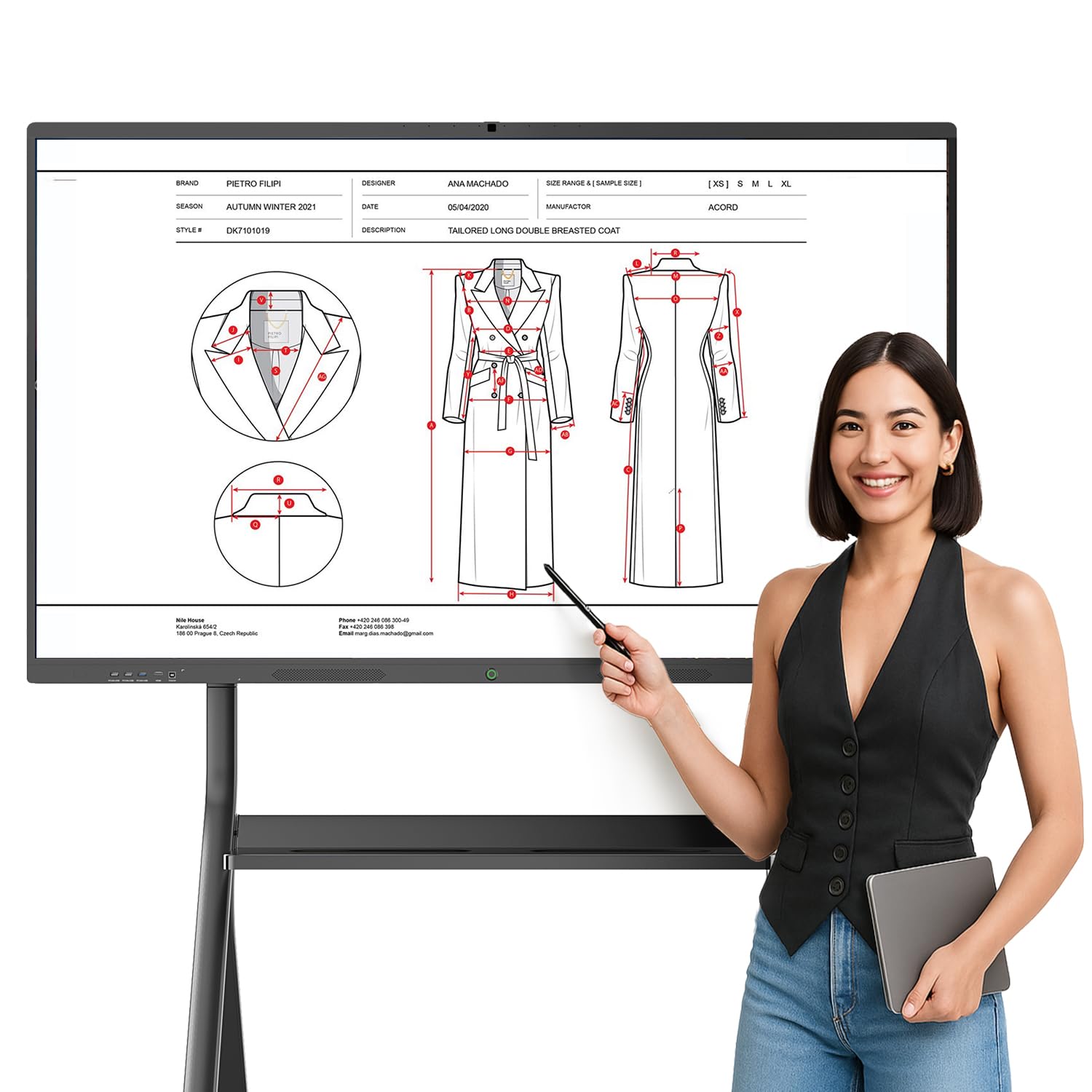
Qixzocv 55
If you’re setting up a church conference room, this Qixzocv 55 electronic whiteboard feels like having a big, friendly tablet on the wall. You can run sermon slides, share volunteer schedules, host hybrid meetings with built-in camera and mics, and jot notes or annotate worship materials right on the screen.
It’s great for everyday planning and training, and for special events—guest speakers or hybrid services—where clear visuals and easy screen sharing matter. Be aware it’s hefty to move, but if reliable support and an all-in-one setup matter to you, this is a practical pick.
What People Say
You’ll find most reviewers like how the board combines a sharp display with easy writing and solid conferencing tools — people mention the integrated camera, microphone array and speakers as especially useful for remote participants. Many buyers also point out that setup and initial configuration were smoother thanks to helpful customer support. A few note the size and weight make installation a two-person job, but overall impressions focus on value, clarity and dependable support.
Key Benefits
- 4K UHD display that keeps slides and lyrics readable from the back
- 20‑point touch responsiveness for natural multi-user annotation
- All-in-one Android 13 system with 8 GB RAM / 128 GB storage
- Built-in 13MP camera, 8-array microphone and dual speakers for hybrid meetings
- Wired and wireless screen sharing plus multiple inputs (HDMI, USB‑C, Miracast/AirPlay)
- Wall mount and full accessory kit included, backed by responsive customer support
Current Price: $959.20
Rating: 5.0 out of 5 (total: 2+)
📱 Best All-in-One
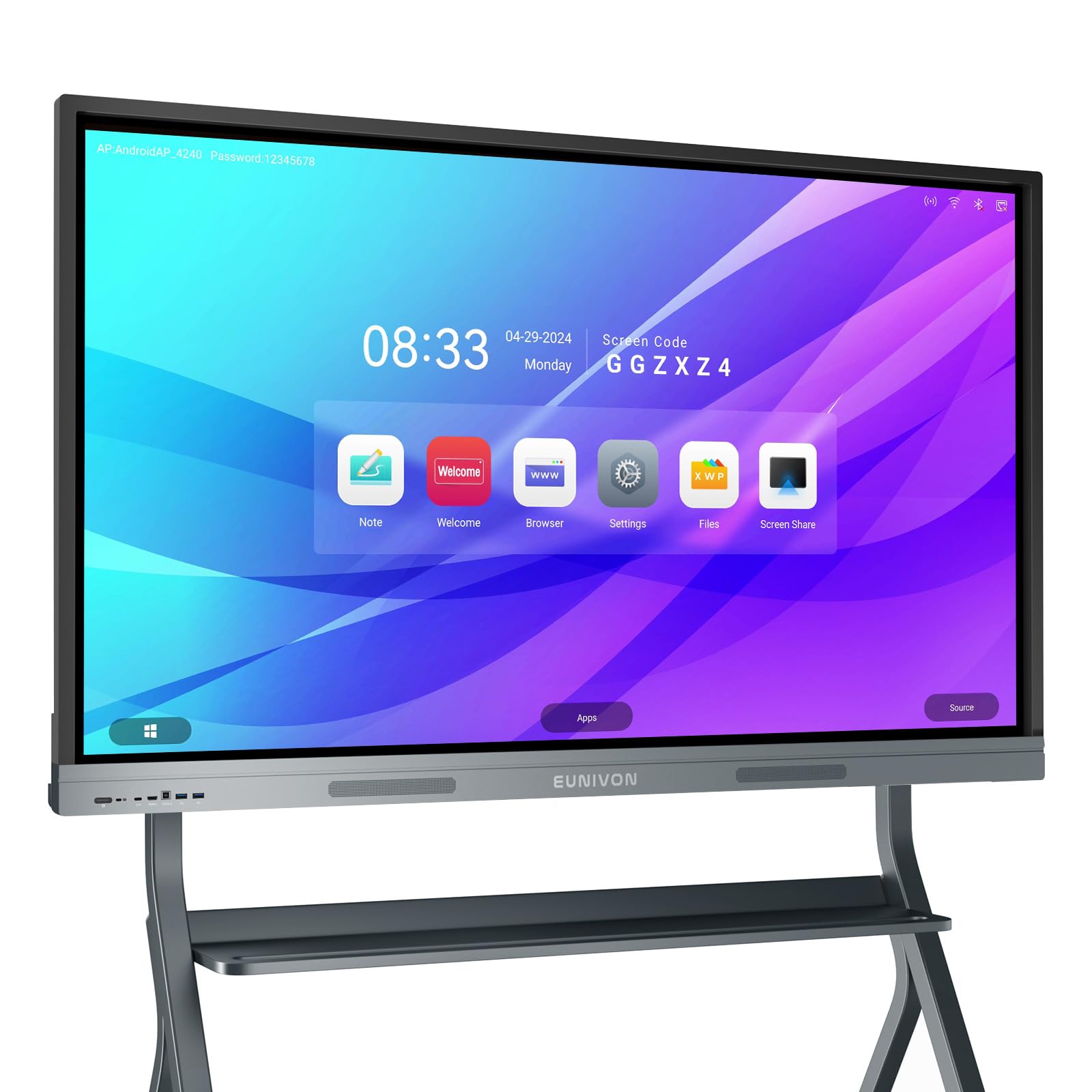
EUNIVON EV5S
If you need an electronic whiteboard for your church conference room, this 55″ EUNIVON EV5S is basically a giant Android tablet on the wall. You can run sermon slides, annotate hymn sheets, mirror phones or laptops for quick sharing, and even use it standalone without a computer.
It’s handy for day-to-day planning, volunteer training, and hybrid meetings where remote attendees need clear video and easy screen sharing. It’s a solid, budget-friendly all-in-one option — just plan for two people when you hang it.
What People Say
Customers often praise the clear, bright screen and how the board behaves like a large tablet you can write on. People frequently mention easy screen mirroring, the convenience of included styluses and the wall mount, and that the system’s performance feels snappy for meetings and lessons.
A common note is that the unit is heavy, so installation usually needs two people, but most reviewers say the value and functionality balance that out.
Key Benefits
- 4K UHD display keeps slides, song lyrics and handouts crisp and readable
- Android 14 with 8 GB RAM / 128 GB storage for smooth, standalone use
- Responsive touch screen and included stylus pens for easy annotation
- Easy screen casting and mirroring from phones, tablets and laptops
- Open app ecosystem so you can install teaching or presentation apps
- Wall mount and basic accessories included to get you set up quickly
Current Price: $1,110.55
Rating: 5.0 out of 5 (total: 10+)
🎯 Best Compact Electronic Smartboard

Jyxoihub 49
If you want a compact electronic whiteboard that fits a smaller conference room without feeling tiny, this 49-inch Jyxoihub is a solid pick. You can mirror phones and laptops, annotate slides during planning meetings, and use it for volunteer training or small-group streaming sessions. It’s surprisingly versatile for everyday tasks — showing sermon slides, rolling through announcements, or running a live stream — and its multi-touch responsiveness makes on-the-fly notes feel natural. For tight spaces or a secondary meeting area, you’ll appreciate the size and capability; just plan for help when you mount it, because it’s not featherweight.
What People Say
Buyers commonly note the bright, clear screen and accurate touch response, which makes writing and navigating feel intuitive. People also like how easy it is to cast from phones and that the board works well for meetings and small classrooms.
A few reviews mention setup instructions could be better and that the unit is heavy to handle alone, but most users appreciate the performance and helpful customer support when issues come up.
Key Benefits
- Compact 49 inch size fits smaller conference or meeting rooms
- Multi-touch responsiveness for easy annotation and group collaboration
- Screen mirroring (AirPlay, Miracast, Chromecast) so phones and laptops share quickly
- Octa-core performance for smoother app use and media playback
- Open Android ecosystem — install familiar apps for presentations and streaming
- Durable metal body and a 2-year replacement warranty for peace of mind
Current Price: $1,799.00
Rating: 4.1 out of 5 (total: 64+)
📹 Best for Conferencing

Jyxoihub 65
If you need an electronic whiteboard that doubles as a conference hub, this 65-inch Jyxoihub is exactly the kind of thing you’ll appreciate. You can run Zoom, Teams or Google Meet right from the board thanks to the built-in 20MP camera, array mics and 2×20W speakers, or switch to the Windows side for heavier presentation work. It’s great for daily uses like sermon slides, volunteer training, and team planning, and it shines at special events when you want remote attendees to feel included. The touch responsiveness and screen-splitting tools make live annotation easy, so if you want a single display that handles both on-site collaboration and polished video calls, this is a solid pick.
What People Say
Customers often praise the bright 4K display and responsive multi-touch, which makes annotating and running meetings straightforward. Many buyers highlight how useful the built-in camera and mics are for hybrid gatherings, and several note that the seller’s customer support handled issues well. A few users mention software/update quirks and mixed camera quality compared with the spec, but the overall feeling is that it’s a capable electronic whiteboard for conferencing and classrooms.
Key Benefits
- Integrated 20MP camera plus 8-array mics and 2×20W speakers for smoother video calls
- Dual Android and Windows systems let you pick quick apps or a full PC experience
- 4K resolution and glossy surface keep slides and media looking sharp in the room
- Multi-touch and low response time make annotation and group interaction feel natural
- Screen mirroring and split-screen features let multiple people share content at once
- Durable aluminum body and a 3-year replacement warranty for long-term use
Current Price: $1,998.99
Rating: 4.0 out of 5 (total: 37+)
📣 Best for Advertising

Jyxoihub 55
If you’re setting up a church conference room and want an electronic whiteboard that doubles as a bright digital display, the Jyxoihub 55 is worth a look. You can use it for everyday needs like sermon slides, volunteer training and planning meetings, then switch to signage mode for announcements or special events.
Screen mirroring from phones and simple multi-person annotation means you can pull up content quickly and mark things live during discussions. It’s especially handy when you need a vertical display for posters or a horizontal layout for full slides — you’ll appreciate its flexibility whether you’re running a weekday meeting or streaming a service.
What People Say
Buyers frequently praise the bright, clear display and the responsive touch experience, which makes live annotation and group editing feel natural. Many people mention easy screen mirroring and the convenience of running apps right on the board, while positive notes about seller support show up often. A smaller number of users report setup or manual hiccups, but the overall thread is that it’s a versatile electronic whiteboard and signage display that handles meetings and advertising well.
Key Benefits
- 4K capacitive multi-touch with ±0.1mm accuracy for smooth, pen-like annotation
- Android 12 with 8GB+64GB lets you run apps, media files and digital signage easily
- Screen mirroring for iOS and Android so phones and tablets connect quickly
- Supports multi-person editing and split-screen for collaborative planning
- Durable metal body and glass hardness rating for everyday use in busy rooms
- Vertical and horizontal display options for ads, posters or full presentations
Current Price: $1,999.00
Rating: 4.1 out of 5 (total: 64+)
🏆 Best Overall
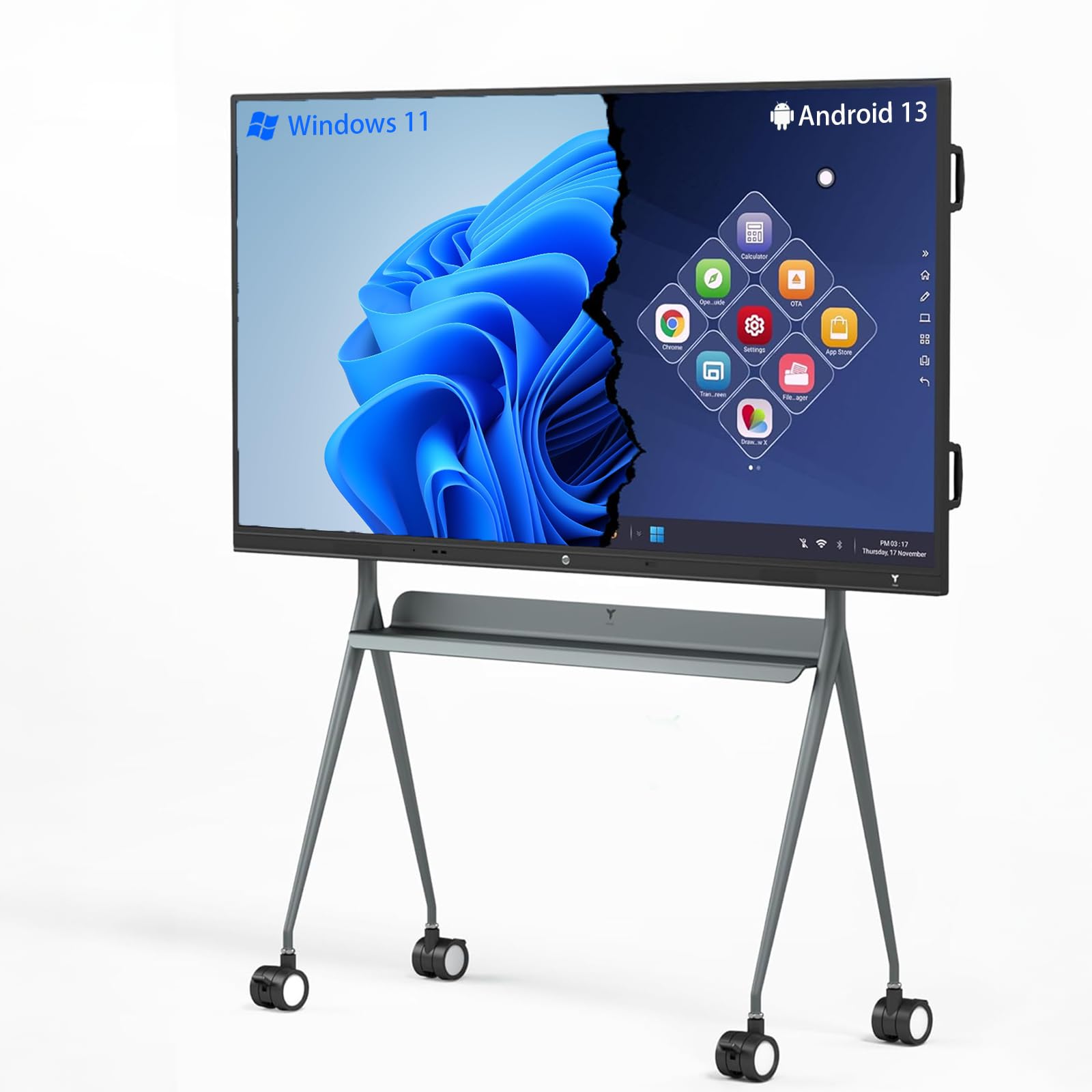
Tiburn 75
If you want an electronic whiteboard that feels like a complete meeting hub, the Tiburn 75 is built for that. You get a bright 4K display, responsive touch and built-in Windows 11 Pro plus Android for running familiar apps — which makes it easy to switch between sermon slides, training sessions, and streaming a service.
The board supports multi-person casting and on‑screen annotation, so you can pull together planning meetings, mark up the agenda in real time, or let volunteers bring up their notes from phones. The automatic light sensing keeps the picture looking great in different lighting, and the all-in-one design means less cable clutter when you need to set up for special events or hybrid calls. If you’re outfitting a church conference room and want something reliable and flexible, this one covers everyday use and bigger occasions without fuss.
What People Say
Customers commonly highlight the bright, true-to-life display and a snappy touch experience that makes live annotation feel natural. Many people appreciate the dual operating systems and the ability to run familiar apps right on the board, and positive notes about responsive seller support show up often. A few users mention minor setup quirks, but the general impression is that the board performs reliably for presentations, teaching, and group collaboration.
Key Benefits
- 4K UHD touchscreen for crisp slides and clear video during services
- Dual OS (Windows 11 Pro + Android 13) so you can run native apps or use the board as a standalone display
- Intel 12th Gen i5 mini PC with 16GB RAM and 256GB SSD for smooth performance
- Wireless casting for up to 4 users and multi-person annotation for collaborative planning
- Automatic light sensing to keep visuals consistent in changing room light
- All-in-one design (computer, display, audio and annotation) to reduce setup complexity
Current Price: $3,399.00
Rating: 5.0 out of 5 (total: 3+)
FAQ
How Do I Choose The Right Size And Features For My Church Conference Room?
You should start by matching screen size to your room and typical seating distance: a 55-inch board works well for small meeting rooms while 65–75 inch displays are better if people sit farther back. Think about whether you want a wall-mounted unit or a free-standing/portable model for multi-use spaces; some models like the Vibe S1 are free-standing while others are designed for wall mounting.
Prioritize touch responsiveness, resolution (4K is common), and an anti‑glare surface so your congregation can read notes from the pews. Also consider built-in OS and apps — Chrome OS, Android, and Windows options affect what software you can run natively — and look for features you’ll actually use such as multi‑touch support, screen mirroring, integrated speakers, and a camera for hybrid meetings. If budget is a concern, expect prices to range from around $959.20 for entry-level 55-inch options to $3,499.00 for premium units like the Vibe S1; weigh the tradeoffs between cost and reliability when you compare models.
What Connectivity, Compatibility, And Support Issues Should I Watch For?
You’ll want to confirm that the electronic whiteboard supports the devices and apps you already use: check USB, HDMI, USB‑C and network ports, and whether the board’s OS (Chrome OS, Android, Windows) can run your conferencing tools, presentation files, or church management apps. Don’t assume every board will behave the same; some come with polished support and documentation while others have sparse manuals and slower updates. Test mirroring and video calls before a live event to spot lag or audio issues — a model that handles 4K video and has built‑in speakers and a camera can simplify hybrid worship and meetings.
Also ask about warranty, return policy, and local service; strong vendor support can save you time when you’re troubleshooting before Sunday services. Always verify what’s included in the box (stylus, mount, power cord) so you don’t get surprised at setup time.
How Do I Install, Maintain, And Budget For An Electronic Whiteboard For Church Use?
Plan installation logistics first: determine wall studs, power access, and whether you’ll need two people or professional mounting for larger units. Prepare for ongoing maintenance like cleaning fingerprints on touch surfaces with recommended cleaners, updating firmware/apps, and keeping spare styluses or a simple external webcam as backup. For budgeting, include the display cost plus accessories and possible installation fees; sample prices in the market include $1,104.14 and $1,053.55 midrange options, $1,998.99 to $1,999.00 for larger collaboration hubs, and premium all‑in‑one boards at $3,399.00–$3,499.00.
Factor in a modest annual allowance for software licenses, mounting, and an extended warranty if your vendor offers it. When you buy, ask for a demo unit or a strong return window so you can validate touch accuracy, lag during video calls, and ease of sharing content with remote participants before committing.
Wrapping Up
Pick the size and features that match how you’ll use the room: larger screens and crisp 4K resolution work best for large conference areas, while mid-size 55–65″ boards balance cost and visibility for typical church meeting spaces. If you host hybrid sessions, prioritize reliable connectivity, built-in camera/speakers and an OS that supports common apps.
You’ll get the most practical benefit from an electronic whiteboard that reduces setup time, keeps remote attendees engaged, and makes collaborative planning easier. Use the awards above to narrow your shortlist based on whether you want the biggest, the best value, the simplest setup for teachers, or the strongest conferencing features.
| Product | Image | Rating | Price | Display Size | Resolution | Weight |
|---|---|---|---|---|---|---|
| Vibe S1 4K UHD Smart Board |  |
4.2/5 (50+ reviews) | $3,499.00 | 55 Inches | 3840 x 2160 pixels | 50.7 pounds |
| 65″ Smart Board, 4K UHD Touchscreen |  |
4.5/5 (315+ reviews) | $1,439.99 | 65 Inches | 3840 x 2160 Pixels | 87.8 pounds |
| Interactive Smart Board for Classroom | 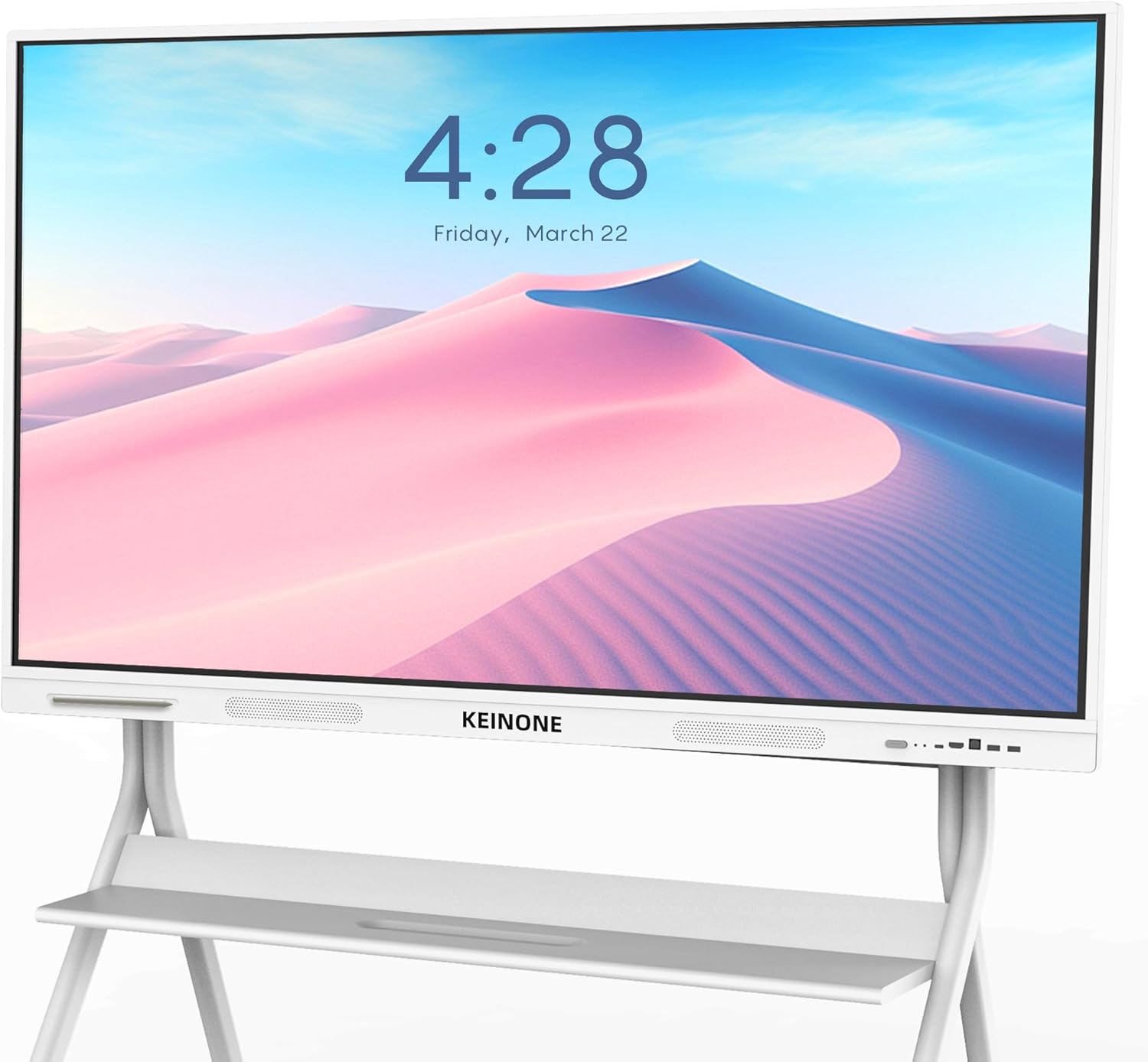 |
4.3/5 (36+ reviews) | $1,104.14 | 55 Inches | 3840 x 2160 Pixels | 69.9 pounds |
| Interactive Whiteboard, 55” 4K UHD Smart Whiteboard |  |
4.3/5 (9+ reviews) | $1,053.55 | 55 Inches | 3840 x 2160 Pixels | 76.8 pounds |
| 55″ Smart Board, Interactive Whiteboard |  |
5.0/5 (2+ reviews) | $959.20 | 55 Inches | HDR | 92.8 pounds |
| Smart Board, 55” 4K UHD Smart Whiteboard |  |
5.0/5 (10+ reviews) | $1,110.55 | 55 Inches | 3840 x 2160 Pixels | 74.8 pounds |
| Smart Board, 49 Inch Digital Electronic Whiteboard |  |
4.1/5 (64+ reviews) | $1,799.00 | 49 Inches | 1080 Pixels | 63.9 pounds |
| Smart Board Collaboration Hub |  |
4.0/5 (37+ reviews) | $1,998.99 | 65 Inches | 3840 x 2160 | 104.1 pounds |
Some links in this post help support our work at no extra cost to you, and we only recommend software, tools, and gear we truly want in our own office.

