



In today’s world, your online presence matters more than ever, especially if you’re a pastor connecting with your congregation through virtual services and meetings. Choosing the right webcam can significantly improve how you come across on video calls, making your message clearer and more engaging. You’ll benefit from better image quality, reliable performance, and features tailored to your needs, helping you maintain a professional and approachable appearance during your sermons and community interactions.
Top Picks
- Best Overall: Lumina 4K Webcam – $150.00
- Best for Streaming and Professional Control: Elgato Facecam MK.2 – $119.99
- Best Premium 4K Option: Logitech Brio 4K Webcam – $126.90
- Best Budget Full HD: Logitech C920x HD Pro Webcam – $66.90
- Best AI Features and Auto Framing: Insta360 Link 2C – $149.99
- Best Value 2K Webcam: Anker PowerConf C200 – $59.99
- Best Budget Full HD with Privacy Shutter: Logitech Brio 101 Full HD 1080p Webcam – $24.99
How We Selected the Best Webcams for Pastors
We focused on webcams that offer excellent video quality, ease of use, and features that enhance your virtual presence. Important factors included resolution (from Full HD to 4K), low-light performance, microphone quality, and software capabilities like AI-powered adjustments and auto framing. We also considered user feedback to ensure reliability and value, as well as price points to fit different budgets. Since pastors often need to engage warmly and clearly with their audience, we prioritized webcams that help you look professional and approachable during your online sermons and meetings.
Lumina 4K Webcam

If you’re looking to upgrade your video calls, the Lumina 4K Webcam is a solid choice that really stands out. It’s compact and lightweight—kind of like carrying a small chapstick—so it won’t clutter your workspace or weigh down your setup. What’s cool is how it uses AI to make you look your best, adjusting lighting and color automatically, which is perfect whether you’re leading a sermon, hosting a meeting, or just catching up with friends. The picture quality is sharp and clear, especially in well-lit rooms, and the dual microphones do a good job picking up natural sound while cutting out background noise. Plus, the included software lets you tweak everything from exposure to background blur, so you can customize your look without fuss. It’s not exactly plug-and-play since you’ll need to install software and register for a license key, but once you’re set up, it works smoothly on both Mac and PC. Overall, it’s a great pick if you want DSLR-like quality without the bulky gear.
What People Say
Users appreciate how the Lumina webcam balances professional-quality video with a small, portable design. The AI features and software customization get a lot of praise, especially for keeping you framed and looking sharp during calls. Some mention the setup process is a bit involved, but once configured, it works seamlessly. The microphone and video quality stand out compared to built-in laptop cameras or older webcams.
🗣️ Pushkar Ravi
I’ve been using the Lumina webcam for a few weeks on my M1 MacBook Pro, and it’s been a great upgrade from my previous webcams. The small size surprised me—it’s really lightweight and compact, but the picture quality holds up against bigger webcams. With good lighting, the video looks sharp, and the microphone works well too. The software lets you fine-tune the image or use the AI color card for automatic adjustments, which is handy. The “Pro mode” keeps me centered in the frame even when I move around, which is perfect for presentations or sermons. The only downside was the setup process, which required registering and getting a license key, but after that, it’s smooth sailing.
🗣️ Amazon Customer
I love my Lumina so much I bought a second one for the office. It replaced my bulky DSLR setup and still gives me that professional look I wanted for pitching and meetings. The AI is impressive—it doesn’t cut off my bald head like other webcams! Features like the “Cameraman” that tracks me as I move make a big difference. It’s small and portable, but I prefer having a dedicated setup at work. The mic picks up voices well even when multiple people are in the room. It’s been reliable on both Intel and M1 MacBooks, and the company is responsive to feedback, which is reassuring.
Ease of Use
|
Feature |
Ease Level |
|---|---|
|
Setup and Installation |
Moderate |
|
Software Customization |
Easy |
|
Physical Mounting |
Moderate |
|
Daily Use |
Easy |
Smart Features
The AI-powered auto-framing and color calibration set this webcam apart. It intelligently keeps you centered and adjusts your appearance in real-time, which is a big help if you’re moving around or want to look your best without fiddling with settings constantly.
Why You’ll Like It
- AI-powered image adjustments for a polished look
- Compact and lightweight design fits any workspace
- Dual microphones capture clear, natural sound
- Customizable settings via Lumina Studio App
- Pro mode keeps you centered during movement
Current Price: $150.00
Rating: 4.1 (total: 957+)
Buy Now
Elgato Facecam MK.2

If you want a webcam that really steps up your video quality, the Elgato Facecam MK.2 is worth checking out. It captures smooth, lifelike 1080p video at 60fps, so your streams or calls look crisp and natural, even in low light. What’s neat is the Camera Hub software that gives you DSLR-style controls like ISO and shutter speed, letting you fine-tune your image exactly how you want it. Whether you’re streaming sermons, hosting virtual meetings, or recording special messages, this webcam handles it all with ease. It doesn’t have a built-in mic, so you’ll want a separate microphone, but the video quality more than makes up for that. Plus, the easy-slide privacy shutter is a nice touch for peace of mind. It’s a solid pick if you want to look professional without complicated setups.
What People Say
People love how the Facecam MK.2 delivers professional-quality video with customizable settings that let you dial in your perfect look. The lack of autofocus actually helps keep the image sharp without annoying focus shifts. Some mention the software takes a bit to get used to, but once you do, it’s a powerful tool. The privacy shutter and solid build are also appreciated.
🗣️ Amazon Customer
The Elgato Facecam Pro has completely transformed my streaming and video conferencing experience. The true 4K60 resolution delivers crystal-clear visuals, making my content stand out with professional-grade quality. The Sony sensor combined with advanced light correction ensures that I look my best, even in less-than-ideal lighting conditions. What sets this webcam apart is its DSLR-style control, allowing me to fine-tune settings like exposure, white balance, and field of view directly through the Camera Hub software. The wide-angle lens captures more of my background without distortion, adding depth to my streams. Integration with OBS, Zoom, and Teams is seamless, making setup a breeze. While it’s on the pricier side, the investment is justified by the exceptional build quality and performance. If you’re serious about content creation or seeking top-tier video quality for professional meetings, the Elgato Facecam Pro is worth every penny.
🗣️ Brandon
Best looking webcam in the price range that it is in. It was super easy to set up and get started with. The mountability is very versatile I currently have it on my monitor, but have also tried it on my tripod. The size is a little larger than most other webcams but with using the Elgato software this webcam has immaculate video quality. This webcam doesn’t use autofocus which is NOT a negative, because you don’t have issues with autofocus not focusing correctly and causing blurring. Instead this camera is crystal clear no matter where you are in the view.
Ease of Use
|
Feature |
Ease Level |
|---|---|
|
Setup and Installation |
Moderate |
|
Software Customization |
Moderate |
|
Physical Mounting |
Easy |
|
Daily Use |
Easy |
Advanced Control
What makes this webcam stand out is the Camera Hub software that offers deep control over your image, similar to what you’d expect from a DSLR. You can adjust ISO, shutter speed, and more, giving you the flexibility to get the perfect look in any lighting. Plus, it captures uncompressed HDR video for stunning clarity.
Why You’ll Like It
- Smooth 1080p60 video for clear, natural visuals
- DSLR-style controls via Camera Hub software
- Built-in privacy shutter for peace of mind
- Versatile mounting options for your setup
- Sony STARVIS sensor performs well in low light
Current Price: $119.99
Rating: 4.2 (total: 1,053+)
Buy Now
Logitech Brio 4K Webcam

If you’re looking to seriously upgrade your video quality for online sermons, meetings, or special church events, the Logitech Brio 4K Webcam is a solid choice. It delivers crisp, ultra-high-definition 4K video that makes you look sharp and professional, even when lighting isn’t perfect. You can easily switch between three fields of view to show just your face or include a bit more background, which is handy if you want to share your space or show a whiteboard. The dual mics with noise cancellation help keep your voice clear, cutting down on distracting background sounds. Plus, it’s got a privacy shutter for those moments when you want the camera off. Whether you’re streaming from your office, home, or church, this webcam handles it all without fuss. Just plug it in, and you’re good to go.
What People Say
People appreciate how the Brio delivers professional-looking video with easy-to-use features like autofocus and adjustable views. The noise-canceling mics get a lot of praise for keeping voices clear, and the privacy shutter is a welcome bonus. Some mention the mounting clip could be better, but overall, it’s seen as a reliable, high-quality webcam that’s worth the investment.
🗣️ Malissa Atkins
If you have the money to invest in this webcam, I highly suggest making the purchase. Logitech has a great reputation when it comes to webcams. This one supports 4K Ultra HD at 30fps, and even at 1080p or 720p, the quality is impressive. The autofocus and auto light correction work smoothly, adjusting quickly as you move. I love the three field of view options, which let you choose how much background to show. The noise-canceling mics do a great job reducing background sounds, so your voice comes through clearly. The USB cable is long and sturdy, and the privacy shutter is a nice touch. Just keep in mind the mounting clip isn’t the best, so a tripod might be a good idea if you want more flexibility.
🗣️ s
Good sensor for a computer webcam, and it works well in both light and dark rooms. The autofocus is reliable, and it integrates smoothly with Teams and Zoom. The software is clean and doesn’t get in your way, which I appreciate. The mic is decent, and overall, it’s a solid camera that makes you look good during calls. The only downside is the stand, which isn’t great for adjusting angles, but the tripod mount helps if you want to use one. Worth the price if you want a dependable webcam that just works.
Ease of Use
|
Feature |
Ease Level |
|---|---|
|
Setup and Installation |
Easy |
|
Adjusting Field of View |
Easy |
|
Mounting Options |
Moderate |
|
Daily Use |
Easy |
Smart Video Tech
What really sets this webcam apart is its combination of 4K resolution with HDR technology and multiple field of view options. It automatically adjusts to different lighting conditions and tracks your movement smoothly, so you always look clear and well-lit without fiddling with settings.
Why You’ll Like It
- Ultra 4K HD resolution for crystal-clear video
- Three adjustable fields of view to frame your shot
- Dual noise-canceling microphones for clear audio
- Privacy shutter for peace of mind
- Compatible with popular video platforms like Zoom and Teams
Current Price: $126.90
Rating: 4.6 (total: 17,294+)
Buy Now
Logitech C920x HD Pro Webcam
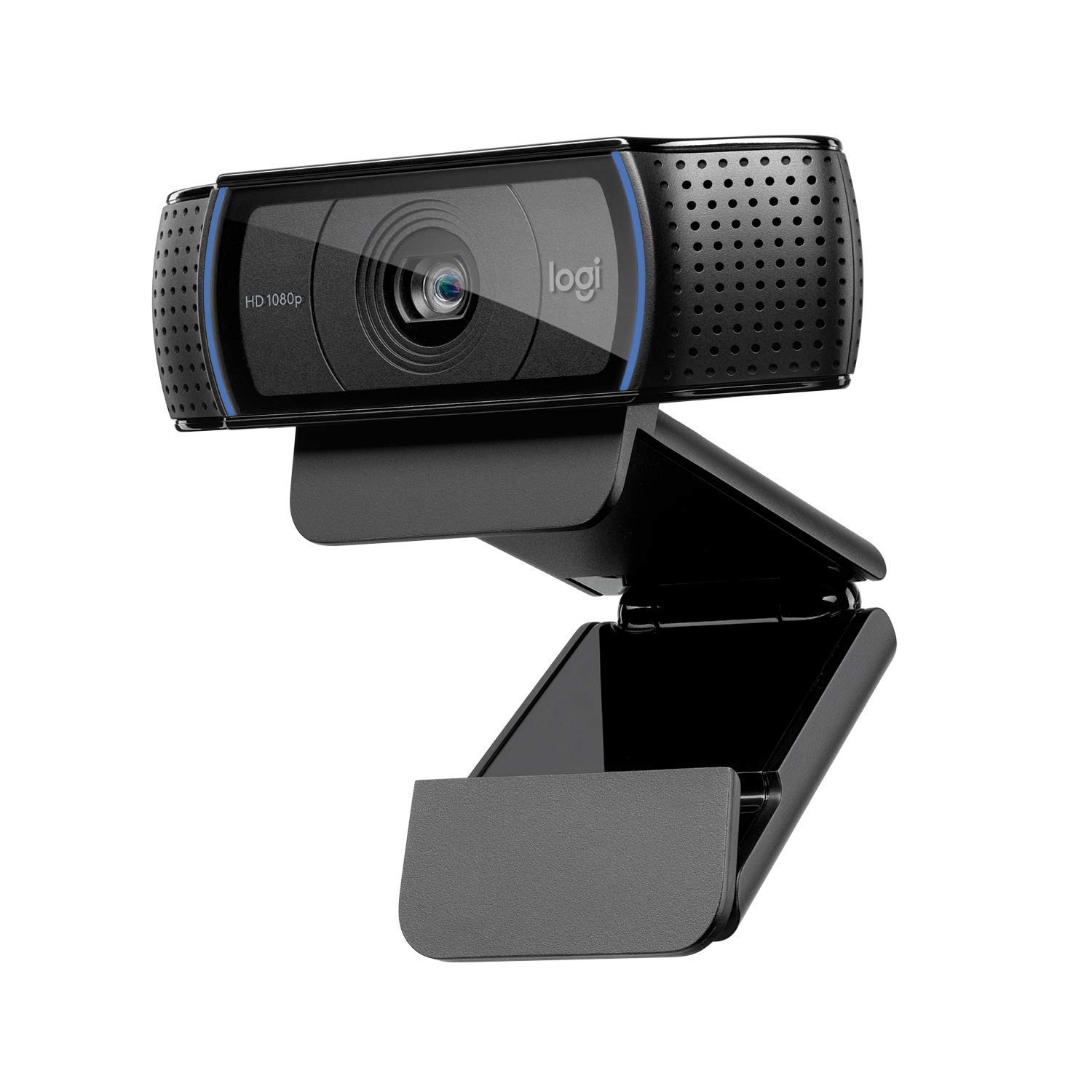
You want a webcam that just works, looks great, and doesn’t make you jump through hoops to set up. The Logitech C920x HD Pro Webcam fits that bill perfectly. It delivers crisp Full HD 1080p video at 30fps, so whether you’re leading an online sermon, hosting a Bible study, or catching up with your community, you’ll come across clear and vibrant. The dual mics pick up your voice naturally, which is a big plus when you want your message to be heard without distractions. Plus, the HD light correction means you don’t have to worry about perfect lighting — it adjusts on the fly to keep you looking sharp. It’s simple to plug in and use with all your favorite platforms like Zoom, Skype, or FaceTime. Whether it’s a daily call or a special event, this webcam has you covered.
What People Say
Users love how this webcam balances quality and ease of use. The video looks sharp even in less-than-ideal lighting, and the built-in mics do a solid job capturing clear audio. It’s praised for being reliable and straightforward, making it a favorite for everyday video calls and streaming.
🗣️ Saiid Z
Outstanding quality, easy to use and light weight. I find this camera sound is awesome too. One of the reasons I keep buying this camera is the quality and brand. The picture quality and design is outstanding. The picture comes up very nicely even with low light.
🗣️ Dave’s Reviews
I bought this to replace a very old Logitech camera I was using for over 10 years. This one is much higher quality, has a great mic, and works seamlessly. Works perfectly for Zoom calls for work but I’m guessing it’s as good a camera as one might need to stream with until they want to move on to a DSLR and external mic setup. Has all the features I need and is easy to use. Mounts right on top of my screen.
Ease of Use
|
Feature |
Ease Level |
|---|---|
|
Setup and Installation |
Easy |
|
Mounting on Monitor |
Easy |
|
Adjusting Video Settings |
Moderate |
|
Daily Use |
Easy |
Smart Features
What stands out here is the HD light correction and autofocus that work quietly in the background to keep your image sharp and well-lit, no matter where you are. Plus, the inclusion of a 3-month XSplit VCam license lets you easily blur or replace your background without needing a green screen.
Why You’ll Like It
- Full HD 1080p video at 30fps for clear, vibrant image
- Dual stereo microphones capture natural sound
- HD light correction adjusts to your environment
- Plug-and-play setup with most video platforms
- Compact design that mounts easily on your screen
Current Price: $66.90
Rating: 4.6 (total: 20,271+)
Buy Now
Insta360 Link 2C

If you’re looking to step up your video quality for sermons, meetings, or streaming, the Insta360 Link 2C is a solid choice. It packs a 1/2″ sensor that delivers crisp, true-to-life 4K video with HDR, so your image stays sharp even in tricky lighting. What’s really cool is the auto framing feature that keeps you perfectly centered, whether you’re alone or with a group. Plus, the AI noise-canceling mic helps keep your voice clear, cutting out background distractions. You can even control it with hand gestures or from your phone, which makes it super handy if you’re moving around or want to switch things up without fuss. It works smoothly with all the usual platforms like Zoom, Teams, and Twitch, so you’re covered no matter how you connect. Whether it’s a daily Bible study or a special livestream, this webcam makes sure you look and sound your best without a complicated setup.
What People Say
People appreciate how this webcam balances professional-grade video quality with user-friendly features. The auto framing and gesture controls make it feel high-tech without being complicated, and the audio quality holds up well even in busy environments. It’s a favorite for those who want a polished look without the hassle.
🗣️ R. Reed
By far the best webcam under $130. Quality is excellent and the customizable features are a plus. While it can be customized with the downloadable software, I just plug it in and it works great for my Teams calls. I can even use the hand gesture to track me. The magnetic mount is great because I can fine tune the angle the camera. The large sensor allows for natural blurring and much better image quality in a darkened room. If you’re considering this cam or any model from Logitech, just get this. You won’t regret it.
🗣️ Mike
I use this for Zoom meetings and it does not disappoint. It doesn’t have the gimbal like the other model but I don’t really need it tracking my every move and also paying extra. Picture quality is excellent and love the option to blur the background.
Ease of Use
|
Feature |
Ease Level |
|---|---|
|
Setup and Installation |
Easy |
|
Mounting and Adjusting Angle |
Easy |
|
Using Gesture Controls |
Moderate |
|
Switching Between Modes |
Moderate |
|
Daily Use and Compatibility |
Easy |
Smart Features
What really sets this webcam apart is the combination of a large 1/2″ sensor for stunning 4K visuals and AI-powered features like noise cancellation and auto framing. The gesture control and remote smartphone operation add a futuristic touch that’s surprisingly practical for everyday use.
Why You’ll Like It
- True 4K video with HDR for sharp, vibrant visuals
- AI noise-canceling mic keeps your voice clear
- Auto framing and gesture control for hands-free use
- Versatile modes like DeskView and Whiteboard for different setups
- Easy plug-and-play with all major video platforms
Current Price: $149.99
Rating: 4.5 (total: 363+)
Buy Now
Anker PowerConf C200

If you want a webcam that’s easy to set up and delivers sharp, clear video for your online sermons or meetings, the Anker PowerConf C200 is worth checking out. It shoots in 2K resolution, so your image looks crisp without being over the top. What’s nice is the adjustable field of view—you can zoom in to just your face or pull back to show more of your room, which is handy if you want to include your pulpit or a whiteboard behind you. The built-in AI noise-canceling microphones do a solid job cutting out background noise, so your voice comes through clearly without distractions. Plus, the low-light correction means you don’t have to stress about perfect lighting setups. It’s a straightforward, no-fuss camera that works well whether you’re on a PC or Mac, making it a great everyday companion for pastors who want to look professional without a complicated setup.
What People Say
Users love how easy this webcam is to set up and how well it balances video and audio quality at a reasonable price. The adjustable viewing angles and noise-canceling mics get a lot of praise, making it a reliable choice for pastors who want to focus on their message without tech headaches.
🗣️ Guilherme Couto Moreira
The anker 2K webcam is a fantastic choice for anyone looking to enhance their video conferencing or streaming experience. With its high-resolution capability, it delivers crystal-clear image quality, making video calls and recordings look professional. The webcam also boasts a wide field of view, which is perfect for capturing more background or including additional people in the frame. Built-in noise reduction ensures that audio is clear and free from background distractions. The setup is straightforward, thanks to its plug-and-play design, compatible with most operating systems. Overall, this webcam offers excellent value for its price, combining superior video quality with user-friendly features.
🗣️ erussell
This camera is a great buy. It is less expensive than comparable models and has great video and audio; The installation is simple and the compact size makes it an attractive addition to the monitor. It is great for my business ZOOM calls.
Ease of Use
|
Feature |
Ease Level |
|---|---|
|
Setup and Installation |
Easy |
|
Adjusting Field of View |
Moderate |
|
Using Privacy Cover |
Easy |
|
Compatibility with PC and Mac |
Easy |
|
Daily Use and Portability |
Easy |
Smart Features
What stands out here is the AI noise-canceling microphones that help keep your voice front and center, even if there’s some background noise. The adjustable field of view is also a nice touch, letting you customize how much of your space shows up on camera without needing extra gear.
Why You’ll Like It
- Sharp 2K video quality for clear, professional-looking calls
- Adjustable field of view to fit your room or just your face
- AI-powered noise cancellation for clear audio
- Low-light correction so you look good even without perfect lighting
- Built-in privacy cover for peace of mind
Current Price: $59.99
Rating: 4.4 (total: 6,932+)
Buy Now
Logitech Brio 101

You’re going to appreciate how the Logitech Brio 101 makes your video calls look sharper and more professional without any hassle. It delivers Full HD 1080p resolution, so your image is clear and detailed, whether you’re leading a virtual sermon or catching up with your community. The auto-light balance feature is a game changer—it brightens your face and cuts down shadows, even if your room lighting isn’t perfect. Plus, the built-in microphone means you don’t have to worry about extra gear cluttering your desk. The privacy shutter is a simple but smart touch, letting you cover the camera when you’re off the call. It’s plug-and-play with all the major platforms like Zoom, Microsoft Teams, and Google Meet, so you can just focus on your message. Whether it’s for everyday meetings or special streaming sessions, this webcam fits right in and looks great doing it.
What People Say
People appreciate how easy it is to set up and use this webcam, especially with its solid video quality and handy auto-light correction. The privacy shutter and built-in mic get a lot of nods, making it a practical choice for pastors who want to look good and sound clear without fuss.
🗣️ CJ
The Logitech Brio 101 is an exceptional Full HD 1080p webcam that delivers outstanding video quality for both professional and personal use. From the moment I started using it, I was impressed by its crisp resolution and smooth frame rates, which make video calls and recordings feel incredibly lifelike. The setup process was a breeze. It’s a plug-and-play device that worked seamlessly with my computer and popular platforms like Zoom, Microsoft Teams, and OBS Studio. The adjustable field of view and auto-light correction features are fantastic, especially in variable lighting conditions, ensuring you always look your best. The build quality is another highlight. The sleek and compact design doesn’t take up much space, and the sturdy clip fits perfectly on my monitor. Logitech’s reputation for durability is evident in this model. For the price point, the Brio 101 is an unbeatable value. Whether you need it for streaming, video conferencing, or content creation, this webcam delivers premium performance without breaking the bank. Highly recommended for anyone looking for a reliable and high-quality webcam!
🗣️ Aynoan Souza
This is a very affordable camera, and actually my first ever. I intend to use it for streaming, so showing my face and also tracking my movements when using an avatar model. I really like the size of this product, since it is not big but very useful and could be put literally anywhere. I am not using the camera’s microphone so I can not give a specific example and review of the mic functionality. Lightning is great and you can adjust it to your liking in the camera’s app or streaming platform – I believe I won’t have to use any type of lighting other than my lamp on my stand next to my setup since there is such a clear image. It is okay for face tracking.
Ease of Use
|
Feature |
Ease Level |
|---|---|
|
Setup and Installation |
Easy |
|
Adjusting Lighting and Image |
Easy |
|
Using Privacy Shutter |
Easy |
|
Compatibility with Video Platforms |
Easy |
|
Portability and Size |
Easy |
Smart Features
What really stands out is the auto-light balance feature that boosts your brightness by up to 50%, so you don’t have to worry about perfect lighting setups. Plus, the privacy shutter is a simple but effective way to keep your camera covered when you’re not using it, which is a nice touch for peace of mind.
Why You’ll Like It
- Clear Full HD 1080p video for professional-looking calls
- Auto-light balance brightens your face and reduces shadows
- Built-in microphone keeps your audio simple and clear
- Privacy shutter for peace of mind when you’re off camera
- Plug-and-play compatibility with major video platforms
Current Price: $24.99
Rating: 4.4 (total: 22,717+)
Buy Now
FAQ
What Should You Consider When Choosing a Webcam As a Pastor in 2025?
When selecting a webcam for your pastoral duties, you want to focus on image quality, ease of use, and compatibility with your devices. Look for webcams that offer at least 1080p resolution, though 4K models like the Lumina 4K or Insta360 Link 2C provide sharper, more professional visuals. Consider features like AI-powered auto-framing or background blur if you want to keep the focus on yourself during sermons or meetings. Also, check if the webcam’s software is user-friendly, since some models require setup steps like account registration or license keys. Don’t forget to think about your lighting conditions—some webcams handle low light better than others. Lastly, ensure the webcam connects easily to your computer, preferably via USB-C or USB-A, depending on your setup.
Are Expensive Webcams Worth It for Pastoral Video Calls and Streaming?
Investing in a higher-end webcam can definitely enhance your video presence, but it depends on your specific needs. For example, the Elgato Facecam MK.2 offers DSLR-like controls and excellent image quality, which is great if you want full control over your video look. However, some users find that software complexity or hardware quirks can be frustrating. On the other hand, models like the Logitech C920x or Brio 101 provide solid performance at a more affordable price point, making them reliable choices for everyday video calls and sermons. If you’re streaming regularly or want a polished, professional look, spending around $120 to $150 USD on a webcam with good AI features and 4K resolution might be worth it. But if your needs are simpler, a webcam around $60 to $70 USD can still deliver clear, dependable video.
How Can You Get the Best Video Quality From Your Webcam During Online Services?
To make sure you look your best during online services, start with good lighting—natural light or a soft key light can dramatically improve your image. Position your webcam at eye level to create a natural connection with your audience. Use the webcam’s software to adjust settings like brightness, contrast, and white balance; many models like the Lumina 4K come with AI-assisted calibration tools that simplify this process. If your webcam supports features like auto-framing or background blur, experiment with them to keep the focus on you without distractions. Also, consider using an external microphone or headset for clearer audio, since webcam mics vary in quality. Finally, test your setup before going live to troubleshoot any issues with frame rate, focus, or connectivity.
Wrapping Up
Choosing the right webcam can transform your online ministry by improving how you connect visually and audibly with your congregation. Whether you want the highest resolution, advanced AI features, or a budget-friendly option, this list covers the best webcams for pastors in 2025. Investing in a quality webcam helps you present yourself clearly and confidently, making your virtual services more engaging and effective.
| Product | Image | Rating | Highlights | Pros | Cons | Price |
|---|---|---|---|---|---|---|
| Lumina 4K Webcam |
 |
4.1/5 (957 reviews) | AI-Powered, 4K Resolution, USB Connectivity | Compact size, great picture quality, responsive software. | Setup can be complex, background blur feature needs improvement. | $150.00 |
| Elgato Facecam MK.2 |
|
4.2/5 (1,053 reviews) | 1080p 60fps, HDR Video, DSLR-style Control | Excellent video quality, versatile mounting options. | Requires good lighting, some users report buggy software. | $119.99 |
| Logitech Brio 4K Webcam |
 |
4.6/5 (17,294 reviews) | 4K Resolution, HDR, Multiple Field of View | Great video quality, good low-light performance. | Discontinued, limited support. | $126.90 |
| Logitech C920x HD Pro Webcam |
 |
4.6/5 (20,271 reviews) | Full HD 1080p, HD Light Correction | Easy setup, good audio quality. | No autofocus, limited field of view. | $66.90 |
| Insta360 Link 2C |
 |
4.5/5 (363 reviews) | 4K Resolution, Auto Framing, Gesture Control | Excellent image quality, easy to use. | Microphone quality could be better. | $149.99 |
| Anker PowerConf C200 |
|
4.4/5 (6,932 reviews) | 2K Resolution, AI Noise Canceling Mic | Great value, easy setup. | Limited low-light performance. | $59.99 |
| Logitech Brio 101 |
|
4.4/5 (22,717 reviews) | Full HD 1080p, Built-in Mic, Privacy Shutter | Good video quality, easy to use. | No advanced zoom features. | $24.99 |
This Roundup is reader-supported. When you click through links we may earn a referral commission on qualifying purchases.


Thank you, we are purchasing cameras for the church this year.
Great!
Which one on the list is most appealing to you so far?