Home Blog

Top 21 Online Giving Software Services for Your Church [2026]

Online giving platforms can help your church increase donations by an average of 40%

Are you pleased with your church giving software?

Ensuring you have a way to take digital tithes and offerings for your church will provide an easy way for your church members to donate online, through an app, with a giving kiosk, or even via text. Digital church giving platforms make giving easy and convenient for everyone involved.

Plus, with online giving for church, you can set up recurring donations, which will help ensure that your ministry never falls short of the funds it needs to operate successfully. And because many digital giving platforms allow you to set up automatic reminders to donors, you can be sure that even the busiest members of your congregation will remember to give what they can.

With today’s online and mobile giving solutions for churches, it’s easy to use effective best practices to nurture digital giving with your church attendees.

But first, you need to ensure you have the best church giving software solution in place. . .

The Top Features Of The Best 21 Church Giving Platforms

We’ve summarized and shared 21 Digital Church Giving Platforms and some of their most outstanding features for churches below.

If you’d like to quickly jump to a specific giving platform, click the links below.

21 BEST CHURCH GIVING PLATFORMS (2025)

1. DigiGiv
Digigiv 1
https://ministrydesigns.com/online-giving/

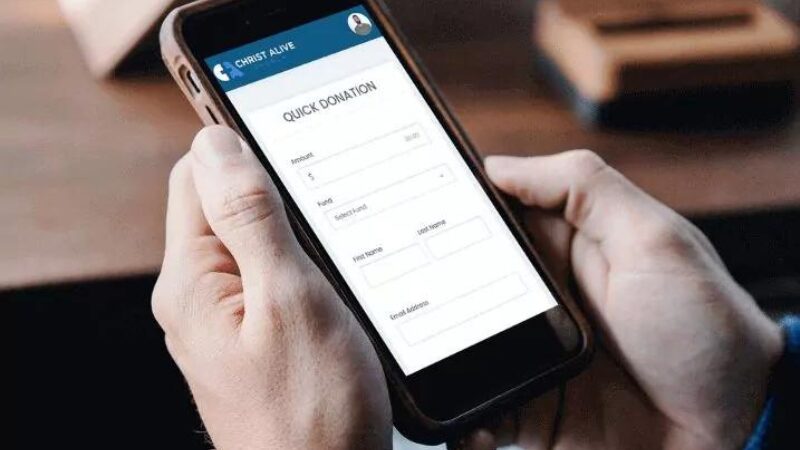
DigiGiv by Ministry Designs provides churches with robust data, powerful reporting systems, and interactive giving options that will skyrocket your church’s giving.

  • 100% free text to give powered by Text in Church
  • Send a text to your personalized phone number and receive donations at the click of a button
  • Donor migration, donor management, text message follow-up, pledge management, and donor history are just the tip of the iceberg

In addition, DigiGiv is designed to make the user experience for an admin as smooth as possible.

  • Segmenting your giving and creating specific allocations for your funds has never been easier
  • Recurring giving is the fastest way for donors consistently tithe
  • Online giving through your church administrator is excellent for church members to not only give online but also call your office and ask your authorized church staff member to process a gift

✅ Online Giving
⛔ Giving App
⛔ Apple Pay
✅ Text-to-Give
⛔ Giving Kiosks
✅ ChMS Integration

2. Donately
donately
https://donately.com/for-churches/

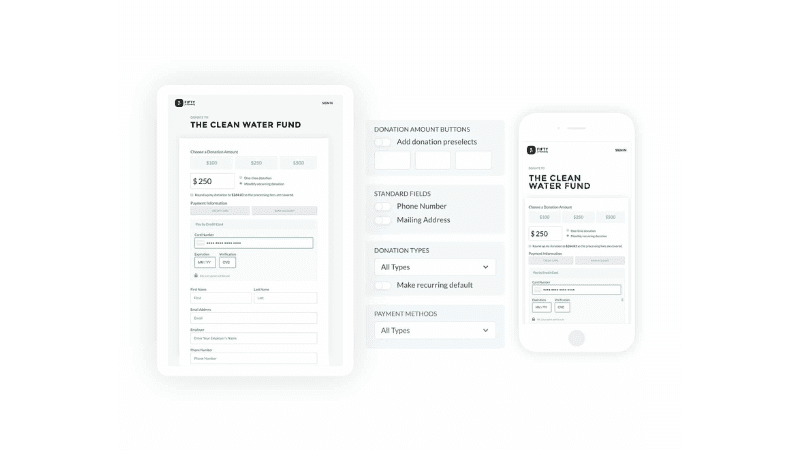
Church leaders use Donately to manage their online fundraising campaigns and take recurring donations. Church membership is increasing, but many churches still struggle with maintaining monthly balances due in part because it’s hard for them to make changes on an annual or sustained-giving level without disrupting the routine of how members give each month financially. 

  • Easily collect donations from members on a recurring basis to stabilize your monthly balance sheet
  • Adjust the cadence of any recurring donation with just a few clicks from your Donately dashboard
  • Weekly for tithes
  • Monthly for sustained giving
  • Annual for special campaigns

✅ Online Giving
⛔ Giving App
✅ Apple Pay
✅ Text-to-Give
⛔ Giving Kiosks
✅ ChMS Integration

3. Donorbox

https://donorbox.org/church-fundraising

Donorbox helps you raise more donations and grow your church. You can start fundraising or taking offerings in minutes with a customized donation form. You can easily enable text giving for Sunday service and all church events or even add designated funds to raise donations for mission trips and larger projects.

  • Enhance the church donation experience with multiple currencies, language, and payment options
  • Raise funds for that long-awaited church hall renovation or add the Mother’s Room that your church needs.

✅ Online Giving
⛔ Giving App
✅ Apple Pay
✅ Text-to-Give
⛔ Giving Kiosks
⛔ ChMS Integration

4. EasyTithe
EasyTithe
https://www.easytithe.com/

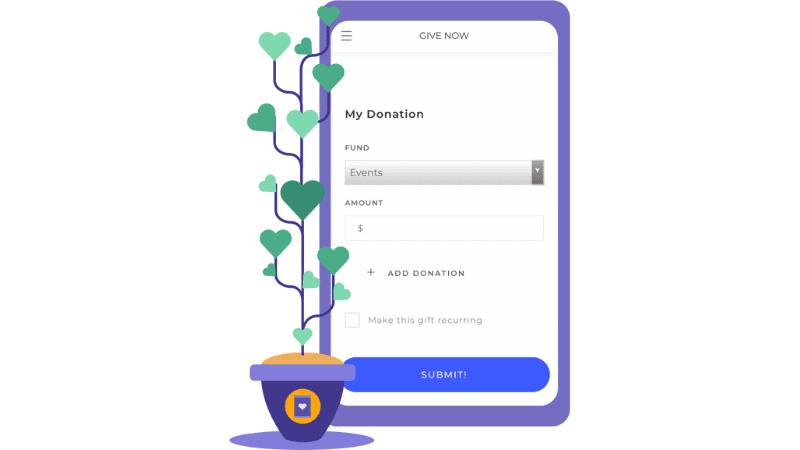
easyTithe claims to help churches grow giving by more than 32%. They partner with your team and equip you with the necessary resources to succeed. 

  • Visualize data and monitor your giving in real time using their powerful reporting system.
  • Make ministry decisions informed by accurate data.
  • Help givers understand the impact their contributions make.
  • Free resources to help your church with onboarding and engagement

✅ Online Giving
✅ Giving App
⛔ Apple Pay
✅ Text-to-Give
✅ Giving Kiosks
✅ ChMS Integration

5. GiveForms

GiveForms
https://www.giveforms.com/platform

According to their website, “GiveForms lets you seamlessly embed a form on your website, allowing visitors to donate using a credit card, PayPal, Google Pay, bank transfers, or bank transfers.  You can maximize recurring donations, delight donors, and grow your movement.”

  • Grow Predictably with Recurring Donations
  • Branded Emails & Receipts
  • Notifications and Monthly Reports
  • 99.9% uptime guarantee
  • All transactions are secured using 256-bit SSL encryption and PCI DSS A-EP
  • Payment information is tokenized and never stored on GiveForms servers

✅ Online Giving
⛔ Giving App
✅ Apple Pay
⛔ Text-to-Give
⛔ Giving Kiosks
⛔ ChMS Integration

6. Givelify

Givelify
https://www.givelify.com/organizations/solutions/giving/

Givelify says they help you “reach donors where they are,” whether on your website, social media or in person. 

Givelify offers a three-tap giving experience, leading to 75% of donors completing their donation once started. On other platforms like Givelify, only 25% complete the donation process.

  • Free tools and resources to power your mission
  • Easy platform to engage donors
  • Learn what makes your donors give
  • Reach donors where they are
  • Recognize their generosity through custom messaging

✅ Online Giving
✅ Giving App
⛔ Apple Pay
⛔ Text-to-Give
⛔ Giving Kiosks
✅ ChMS Integration

7. Gyve

Gyve
https://gyve.com/

Gyve is a giving platform that centers around helping church leaders accelerate generosity. Many of Gyve’s users have tripled the number of first givers using Gyve’s platform and techniques. In the last year, their churches saw an overall increase of 76% in online donors. Plus, their online reporting tool helps simplify money management. 

  • Round-up features to help givers “round up” to the nearest dollar during everyday purchases
  • Six ways to give with cash, check, card, text, app, or web
  • Option for donors to cover fees
  • Text giving
  • Giving statements
  • Lifetime gift tracking
  • Guest giving
  • Split donation options

✅ Online Giving
✅ Giving App
⛔ Apple Pay
✅ Text-to-Give
✅ Giving Kiosks
✅ ChMS Integration

8. Kindrid

Kindrid 1
https://www.kindrid.com/

Kindrid’s mission is to equip 100% of your church to give instantly. Their powerful church app, Ministry One, keeps everything in one place, from giving to prayer requests to sermons. This means that with Kindrid, your church can participate in your church’s vision every day of the week. 

  • Simple for givers
  • Essential for staff
  • Congregants can give instantly whenever they are inspired
  • Large resource library with video courses on giving and donor engagement

✅ Online Giving
✅ Giving App
⛔ Apple Pay
✅ Text-to-Give
⛔ Giving Kiosks
✅ ChMS Integration

9. MightyCause
MightyCause
https://www.mightycause.com/pricing

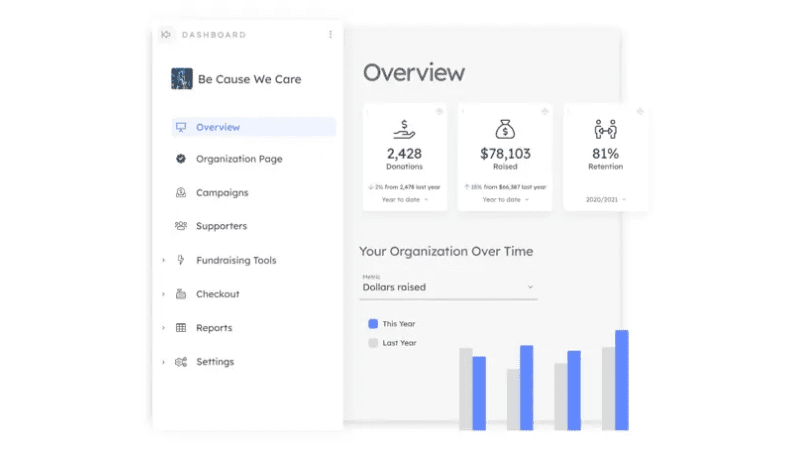
With MightyCause, every campaign, donor, and transaction detail is reported and analyzed for you, ensuring you have everything you need to engage with your givers.

  • Create an all-in-one fundraising website for building a new community or fostering an existing donor base
  • Display your church, talk about your mission, and provide avenues for contribution
  • Highlight campaigns and causes that directly support your church
  • Integrate donation processing into your website, or use your Mightycause profile page to fundraise
  • Engage your supporters with user-friendly peer-to-peer and team fundraising
  • Use automated donor data and donation reports for essential customer relationship management

✅ Online Giving
⛔ Giving App
✅ Apple Pay
✅ Text-to-Give
⛔ Giving Kiosks
✅ ChMS Integration

10.NewFire Giving
Newfire Giving 1
https://www.newfiregiving.com/getstarted/#signup

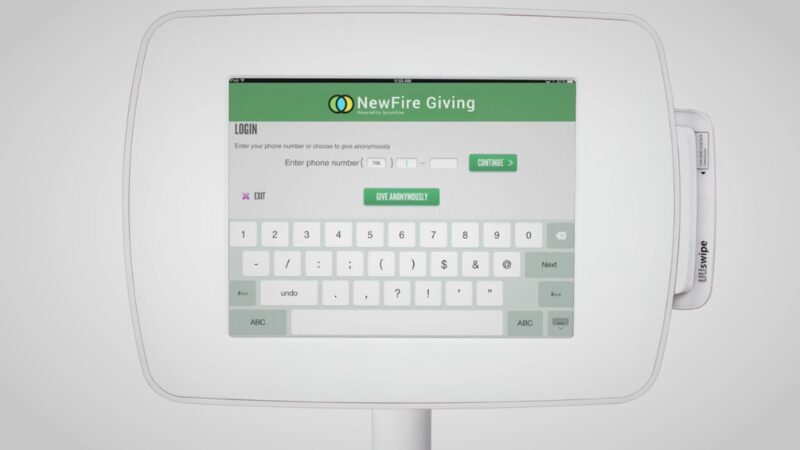
NewFire Giving promises to improve your church’s financial health by helping you increase one-time digital donations and automated recurring giving.

  • Customize your messaging
  • Set unlimited ministry designations
  • Equip donors to set up one-time or recurring giving with a debit card, credit card, or bank transfer
  • Track campaign pledges in real-time
  • Manage donors easily with their SecureGive dashboard
  • Monitor giving trends
  • Communicate to your donors
  • Complete capital campaigns with ease

✅ Online Giving
✅ Giving App
✅ Apple Pay
✅ Text-to-Give
✅ Giving Kiosks
⛔ ChMS Integration

11. Nucleus
Nucleus 1
https://www.nucleus.church/giving

Nucleus Giving’s tool GivingFlow claims to cost 5x – 20x less than any other platform on the market and have the lowest processing rates in the industry. With a straightforward way to give, Nucleus says its giving platform is as “easy as dropping cash in the plate.”

  • GivingFlow can exist on every page of your church website
  • GivingFlow is mobile friendly
  • Tool Suite to help your financial team easily handle everything
  • NucleusFlows (Add-on) allows you to create unlimited custom forms and take payment as well as custom information for events, merchandise, or even conferences
  • Fixed monthly rate
  • Nucleus does not take a cut of the tithe

✅ Online Giving
⛔ Giving App
⛔ Apple Pay
⛔ Text-to-Give
✅ Giving Kiosks
⛔ ChMS Integration

12. OnlineGiving
OnlineGiving
https://www.onlinegiving.org/churchonlinegiving

“OnlineGiving’s platform is a set of cutting-edge ministry tools designed explicitly for Evangelical Christian Churches.” 

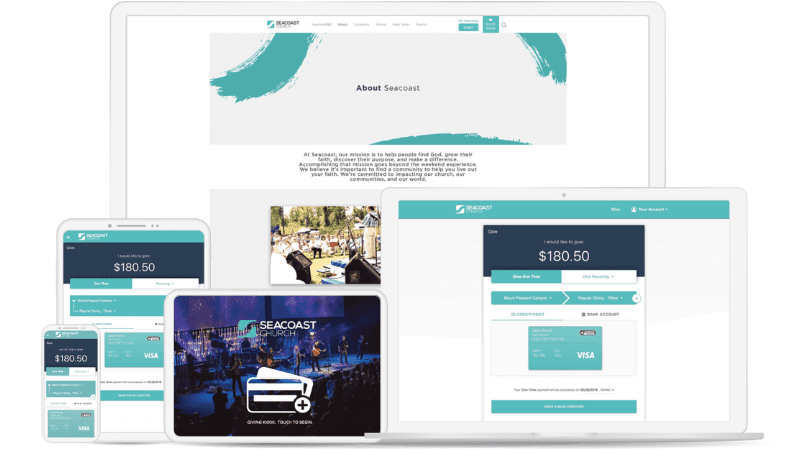
OnlineGiving claims to help you increase generosity and grow recurring givers by helping you process digital giving on many platforms, including web, mobile, text, kiosk, chatbot, Facebook, and more!

  • 13 ways to give
  • Advanced ChMS integration
  • Auto recurring giving
  • Donors can cover the fees
  • Custom giving pages
  • Instantly give in three seconds or less with one-click gift completion

✅ Online Giving
✅ Giving App
⛔ Apple Pay
✅ Text-to-Give
✅ Giving Kiosks
✅ ChMS Integration

13. PayPal
Paypal Giving
https://www.paypal.com/us/webapps/mpp/nfp

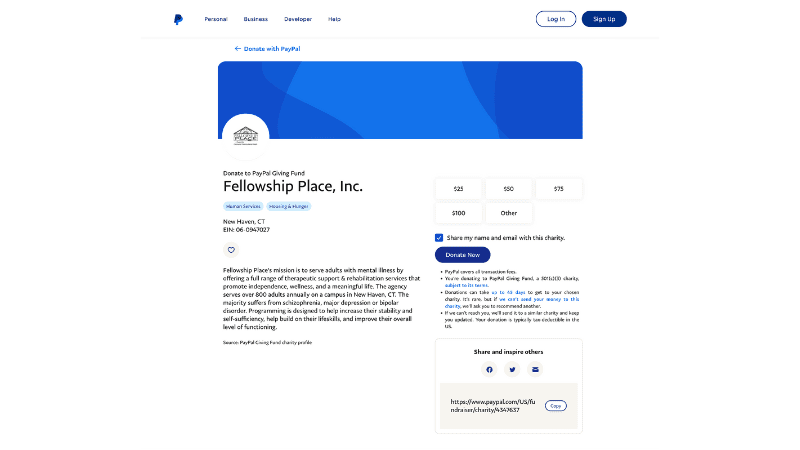
With a network of 375+ million PayPal users in 200 markets, PayPal promises to connect you with donors, no matter where they are. Their fundraising tools utilize the power of technology and network to boost nonprofit fundraising. They have tools for organizations of every size. The name-brand recognition of PayPal helps donors feel secure and safe when giving.

  • Discounted rates
  • Secure transactions
  • Easily track donations
  • Fast access to funds
  • Online fundraising
  • In-person fundraising

✅ Online Giving
⛔ Giving App
⛔ Apple Pay
⛔ Text-to-Give
⛔ Giving Kiosks
⛔ ChMS Integration

14. Planning Center
Planning Center
https://www.planningcenter.com/giving

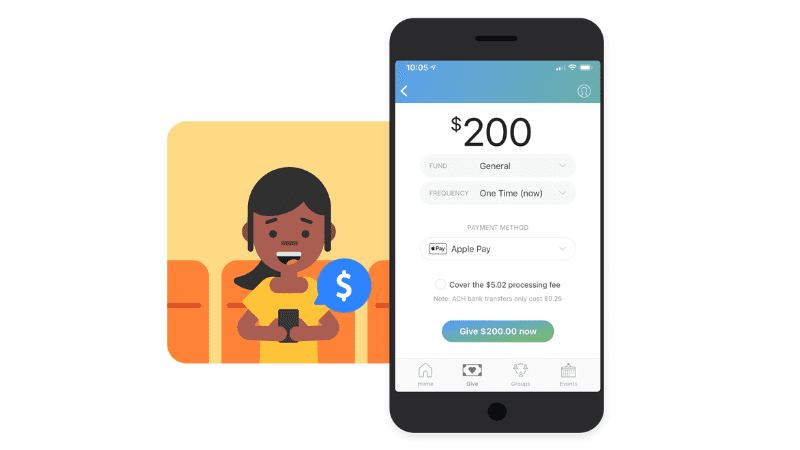
Planning Center Giving makes it easy for people to give by helping you accept and process donations, track trends, and issue statements. With Planning Center’s Giving product, you can track 100% of tax-deductible donations and pledge campaigns for 501c3 organizations.

  • See donations as they come in on a live-updating feed
  • Monthly Forecasting
  • Estimate next month’s income using recurring donation trends
  • Profiles: View a complete picture of each donor’s giving history, no matter how they give
  • Statements: Create accurate and complete reports with ease
  • Donor Pledges: Track individual giving commitments from donors towards campaigns and share their progress in statements

✅ Online Giving
✅ Giving App
✅ Apple Pay
✅ Text-to-Give
⛔ Giving Kiosks
✅ ChMS Integration

15. “Pushpay” from Pushpay Online Giving

Pushpay
https://pushpay.com/product/church-giving/

PushPay promises to make giving simple and flexible while maintaining the functionality to “track, manage, and grow donations.”

According to PushPay, “Inspiring your congregants to give can be hard. It doesn’t have to be if you use the best online giving platform, which includes text-to-give and QR codes.  Our church giving app makes online giving easy, fast, and secure for your members and includes church giving software that promotes recurring giving on a weekly, bi-weekly, or monthly basis.”

  • Make giving simple and flexible
  • Enable donors to give quickly, anywhere, anytime, on any device.
  • Fast and secure
  • Support any donation across mobile, online, text, and kiosks.
  • Keep it branded
  • Integrate your church brand into your giving experience.

✅ Online Giving
✅ Giving App
⛔ Apple Pay
✅ Text-to-Give
✅ Giving Kiosks
✅ ChMS Integration

16. Raisely
raisely 1
https://raisely.com/online-giving

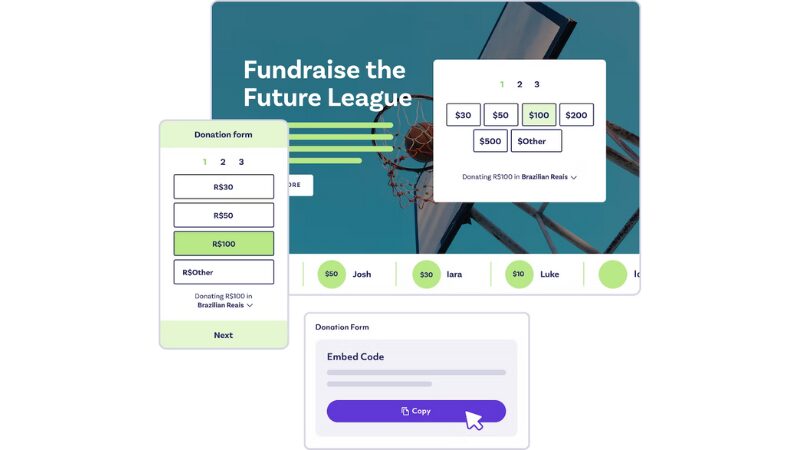
Raisely is a tool that offers nonprofit clients a free fundraising suite that grows as you do. Their platform allows you to create custom donations forms that look good on any device, and their 3-step donation process has proven to increase conversions.

  • Convert more with one-click donations
  • Grow your recurring fundraising revenue
  • Secure payments in 130+ currencies
  • Amplify your impact with matched giving
  • Get payments directly to your bank
  • Discover your next fundraising side-kick

✅ Online Giving
⛔ Giving App
✅ Apple Pay
⛔ Text-to-Give
⛔ Giving Kiosks
✅ ChMS Integration

17. Stripe
Stripe
https://stripe.com/us/pricing

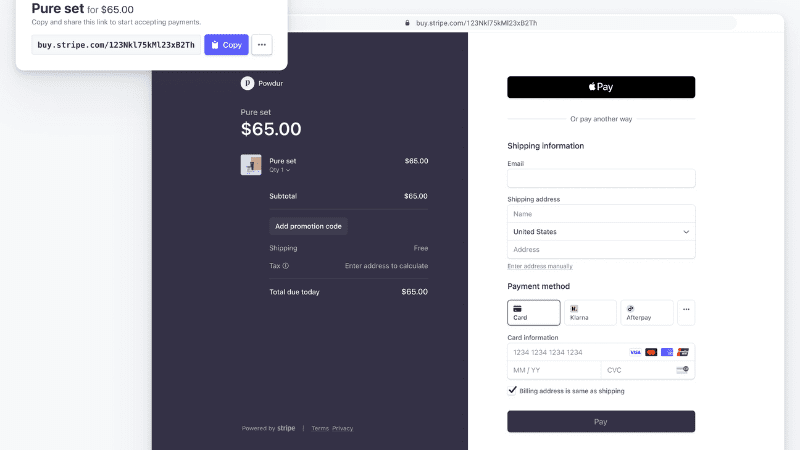
Stripe is a comprehensive platform for nonprofits to accept online donations. They offer many features tailored to the needs of the church and nonprofit communities, but your team may need some technical skills to complete specific tasks or integrations.

Stripe also allows users transparency into where each donation goes thanks to its built-in donate page analytics tool, which provides real-time updates about how your organization spends money when fundraising. 

Best of all, Stripe makes it easy to accept one-time or recurring donations to support your mission. 

✅ Online Giving
⛔ Giving App
✅ Apple Pay
⛔ Text-to-Give
⛔ Giving Kiosks
⛔ ChMS Integration

18. Subsplash

Subsplash
https://www.subsplash.com/giving

Subsplash says they “make giving easy with seamless mobile and online giving for churches.” The Subsplash product enables church members to give online anytime from anywhere, whether on your app, website, or text-to-give. Plus, with their low processing rates and no monthly or hidden fees, Subsplash promises to be easy on the bottom line. 

  • Custom branded giving experience 
  • Top-notch security recurring gifts 
  • Donor covered fees 
  • Donor reports and transaction history 
  • Web integrations
  • Guest giving
  • Check scanning
  • Bulk import

✅ Online Giving
⛔ Giving App
⛔ Apple Pay
✅ Text-to-Give
⛔ Giving Kiosks
✅ ChMS Integration

19. Tithe.ly

Tithely
https://get.tithe.ly/us/pricing

Tithe.ly was born mobile first as a text-to-give app. Today, with six ways to give integrated into one easy-to-use platform, it’s one of the ideal giving products for churches and ministries. 

  • Mobile-optimized and customized giving forms
  • Track all online and offline giving into one consolidated system
  • Reporting tools to track every gift and deposit
  • Accept and manage pledges for pledge campaigns
  • Embed giving forms onto your website, your custom church app, or button
  • Donor login, interface, and profile management
  • Customizable emails
  • Instant receipts

✅ Online Giving
✅ Giving App
✅ Apple Pay
✅ Text-to-Give
✅ Giving Kiosks
✅ ChMS Integration

20. Vanco
Vanco 1
https://www.vancopayments.com/egiving

Vanco is a customizable giving platform that has increased donations by an average of 26% for its users. Their software claims to remove barriers to repeat giving by streamlining the process for automatic gifts and helping churches create compelling appeals.

  • Provide a seamless checkout process for one-time or recurring donations, payments, and registrations
  • Get coaching from eGiving consultants, customer support, and online resources to guide you every step of the way

✅ Online Giving
✅ Giving App
⛔ Apple Pay
✅ Text-to-Give
⛔ Giving Kiosks
✅ ChMS Integration

21. Virtuous Payments (RaiseDonors)
Virtuous
https://explore.raisedonors.com/payments/

Virtuous Payments is an integrated payment management platform supported by RaiseDonors. The platform promises to give your church or nonprofit control of gift processing and reconciliation. Additionally, they have built their platform to deliver the personal connection your givers want when they give a gift.

  • 24/7 security and fraud protection
  • Cost-saving processing rates
  • Hand-on support (for forever)

✅ Online Giving
⛔ Giving App
✅ Apple Pay
⛔ Text-to-Give
⛔ Giving Kiosks
⛔ ChMS Integration

TAKE THE NEXT STEPS FOR ONLINE GIVING

If you’re looking for an easy way to increase your church’s income, implement a digital giving platform. With so many good options available, there’s bound to be one that meets the needs of your congregation. 

Plus, with recurring donations and automatic reminders, it’s easier than ever for donors to contribute what they can to support your ministry. 

Video vs. Live Teaching: What Multisite Strategy Is Best For You?

Multisite Strategy Questions #1: When a church decides to launch its first campus, one of the biggest questions is, “How will we share our messages with them?” 

Determining which strategy is best for your church requires your team to think through a variety of factors: 

  1. Should we use video or live communicators? 
  2. How much will the technology cost? 
  3. Would our teaching team and content translate well on a screen? 
  4. Do we want every campus using the same message each week?
  5. What type of Campus Pastors will we need to hire? 

… just to name a few. 

Choosing the best teaching model for your church is critical to the successful launch of new campuses—and there are pros and cons to each approach, especially in the areas of financial investment, sustainability, scalability, and leadership development. 

When choosing a multisite strategy -- video teaching or live teaching -- consider the pros and cons to each approach, especially in the areas of financial investment, sustainability, scalability, and leadership development. Share on X 

How do churches choose their multisite strategy? Considering finances, scalability, and more, leaders choose between video or live teaching.

The Case for Video Teaching 

We often liken multisite to a chain restaurant. Despite differing owners and employees, a customer should be able to walk into each unique location with similar expectations and receive a similar experience. The same is true of a multisite campus (and if this idea makes you uncomfortable, you may want to consider church planting rather than going multisite). 

Video teaching is one key strategy for developing unity throughout multiple campuses, as it ensures every campus has a consistent teaching experience. Video teaching also helps to enable a complete alignment of mission, vision, and culture across all locations. 

In video teaching campuses, Campus Pastors can focus their time on teambuilding, pastoral care, and leadership development without the additional burden of sermon preparation. This also allows your church to leverage your teaching team for greater impact with no additional prep time.

More on multisite: Is Your Next Multisite Campus Online?

How do churches choose their multisite strategy? Considering finances, scalability, and more, leaders choose between video or live teaching.

The Case for Live Teaching 

The “pros” of live teaching are mostly related to leadership development: live weekly teaching opens up more opportunities for developing new communicators and provides more growth opportunities for those with strong teaching gifts. Live teaching also requires less financial investment into streaming equipment and other technology. 

However, there are several challenges to this approach:

  • Having live teachers at every location can easily lead to misalignment of mission, vision, and culture—as the weekend message is the most influential and consistent piece of communication.
  • Weekly message prep reduces the amount of time Campus Pastors can invest in their teams.
  • Live teaching creates a greater staffing challenge: every campus needs to find a pastor who is both a high-capacity leader and also a strong communicator. 

For these reasons, best practices point to a multisite strategy of video teaching to start. This teaching model provides a consistent teaching experience and maintain unity across locations. 

Choosing Your Multisite Strategy

In addition to a careful study of several churches that employ the different multisite strategies, also call on your connections with other pastors and leaders to inquire about their experience.

  • How does their chosen strategy benefit their mission? In what ways has it been a barrier?
  • Were there unforeseen obstacles or costs that weren’t factored into the plan?
  • How has their specific multisite strategy burdened or relieved leadership? Which teams are especially important based on their chosen method?

Need resources? The Unstuck Group has valuable, free resources that have helped thousands of churches choose their multisite strategies. Bookmark their website or follow on social to keep up with the latest in ministry training, practical tools for church leadership, and helpful webinars and trainings.

How did you decide on your church’s multisite strategy? What questions should other leaders be asking?

8 Church Online Giving Capabilities That Still Matter in 2022

Church online giving software is kind of like a smartphone. As it grows more sleek and capable, there are still some foundational user-friendly features it MUST have to be fit for use. 

Since we’re still in the first half of 2022, now’s the perfect time to evaluate whether your giving platform is more like the newest iPhone . . . or the relic Blackberry. 

Think about it: many of your givers adjust giving online when a new year rolls around. What kind of experience do they have?  

With frustrating, outdated online giving, would-be givers often put off figuring it out until later . . .  and it can take months before they decide to try again.

Your church’s donations platform should never stand in the way of someone giving cheerfully—and it shouldn’t make tasks harder for your staff either. Here are eight features that make or break it.

Encourage digital donations when you offer online giving capabilities like multiple options, recurring giving and recipient categories.

5 Must-Have Online Giving Features For Your Donors

1. Multiple EASY ways to give

People must be able to give from your website; it’s the first place most look for that option. People also expect to be able to text to give.

Giving from your church’s app is one more method to consider, especially for younger members.

And finally, kiosk giving with a tablet. Kiosk giving allows people to pay with a card for church youth tee shirts, materials from your church’s bookstore, coffee—really, anything you want—just like they can pay with a card almost anywhere else (even farmer’s markets in tiny towns). 

Each of these methods must be user-friendly with a professional look and no hoops to jump through like requesting a passcode to give on your church website. In 2022, this is non-negotiable. 

Making giving easy with an option on your website as well as text-to-give, church app, and kiosk giving with a tablet. This will allow seamless transactions for bookstore resources, church merch, or coffee, too. Share on X

2. Recurring giving

People want to give—but they don’t want yet another task on their to-do lists, and even planned giving can be easy to forget. Recurring giving is a must to help them give as they intend, both for those who have an account and for people who choose to give as a guest.

Need ideas? 3 Proven Ways To Seamlessly Promote Recurring Giving

3. Multiple giving categories to choose from–including special-use funds 

Neglecting this simple feature causes churches everywhere to lose donations.

When people go to give online, adding a note to a donation—e.g., “for Kentucky tornado relief”—feels like sending a message in a bottle. It might end up in someone’s hands . . . but it could also float off unseen into the sunset. 

Because of that uncertainty, it’s critical to create multiple giving categories for the donors. Otherwise, online givers can feel like they have to give cash (which many people don’t even carry anymore) or a check (same) in a marked offering envelope. And the extra steps of remembering to get cash or dig out a checkbook from who even remembers where often mean that donations don’t get made for special giving opportunities, especially if they’re time-sensitive.

So the ability to create a fund for everything you’re raising money for, not just general year-round categories like missions, remains a must-have. Ideally, givers can split one gift across multiple funds. For example, their gift of $500 total can be divided: $400 to the general fund and $100 to benevolence.

4. The ability to pay any applicable giving fees

Most givers (over 70%) want 100% of their gift to go to their church and would like the option to pay any fees associated with their gift.

5. Personal giving dashboard 

Yes, people need giving statements for taxes. But they shouldn’t have to wait for a statement to see how much they’ve given or whether they’re on track with their giving goals. 

A dashboard presenting that information in a clear, user-friendly format is the answer.

Encourage digital donations when you offer online giving capabilities like multiple options, recurring giving and recipient categories.

3 Must-Have Online Giving Features for Your Staff

1. Multiple ways to accept donations—and not just digital ones

Even with the increased adoption of giving online, people will still give cash, checks, and gifts in kind (like a couch for the youth center) in 2022. Online giving software should allow your church to record donations in any way your people want to give, online and off.

Learn more: 7 Online Giving Features Your Church Isn’t Using (but should be)

2. Automatic statements

Sending giving statements can take hours that span across days. Or it can be done for you while you’re grabbing coffee with a teammate.

Quarterly, semiannual, and annual automatic statements—along with the ability to add a personalized message—help keep giving top-of-mind for your members. 

3. Gifts dashboard

Your finance team’s dashboard should include the graphs, charts, and data options that help you see a clear picture of your church’s giving—for example, number of gifts, total gift amount, average gift amount, weekly average, and daily average.  You should be able to see what percentage of gifts were one-time and recurring, how donations were spread across different funds, and more.

GIVING SOLUTIONS

If your church needs an upgraded giving solution, take a look at Servant Keeper ChMS with Faithlife Giving included for no extra cost. The combination provides you with a well-rounded church management system and a giving solution that makes generosity easier for your givers and your staff.  

Every feature (all those mentioned above and more) is included with all plans, so even the smallest church can offer an excellent online giving experience on the web, mobile, by text, and through kiosk giving.

Boost your online donations with these 4 Simple (But Often Overlooked) Ways to Increase Online Giving.

Watch Saddleback Online Pastor Jay Kranda Provide Over-The-Shoulder Church Website Audit

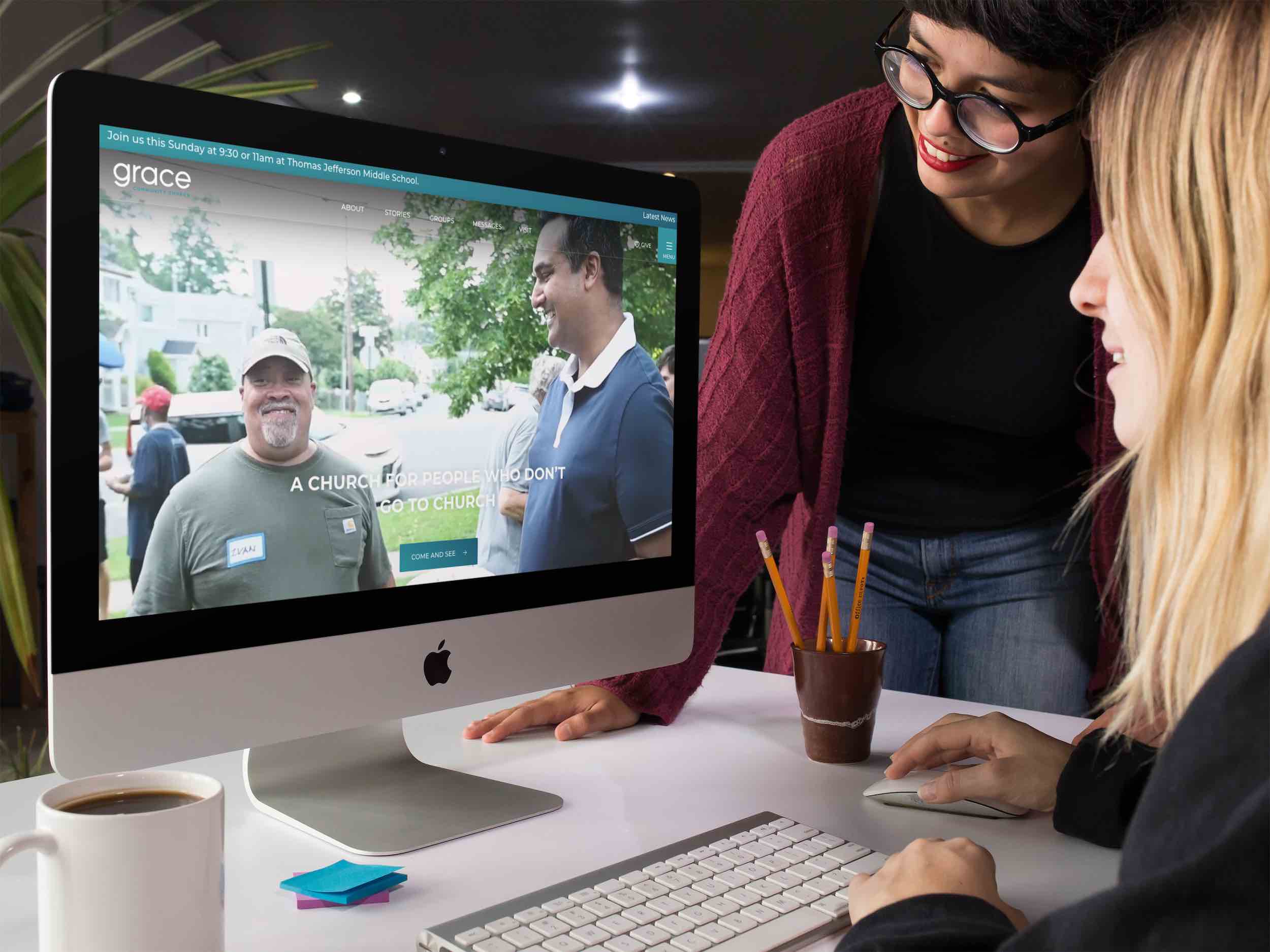
In this video, watch Jay Kranda, the online community pastor for Saddleback Church, perform a church website audit for Grace Community Church in Arlington, VA.

church website audit example

In this over-the-shoulder video, the idea is to see what he sees through this free digital audit of Grace Community Church’s website, located at https://www.trygrace.org.

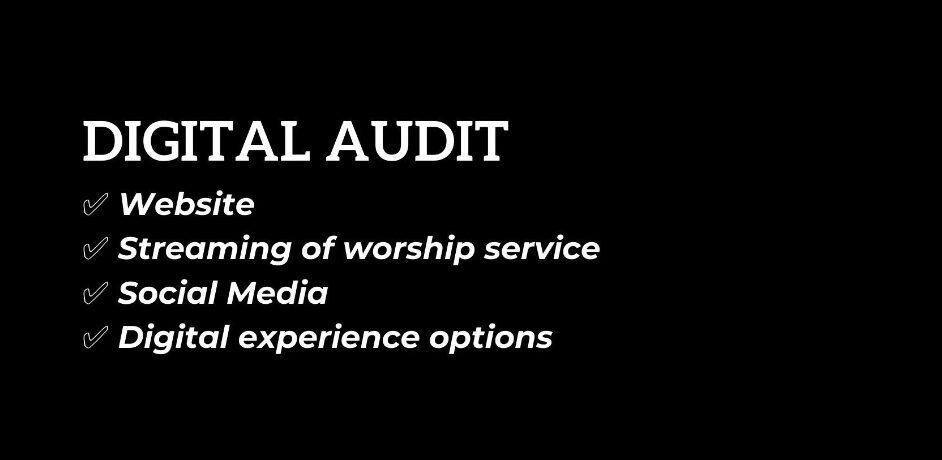
digital audit template

Jay reviews the following four areas:

  1. Website review
  2. Streaming of worship service
  3. Social media review
  4. Digital experience options

If you’re interested in church online and digital ministry, you can find more of Jay’s resources at www.jaykranda.com

7 Essential Reads to Boost Your Church’s Social Media Strategy

0

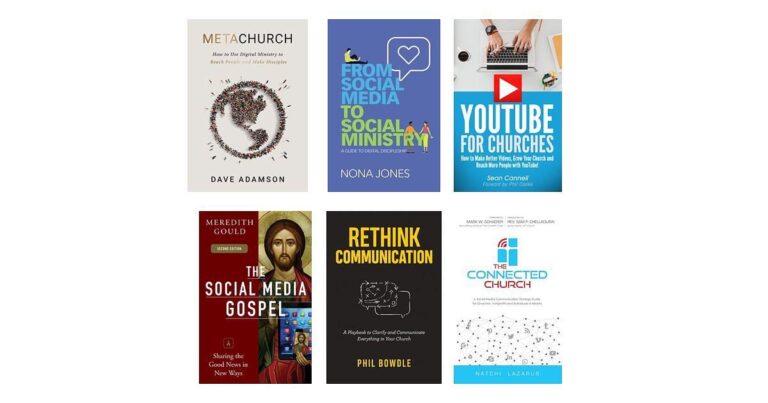
If you’re looking to expand your church social media presence and make a meaningful impact, these 7 essential reads offer practical insights and strategies tailored for your ministry. Understanding how to effectively use digital platforms can help you engage your community, deepen discipleship, and reach more people beyond your physical walls. Whether you’re starting fresh or aiming to refine your existing efforts, these books provide a roadmap to elevate your church’s communication and outreach in today’s digital world.

Top Picks

Category Product Price Score
🏆 Best Digital Ministry Roadmap MetaChurch $12.15 96
💼 Best For Digital Discipleship Social Ministry $15.19 94
🚀 Best YouTube Strategy YouTube Churches $7.99 85
🎨 Best For Social Media Content Social Gospel $13.24 90
🎯 Best Communication Playbook Rethink Communication $13.99 92
🔰 Best Strategic Framework Connected Church $9.99 88
⭐ Best For Communication Insights Why They Follow $14.08 86

How We Chose These Books

These books were selected based on their practical guidance, relevant insights for church social media, and their ability to support you in growing your ministry presence online. We considered reader ratings, author expertise, and the unique strengths each book offers—from strategic frameworks and communication playbooks to content creation and digital discipleship.

Each title brings a distinct perspective to help you confidently navigate the evolving landscape of church social media.

MetaChurch

A practical guide to digital ministry that helps churches effectively integrate online and physical outreach to make disciples in today’s world.

$12.15

Get Details

If you’re looking to rethink how your church approaches social media and digital outreach, MetaChurch breaks it down in a really approachable way. Dave Adamson walks you through blending online ministry with what’s happening in your building, helping you connect with people beyond Sunday. It’s full of practical tips and fresh perspectives, whether you’re just getting started or ready to take your church social media to the next level. You’ll find this book useful not just day-to-day but also as you plan future strategies to engage your community more deeply.

What People Say

People really appreciate how practical and down-to-earth this book is. Many highlight how it offers clear steps to build a solid church social media presence and digital ministry that feels connected to real-world community life.

Reviewers tend to mention the balance it strikes between thoughtful strategy and hands-on advice, making it easier to start or improve your church’s online efforts without feeling overwhelmed.

What You’ll Learn

You’ll discover how to create a digital ministry that complements your local church efforts, craft strategies that resonate with today’s culture, and use social media tools to reach people beyond the traditional church setting.

Who It’s For

Perfect for church leaders and volunteers who want to deepen their understanding of church social media without getting lost in jargon. Whether you’re new to digital outreach or looking to sharpen your skills, this book meets you where you are.

Current Price: $12.15

Rating: 4.8 (total: 117+)

Get Details

From Social Media to Social Ministry

A guide that moves beyond marketing, showing how churches can use digital tools for real discipleship and ministry in today’s social media world.

$15.19

Get Details

You know how church social media can sometimes feel like just posting updates or event reminders? This book completely shifts that by helping you see social channels as places for genuine connection and spiritual growth. Nona Jones walks you through setting up an online ministry that’s more than just digital noise—think of it as building a virtual space where your community can grow, support each other, and deepen their faith. Whether you’re looking to adapt to new realities or make your outreach more relevant, this book offers practical steps and fresh ideas that’ll fit into everyday ministry, alongside your usual activities.

What People Say

People often mention how this book strikes a nice balance between big-picture vision and hands-on advice, especially around using Facebook for church social media. Readers appreciate its clarity on why digital discipleship matters and how to practically engage online communities without feeling overwhelmed.

A lot find the insights timely, especially in helping churches navigate recent shifts toward virtual connection and outreach.

What You’ll Get Out Of It

You’ll learn how to turn social media from just a broadcast tool into a platform for making disciples, plus what resources and strategies you need to get there. It breaks down digital ministry basics and shows you how to reach people where they actually spend their time online.

Who Should Read This

Great for pastors, ministry leaders, and anyone involved in church social media who wants to dig into digital discipleship without the tech overwhelm. Whether you’re just starting out or trying to refocus your approach, it offers practical guidance that meets you where you are.

Current Price: $15.19

Rating: 4.7 (total: 691+)

Get Details

YouTube For Churches

A practical guide to help your church create better videos, grow its presence, and reach more people using YouTube.

$7.99

Get Details

If you’ve been wondering how to get your church’s message out there using video, this book makes YouTube way less intimidating. It walks you through the basics like setting up a channel and dives into smart strategies to get more views and engagement.

Whether you’re starting fresh or trying to boost what you’ve already got, it breaks down church social media in a way that’s easy to follow, backed by real examples. Perfect for everyday use or special campaigns, it’s the kind of guide that helps you be intentional about sharing your church’s story and growing your community online.

What People Say

People often mention how accessible and straightforward this book is when it comes to church social media on YouTube. Readers appreciate the practical tips on keyword research, channel setup, and content ideas that don’t require a pro videographer.

Many point out how it offers real-world examples and challenges you to think creatively about reaching more people without feeling overwhelmed by tech.

What You’ll Learn

You’ll get a clear understanding of why YouTube matters for church social media and step-by-step strategies to make videos that connect. It teaches you how to grow your audience, optimize content, and use YouTube‘s tools to spark community engagement both locally and beyond.

Who This Is For

Ideal for church leaders, volunteers, and anyone handling social media who wants practical, no-fuss advice on using YouTube effectively. Whether you’re new to video or have some experience, this book meets you where you are and helps you take the next step.

Current Price: $7.99

Rating: 4.1 (total: 44+)

Get Details

The Social Media Gospel

A step-by-step guide to digital ministry that helps your church build community and deepen faith through social media.

$13.24

Get Details

If managing your church’s social media feels overwhelming, this book breaks it down in a way that’s both practical and encouraging. Meredith Gould guides you through understanding different platforms and how to create meaningful connections online, not just broadcast messages. It’s great whether you’re starting to explore church social media or looking to fine-tune your current approach.

The book mixes big-picture strategy with hands-on advice, making it useful for everyday communication and special outreach efforts alike.

What People Say

Readers often highlight how approachable and useful the book is for churches new to social media or those wanting a fresh perspective. Many appreciate the clear strategies for building online community and the focus on content that truly connects rather than just promotes. People also like how the reflection questions help you think deeply about your church’s unique mission and how to use social media thoughtfully rather than just following trends.

What You’ll Learn

You’ll discover how to use social media as a ministry tool that builds real community, selects the right platforms for your church, and creates engaging content. The book also shares best practices for managing burnout and handling challenges, helping you use social media with intention and purpose.

Who This Is For

Perfect for church leaders, volunteers, or anyone involved in church social media who wants clear, no-nonsense guidance. Whether you’re just getting started or revisiting your strategy, this book meets you where you are and helps you move forward confidently.

Current Price: $13.24

Rating: 4.6 (total: 115+)

Get Details

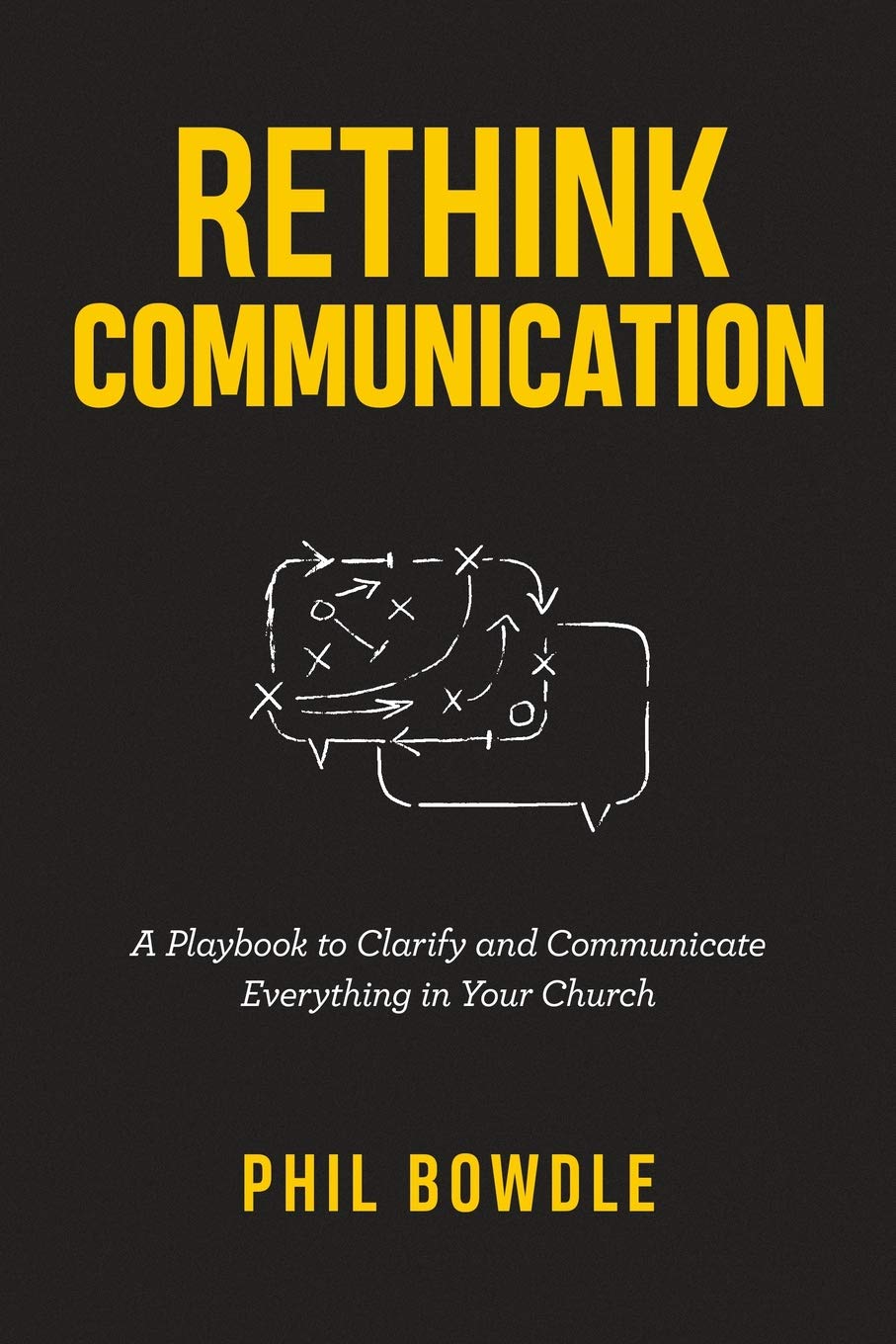
Rethink Communication

A practical playbook offering fresh strategies to clarify and deliver your church’s message effectively in today’s fast-changing communication landscape.

$13.99

Get Details

You know how tricky it can be to get your message across in church social media where attention spans are short and distractions are plenty. This book helps you rethink how you communicate so your messages don’t just get heard, but truly connect.

Phil Bowdle walks you through what modern church engagement really looks like and gives you clear steps to improve everything from Sunday announcements to social posts. Whether your church is tiny or huge, this playbook offers practical tips you can start using right away — no jargon, just real help for the day-to-day and whatever big events are coming up.

What People Say

Folks who’ve picked up this book often mention how useful and realistic it is for anyone handling church social media or communications. Many appreciate the way it breaks down barriers, helping you rethink old habits and find fresh ways to connect with your audience.

People note the practical advice that’s easy to apply whether you’re a volunteer or on staff, plus the refreshing focus on creating meaningful next steps instead of just information dumps.

What You’ll Learn

You’ll get a clear look at why traditional communication methods in the church often fall short, and discover how to craft messages that actually engage people. The book covers everything from attention span realities to removing obstacles so your audience takes action — it’s truly about effective church social media communication and beyond.

Who This Is For

Ideal for pastors, ministry leaders, and anyone involved in your church’s social media or communication efforts. Whether you’re just starting out or looking to sharpen your skills, this book meets you where you are and helps you communicate with confidence.

Current Price: $13.99

Rating: 4.7 (total: 166+)

Get Details

The Connected Church

A guide showing how churches, nonprofits, and ministry individuals can embrace social media and digital strategies to connect and grow effectively.

$9.99

Get Details

Navigating church social media can feel overwhelming, but this book breaks it down in a way that really clicks. You’ll explore why digital communication is essential for today’s ministries and get a straightforward, step-by-step framework to build or boost your online presence. It covers everything from understanding your connected audience to practical tips for managing content and teams. Whether you’re just starting or looking to refine your strategy, this guide helps you bring your church’s message into the digital age with confidence and purpose, making outreach more natural and impactful.

What People Say

Many readers find this book refreshingly practical and relatable for anyone managing church social media. People often praise how clearly it explains the changing digital landscape and why it matters for ministries. You’ll hear how the easy-to-follow communication model and concrete steps make implementing social media strategies feel doable, even if tech isn’t your first language. The insights about reaching today’s connected audience and staying true to your mission come up again and again as highlights.

What You’ll Learn

You’ll understand the big shifts in how people connect online and how that affects your church’s outreach. The book walks you through a smart communication model and an actionable six-step plan to create meaningful digital ministry.
Plus, you get a peek at future trends to help your church stay ahead and keep growing through social media.

Who This Is For

Perfect for pastors, ministry leaders, and volunteers who want to get serious about church social media without feeling lost. Whether you’re a complete beginner or familiar with digital tools, this book meets you right where you are and helps you build a strategy that fits your community.

Current Price: $9.99

Rating: 4.5 (total: 122+)

Get Details

Why They Follow

A practical guide to effective church communication that helps you connect better with your community and engage your flock meaningfully.

$14.08

Get Details

If you’ve ever wondered why some church social media efforts fall flat while others really resonate, this book is a great place to start figuring it out. Matthew Warner shares down-to-earth advice drawn from years of working with thousands of churches, helping you understand how to communicate in a way that actually gets people’s attention and invites them to follow along.

It’s packed with tips on everything from crafting messages that connect to making fundraising feel less awkward. Whether you’re handling social media daily or just want to rethink how your church talks to people, this book offers clear, doable ideas to make those connections stronger and more authentic.

What People Say

Readers often mention how approachable and practical this book feels, making church communication less intimidating no matter your experience level. Many appreciate the real-world examples and straightforward advice on improving outreach through everyday tools like emails, texts, and social media posts.

People frequently highlight how the book’s focus on understanding your audience helps you engage folks more meaningfully, with helpful strategies to keep your community involved and even inspire generosity.

What You’ll Learn

You’ll get a clear understanding of why communication is key to keeping your church connected and how to craft messages that really speak to your community. The book covers how to use church social media effectively, build relationships through digital tools, and even make fundraising part of the conversation in a way that feels natural. It’s like having a communication coach guiding you through each step.

Who This Is For

Ideal for pastors, ministry leaders, and anyone involved in church social media looking to improve their communication game. It’s beginner-friendly but still offers plenty of fresh insights for those with some experience, making it a solid resource for anyone aiming to make their church’s digital outreach more effective and heartfelt.

Current Price: $14.08

Rating: 4.3 (total: 31+)

Get Details

FAQ

Why should I invest time in reading these books about church social media strategy?

You might think social media is just about posting updates, but these books offer much more. They provide you with a clear roadmap for integrating social media into your church’s discipleship and outreach.

For example, you’ll learn how to engage digital audiences effectively, maintain meaningful connections beyond Sunday services, and leverage technology to deepen spiritual formation. Understanding these strategies ensures you’re not just creating content but building authentic community that helps fulfill the Great Commission in the digital age.

How do I choose which book is right for my church’s social media needs?

Each book targets different aspects of church social media. If you want a practical, tech-savvy guide with a broad digital ministry focus, MetaChurch at $12.15 is a fantastic choice.

Looking to launch or grow a Facebook-based community? From Social Media to Social Ministry priced at $15.19 dives deep into social ministry principles. For video-focused growth, YouTube For Churches at $7.99 offers step-by-step advice on using YouTube effectively.

Consider your key goals—whether it’s strategy, discipleship, or content creation—and pick the book that aligns best. You can also combine insights from multiple titles to cover all bases.

I’m new to church social media and worried about managing it alongside other responsibilities. How can these books help me put practical steps into action without feeling overwhelmed?

It’s totally normal to feel that way. These books are designed to be accessible and actionable, guiding you from foundational concepts to real-world applications.

They emphasize starting with a clear strategy, understanding your audience, and using consistent, meaningful content rather than rushing to post everywhere. You’ll find helpful frameworks for planning, along with tips on teamwork, time management, and avoiding burnout.

Remember, it’s okay to take small steps—building a church social media presence is a journey, and these resources are like having an experienced mentor at your side.

Wrapping Up

Boosting your church social media strategy can transform how you connect with your congregation and community. These seven books provide you with tools and ideas to navigate digital ministry, craft compelling content, and communicate your message clearly. By adopting proven strategies and adapting them to your unique ministry context, you can expand your reach and deepen engagement. Take the time to explore these resources—they are designed to empower you to lead your church confidently into a new era of digital connection and ministry.
Product Image Rating Price Publisher Publication Date
MetaChurch: How to Use Digital Ministry to Reach People and Make Disciples
Product Image
4.8/5 (N/A reviews) $12.15 Orange May 20, 2022
From Social Media to Social Ministry: A Guide to Digital Discipleship
Product Image
4.7/5 (N/A reviews) $15.19 Zondervan August 4, 2020
YouTube For Churches: How to Make Better Videos, Grow Your Church and Reach More People with YouTube
Product Image
4.1/5 (N/A reviews) $7.99 seancannell.com June 2, 2014
The Social Media Gospel: Sharing the Good News in New Ways, Second Edition
Product Image
4.6/5 (N/A reviews) $13.24 Liturgical Press September 15, 2015
Rethink Communication: A Playbook to Clarify and Communicate Everything in Your Church
Product Image
4.7/5 (N/A reviews) $13.99 Independently published December 31, 2018
The Connected Church: A Social Media Communication Strategy Guide for Churches, Nonprofits and Individuals in Ministry
Product Image
4.5/5 (N/A reviews) $9.99 CreateSpace Independent Publishing Platform February 7, 2017

Some links in this post help support our work at no extra cost to you, and we only recommend software, tools, and gear we truly love ourselves.

The 3 Biggest AI Disruptions Church Leaders Can’t Ignore

Artificial intelligence keeps getting framed as a workplace tool.

Write emails faster.
Generate graphics.
Streamline workflows.

But this framing misses the scale of what’s actually happening.

AI is changing how people understand themselves, how they find truth, and how they relate to others. Those shifts won’t stay outside the church. They’ll surface in counseling sessions, discipleship conversations, and the questions people carry about purpose and identity. Pastors and church leaders are well-positioned to offer grounding through this revolution.

Why This Technology Moment Feels Different

Every major shift in history reshaped a different part of human life. The Industrial Revolution changed how people worked. The Information Revolution changed how people accessed knowledge. The Renaissance reshaped how people understood meaning and identity.

In the Age of AI, all three of these shifts are happening simultaneously.

That overlap compresses change into a much shorter window. Adjustments that once unfolded across generations are now happening within a few years. The pressure shows up as overwhelm, confusion, fatigue, and a sense that things are moving faster than people can process.

AI disruptions are already affecting the people in your church in the way they process their identity, their relationships, their worth, and even truth. Here is how to lead with clarity.

The Work And Identity Disruption

The Truth And Discernment Disruption

The Relationship And Community Disruption

What To Do Right Now

Where To Go From Here

double exposure young beautiful caucasian bearded 2026 03 09 22 33 10 utc

1. The Jobs And Vocation Disruption

For many people, work has been more than just “income”. It has become their identity. Being gainfully employed helps quell the doubts that are hard to say out loud: “Am I useful? Do I contribute? Does what I do matter?”

AI is unsettling this foundation of identity as it quickly becomes a part of everyday work life. Tasks that once required expertise are now assisted or accelerated. In some cases, jobs are replaced. At the same time, the surface conversation focuses on jobs. The deeper issue is this: When people no longer feel uniquely needed for what they do, they begin to question who they are.

That shift is already visible, and it will become more visible in the coming years.  

“I don’t know what I’m supposed to do anymore.”
“Everything I trained for is changing.”
“I thought this was my calling.”

The economic pressure of job displacement is high, but the identity pressure cuts deeper.

The church has always carried an answer to this, though it rarely gets said plainly. Identity rooted in Christ rather than output. Calling that isn’t limited to a job title. Value that isn’t measured by productivity. This moment requires teaching and reinforcing those principles often. 

Takeaway: Identity must be taught as something received, not achieved. Help people separate calling from career paths. Create space for honest conversations about uncertainty. 

People need stability in who they are and whose they are.

computer developer working with computers at night 2026 01 05 04 46 47 utc

2. The Truth And Trust Disruption

In the Age of AI, trust is scarce, but information and misinformation are everywhere.

AI can generate content that feels thoughtful, personal, and convincing, including spiritual content. Devotionals. Sermon outlines. Biblical explanations. It can provide advice that sounds grounded. Some of it is helpful and in line with theological principles, some is not. The difference isn’t always obvious.

In the past, people evaluated a limited number of voices. A pastor. A few authors. Maybe a podcast or two. Now they’re exposed to an endless stream of content, much of it tailored to them specifically. Personalized content feels more trustworthy, and that can be part of the problem.

Over time, people may gravitate toward what’s immediate and responsive, crowding out engagement with what’s tested and true. Authority becomes fragmented. Confidence in truth becomes harder to anchor.

Discernment must be taught directly. People need to learn how to evaluate what they’re hearing, recognize subtle theological drift, and test ideas against Scripture rather than personal preference.

Think of it this way — a skilled appraiser doesn’t become an expert by cataloging every known forgery. She develops such a thorough understanding of the genuine article that irregularities become obvious. That same depth of familiarity with Scripture is what equips people to recognize when something is subtly off, even when it sounds convincing.

Takeaway: Prioritize biblical literacy. Teach people how to test ideas and think critically about what’s being presented. Address AI and digital content openly in your teaching.

the father looks at the smartphone the preschool 2026 01 06 10 44 43 utc

3. The Relationship And Community Disruption

Human relationships require effort. They take time, involve misunderstanding, and aren’t always convenient.

AI offers a different kind of interaction: always on, endlessly patient, and calibrated to exactly what you want to hear.

For someone who feels isolated or overwhelmed, that’s genuinely appealing. A teenager can ask difficult questions without fear of judgment. Someone sitting with grief can return to a conversation that asks nothing of them in return. Someone struggling with doubt can get a response at 2 a.m. These aren’t edge cases; these situations are already happening.

The shift towards synthetic relationships is gradual. People begin relying on interactions that are easier to manage. Over time, those interactions can displace more complex human relationships. AI doesn’t need to become adversarial to reshape how people relate; it only needs to become preferable. Real relationships can start to feel slow or frustrating by comparison.

Humans need relationships that are built on presence, on gathering, on conversations that aren’t “optimized,” and on relationships that require patience and grace. This is becoming increasingly distinct in an AI-shaped world.

Takeaway: Reinforce the value of physical presence and shared experience. Create environments where people are known. Talk openly about the difference between connection and convenience. Community won’t disappear, but it will need to be chosen more deliberately.

What To Do Right Now

To lead well in this moment, it is important to understand exactly how these shifts are affecting the people in your church.

  • Pay attention to the frequency of the questions people are asking. 
  • Address AI directly in teaching and conversations. 
  • Reinforce identity, truth, and community as core foundations. 
  • Encourage thoughtful engagement.

AI is reshaping identity, truth, and relationships at the same time. You don’t need to have all the answers, but you do need to engage. A proactive approach will matter more than a reactive one.

group of casually dressed businessmen and business 2026 01 05 23 02 09 utc

Where To Go From Here

If you are looking for guidance and clarity for leading through these disruptions, join the Church AI Roadmap Summit on April 28-29, 2026.

This summit will help you move from awareness to action. You’ll gain strategies for understanding the impact of AI, practical applications, and insights for your church, and guidance from leaders who are carefully thinking through these shifts.

Learn more and register: www.aisummit.church

10 Ways To Follow Up After A High-Attendance Sunday

How AI Can Help Your Church Do It Faster And More Effectively

A high-attendance Sunday creates a kind of momentum every church can feel. New faces show up in the lobby. Families settle into rows that may normally sit half-full. Guests who have not been to church in months or even years decide this is the Sunday they are willing to try again. For many churches, those moments feel encouraging because they remind leaders that people are still looking for hope, still open to invitation, and still willing to walk through the doors when the timing feels right.

The Sunday itself may be meaningful, but it is the week after that often determines whether a guest remains a one-time visitor or begins to move toward deeper connection. The challenge here is capacity. Follow-up takes time. Someone has to decide what to send, write it, shape it, approve it, and get it out quickly enough to matter. This is where AI can be genuinely useful.

AI makes it easier to turn the content and ministry opportunities you already have into timely, useful follow-up. It helps churches move from good intentions to practical execution while the moment is still fresh.

If your church has ever come off a strong Sunday and then struggled to figure out what to do with the opportunity, here are ten practical ways to follow up and how AI can help you do it faster and more effectively.

Send A Warm Thank-You Email With One Clear Next Step

Turn Your Sermon Into A Short Devotional

Build A Five-Day Encouragement Sequence

Create A Text Message Follow-Up That Feels Personal

Repurpose The Message Into Quote Cards Or Short Social Posts

Send A Family-Friendly Events Roundup

Invite Guests Into One Relevant Ministry Pathway

Create A “What’s Next” Guide

Record A Short Podcast-Style Follow-Up

Prepare Follow-Up Variations For Different Guest Types

Follow-Up After High-Attendance Sundays Shows How Much You Care

Take The Next Step After Mother’s Day

group attending neighborhood meeting in community 2026 01 05 22 59 06 utc

1. Send A Warm Thank-You Email With One Clear Next Step

When someone visits your church on a high-attendance Sunday, the first follow-up they receive often shapes their impression of everything that comes next. A thoughtful thank-you email extends the welcome beyond the building and helps the guest feel remembered while the experience is still fresh. The strongest version is usually simple and clear— it thanks them for coming, acknowledges the significance of the day, and offers one next step that feels relevant and easy to take.

That next step might be returning the following Sunday, attending a newcomers gathering, requesting prayer, or exploring a ministry that fits their season of life. What matters most is that the invitation feels natural. A guest should not have to sort through five different options or work hard to figure out what your church wants them to do next.

AI can help here by giving your team a faster way to draft polished email copy, adapt it for different audiences, and create several tone options without starting from scratch. Instead of staring at a blank page, your team can move quickly toward a message that feels warm, thoughtful, and ready to send.

2. Turn Your Sermon Into A Short Devotional

One of the easiest ways to extend the life of a high-attendance Sunday is to keep the core message alive during the weeks that follow. A short devotional is a natural way to do that. It gives guests and attenders something meaningful to engage with after the service, and it gives your church a way to remain present in their week without requiring a major production lift.

A devotional does not need to be long to be useful. A brief reflection, a Scripture passage, a few sentences of encouragement, and a closing prayer can go a long way. For a family-focused Sunday, it may even include one or two simple discussion questions that parents can use at home. The goal is to help the message travel from Sunday into ordinary life.

AI is especially helpful here because it can take sermon notes, a transcript, or even a rough summary and help shape that material into a devotional format much more quickly. It can suggest reflection questions, draft a prayer, and help your team create something polished enough to share while the message is still fresh in people’s minds.

3. Build A Five-Day Encouragement Sequence

A single follow-up email is valuable, but think of it as a short sequence rather than a single touchpoint. A five-day encouragement flow gives you the opportunity to continue the relationship at a steady pace without overwhelming the recipient. It allows one Sunday to become the beginning of a conversation rather than the end of an event.

This kind of sequence works especially well after a high-attendance Sunday because people are often more open in the days that follow than they will be two or three weeks later. One day might focus on gratitude for their visit. Another might revisit a key idea from the sermon. Another could point them to a family resource, a short testimony, or a relevant event. Over the course of a few days, your church can reinforce welcome, offer value, and create a clearer pathway back.

AI can make this process far more manageable. It can help your team map out the sequence, organize the flow of ideas, and generate first drafts that sound consistent from day to day. For churches that want to be intentional but do not have hours to spend building email sequences, that kind of support can make a real difference.

4. Create A Text Message Follow-Up That Feels Personal

Texting has a different feel than email. It is shorter, more immediate, and often more likely to be seen quickly. That makes it a useful part of a follow-up strategy, especially when a church wants to send a brief touchpoint that feels direct and personal.

A well-written text can thank someone for visiting, share a helpful resource, offer prayer, or invite them to one specific next step. It can also reinforce the warmth of the Sunday experience in a format that fits naturally into how people already communicate. For many guests, especially busy parents, a short text may be one of the easiest ways to stay connected.

What makes this work is tone. A good follow-up text sounds warm, relevant, and human. It feels like a thoughtful extension of hospitality. AI can help teams generate text options that stay concise while still sounding natural, and it can help create slight variations for different audiences so the communication still lands.

5. Repurpose The Message Into Quote Cards Or Short Social Posts

For many guests, the church experience continues online long after Sunday is over. They may revisit your social channels, look at your website, or simply keep encountering your content during the week. That means your follow-up is not limited to email and text. It also includes the public-facing content your church continues to share.

A sermon that connected on Sunday can become several pieces of useful content during the week. A strong quote can become a graphic. A key teaching point can become a short caption. A central idea can be broken into a carousel or a brief encouragement post. When this is done thoughtfully, it reinforces the same message guests heard in person and helps your church feel consistent across channels.

AI can speed up the repurposing process by identifying strong lines from a transcript, summarizing the message into shorter formats, and helping your team shape a single teaching point for different uses. Instead of asking your team to invent brand-new content every time, it helps them get more mileage from what was already created.

6. Send A Family-Friendly Events Roundup

One of the most effective forms of follow-up is often the one that feels the most useful. After a family-centered or guest-heavy Sunday, many churches have an opportunity to serve people simply by making it easier to see what is coming next. A well-curated roundup of family-friendly church opportunities, women’s ministry gatherings, children’s programming, or even relevant local events can help guests see that your church is invested in real life, not just attendance.

This kind of follow-up works because it gives people practical information they can use, and positions your church as a guide that understands the rhythms and needs of family life. For a guest who is still deciding whether your church might be a good fit, that kind of usefulness can build trust.

AI can assist by organizing event information, drafting short descriptions, grouping opportunities into clear categories, and turning scattered notes into a polished email, handout, or newsletter section, or even an infographic. 

7. Invite Guests Into One Relevant Ministry Pathway

One of the reasons follow-up sometimes loses momentum is that it asks too much of the guest too soon. When every next step is presented at once, the result can feel unclear. A more effective approach is to identify the most relevant pathway for the audience you are trying to reach and make that invitation clear.

After a high-attendance Sunday, that pathway might be a women’s Bible study, a parenting event, a newcomer lunch, a support group, or a family gathering coming up in the next few weeks. The invitation works best when it feels connected to the day they just experienced and to the season of life they are likely navigating. Relevance makes the next steps easier to recognize and easier to accept.

AI can help by adapting invitation language for different audiences and helping your team create several versions of the same basic message. That allows you to speak more directly to moms, families, or first-time guests without increasing the workload in proportion to the personalization.

8. Create A “What’s Next” Guide

Many guests do not need more information as much as they need a clearer path. A simple “What’s Next” guide can help with that. It gives people a snapshot of the next few weeks and shows them where they might fit into the life of your church.

This kind of guide can be structured in a number of ways. It might highlight the next three Sundays, a few family-oriented opportunities, one ministry for women, and one clear way to ask questions or connect with a staff member. It does not need to include everything your church offers. Its value comes from being clear, usable, and easy to scan.

AI can help your team shape that clarity. It can take a rough list of ministry dates and opportunities and help organize them into a cleaner structure with brief descriptions and a more inviting flow. Whether it becomes an email, a web page section, or a downloadable graphic, it gives guests something concrete to hold onto after a Sunday that may have felt significant.

9. Record A Short Podcast-Style Follow-Up

Not every form of follow-up needs to be written. For some churches, especially those serving busy families, a short audio touchpoint can be an excellent way to stay connected during the week. A brief podcast-style follow-up might include a reflection on the Sunday message, a word of encouragement for parents, or a short pastoral thought designed to meet people in the middle of their everyday routines.

Audio works well because people can listen while driving, walking, or getting ready for the day. It gives your church another channel for extending care and teaching without requiring guests to sit down and read a longer piece of content.

AI can be helpful on both the planning and production sides of this. It can outline the episode, suggest key points to cover, generate a short intro, and turn the spoken content into a companion email or transcript excerpt. Some AI tools can even produce a discussion podcast that shares guide information or “what’s next,” in an entertaining and relevant way. 

10. Prepare Follow-Up Variations For Different Guest Types

No two guests arrive at your church with exactly the same story. Some came because a friend invited them. Some are returning after time away. Some are exploring faith for the first time in years. Some are simply parents looking for support, community, and a safe place to bring their family. The more your follow-up reflects those realities, the more natural and meaningful it tends to feel.

This kind of follow-up does not require building ten entirely separate systems. In many cases, it simply means creating a strong core message and then adjusting the language slightly for different groups. A church might have one follow-up version for moms, another for families with young children, and another for first-time guests who may need a broader welcome.

AI is especially well-suited for this kind of work. It can help teams generate thoughtful variations quickly and keep the tone consistent while adjusting the emphasis. That allows personalization to become more realistic for a church that wants to communicate with care but does not have unlimited staff hours to devote to every message.

Follow-Up After High-Attendance Sundays Shows How Much You Care

A high-attendance Sunday is a moment to steward. That is why AI can be such a practical ally in this area. It helps churches move more quickly from raw material to useful communication. It helps turn sermon content into resources, ministry opportunities into clear invitations, and good intentions into tangible touchpoints people receive while the moment is still warm.

mother and daughter kissing bouquets of peonies 2026 03 10 22 41 10 utc

Take The Next Step After Mother’s Day

If your church wants to make the most of Mother’s Day and create follow-up that feels personal, timely, and useful, our upcoming workshop is designed to help.

Join us for 5 Practical Ways To Follow Up With Guests After Mother’s Day on April 23, 2026 at 4 pm ET / 1 pm PT

We will walk through practical, low-cost ways to turn a high-attendance Sunday into meaningful next steps for moms, families, and guests who may be more open to connection than they have been in a long time. 

Register here.

Every Language, Every Sunday: How AI Translation Is Closing the Gap Between Who Lives Near Your Church and Who Sits in Your Pews

A conversation with Dave Deasy, CMO of Wordly, on language barriers, the caption habit nobody saw coming, and what happens to a congregation when “at some point” keeps getting pushed down the calendar.

One in five Americans now speaks a language other than English at home.

That’s more than 70 million people — and a significant share of them live within a mile of a local church that has never thought of itself as multilingual.

I recently sat down with Dave Deasy, Chief Marketing Officer at Wordly, to talk about that gap, and what AI is doing to close it.


The congregation you didn’t know you had

Q: Dave, let’s start with something that might catch a few pastors off guard. Most church leaders I talk to assume they have a pretty good read on who’s actually in their community. But the demographic data on language diversity in American cities tells a different story. What are you seeing, and how fast is that gap between who’s in the neighborhood and who feels welcome on Sunday morning actually widening?

A: One of the most eye-opening things we see when we talk with pastors is how different the neighborhood demographics look compared to the congregation demographics. Many church leaders assume they have a pretty good understanding of who lives around them, but the data shows communities have changed dramatically.

For example, about one in five Americans now speaks a language other than English at home. That’s more than 70 million people. When you look at who lives within a mile of many churches, you’ll often find families speaking Spanish, Portuguese, Mandarin, Korean, or other languages at home. But those same families aren’t always walking through the church doors.

We’re also seeing that growth happen well beyond the traditional immigrant hubs. Over the past few decades, the number of people speaking a language other than English at home in the U.S. has nearly doubled, and much of that growth has taken place in mid-size cities and suburban communities that historically didn’t think of themselves as linguistically diverse.

The hard part is that churches usually discover this gap after the fact. Sometimes it’s a volunteer saying they invited a coworker from work, but the person mentioned afterward that they couldn’t really follow the sermon. Or a parent explaining that their kids loved the youth group, but their spouse stopped coming because they struggled to understand everything that was happening in the service. By then, the opportunity to welcome them may already be gone. The community was there all along, the church just didn’t realize there was a language barrier standing in the way.

What’s encouraging is that when churches do recognize this gap and take steps to address it, the impact can be immediate and measurable. One northern Illinois church, for example, introduced Wordly’s live translation across all five of its campuses and saw an overwhelmingly positive response within the first two months. Approximately 900 people engaged with the platform, accessing services in 36 different languages across more than 10 weekly gatherings.

More importantly, it changed participation. The church saw an increase in attendance, culminating in its highest-attended Easter service in its 40-year history. It’s a powerful reminder that the barrier isn’t lack of interest, it’s lack of access. When people can fully understand what’s being said, they’re far more likely to show up, stay, and become part of the community.


The Spanish reality

Q: That northern Illinois church — 900 people, 36 languages in two months — is a striking number. But across all your church customers, I’d guess one language dominates the demand by a wide margin. What does Wordly’s data actually show, and how many congregations are sitting right in the middle of that reality and still doing nothing?

A: Spanish is absolutely the most visible example of this shift right now. The Hispanic population in the U.S. has crossed 65 million, and in many communities, Spanish is the primary language spoken in entire neighborhoods surrounding churches that still operate entirely in English.

Across our church customers, Spanish is the most requested language on the Wordly platform. That tells us that the need has been there for a long time.

Many churches try to meet that need with a bilingual volunteer or an occasional Spanish service. Those are good efforts, but they don’t fully solve the accessibility problem. There’s a big difference between a church that occasionally serves a Spanish-speaking community and one that is truly accessible to it.

True accessibility means someone can walk in on any Sunday, open their phone, and immediately understand everything happening in the room. When that’s possible, participation changes completely. People feel like they belong instead of being guests. It also means someone can access a service whenever they need encouragement or faith, without waiting for a Spanish-language service or traveling to a different campus. Faith and support should be available to everyone, anytime.


The caption habit nobody saw coming

Q: You said “true accessibility means someone can walk in on any Sunday, open their phone, and immediately understand everything.” That phone piece connects to something else entirely — captions. Younger people grew up with captions on by default. Netflix, YouTube, TikTok. Are churches missing something if they assume captions are only for people who can’t hear?

A: Captions are a fascinating shift that a lot of churches haven’t fully noticed yet. For younger generations, captions are how the media works. Gen Z, for example, often keeps captions on even in quiet rooms. It’s become a comprehension habit, not just a tool for those with hearing challenges.

In fact, an estimated 85% of viewers worldwide use captions or subtitles at some point while watching content, whether it’s a TV show, livestream, or online presentation. Audiences increasingly expect to be able to follow along visually, and that expectation extends to any content they engage with, including church services.

Research shows retention and engagement improve by nearly a third when people can both hear and read information at the same time. Churches are already competing with a media environment where captions are standard. Providing live captions during sermons, announcements, and readings helps everyone follow along more closely, not just people who need accessibility support.


The quiet congregation

Q: That retention improvement applies well beyond younger audiences. It brings up another group churches probably undercount — people dealing with hearing loss. It’s largely invisible, which may be part of the problem. Why do you think pastors don’t surface this more? Is it awkwardness, or a genuine blind spot?

A: Hearing loss is one of the most common, and most invisible, accessibility challenges in churches.

Roughly 15% of American adults have some level of hearing loss, and that percentage rises significantly in congregations with older members. But most people don’t speak up about it. Many feel embarrassed or self-conscious, so they try to follow along rather than ask for help.

As a result, they may catch some of the sermon but miss other parts, and over time, they can slowly disengage.

This isn’t something pastors are ignoring on purpose, it’s just hard to see. Unlike a wheelchair ramp or a visual impairment, hearing challenges are largely invisible.

When a church provides live captions that attendees can read on their phone or device, it changes the experience. A 70-year-old doesn’t have to ask for help or feel self-conscious about missing words. They can simply follow along, fully included, with dignity and independence. That kind of effortless participation makes a bigger difference than most people realize.


What other industries already know

Q: “Following along with dignity, without having to ask for help” — that’s less accessibility feature and more belonging infrastructure. Wordly works across corporate, government, and global associations too. When you compare how those sectors approach multilingual access to how most churches do, what’s the sharpest difference?

A: One of the biggest differences we see between churches and other sectors is mindset. In enterprise, government, and global organizations, language access is treated as a basic expectation. Conference organizers, for example, realized that providing translation allowed more people to truly participate, connect, and benefit from the event. When everyone could understand and engage, attendance naturally grew and the event’s impact expanded.

Churches are in the same position, but too often accessibility is still seen as optional. The reality is simple — when you remove language and other barriers, people feel seen, welcomed, and included. They can fully participate in worship, teaching, and community life.

The organizations that move first aren’t doing it because they have extra budget or resources, they’re doing it because someone decided that inclusion matters. For a church, that can be the difference between a family feeling connected or feeling like outsiders. It’s about more than compliance or convenience, it’s about giving every person in the room the chance to experience faith fully.

One other item to note is budget and resources. Corporate and government sectors often have more flexibility with money and resources to fund things like translation and captions. Fortunately, new tools like AI are leveling the playing field and making it affordable for any organization to bring language access to all of the gatherings.


The 10-minute setup claim

Q: “Someone decided that inclusion matters” — that’s probably the decision that unlocks everything else. But once that decision is made, the next fear is Sunday morning execution. You say setup takes under 10 minutes once a church is onboarded. For someone who’s been burned by tech promises before, walk us through what a realistic first month actually looks like.

A: I completely understand why pastors are skeptical when they hear “10-minute setup.” Many churches have had experiences where technology sounded simple but ended up becoming complicated. The good news is, pastors don’t need to be tech-savvy themselves, and they don’t have to hire a dedicated tech person to make it work. Wordly is designed so a volunteer or staff member can get it running smoothly with just a few straightforward steps.

Here’s what the real process looks like — after a church purchases Wordly, we schedule an onboarding session with one of our customer success representatives. During that session, we learn about their setup, whether they’re serving in-person attendees, online attendees, or both, and walk them through how a typical service would run.

The church designates someone as the Wordly account administrator. That person creates a “session” for the service, which is very similar to creating a calendar event. For example, if Sunday service is from 10–11 a.m., they simply schedule that time in Wordly.

The platform then generates a QR code and a URL that attendees can use to join. Churches typically share those in a few simple ways: signage in the back of the church, flyers in pews, and often a slide projected at the start of the service.

The AV setup is also straightforward. An audio cable connects from the church sound system into a small analog-to-digital converter. These devices cost under $100 and are widely available. That converter plugs into a computer running the Wordly session. Once the audio feed is connected, Wordly begins translating the speech in real time.

From there, attendees scan the QR code with their phone or open the link on their computer. They can choose their language and either read captions or listen to translated audio through headphones.

Most churches tell us after their first service that they expected it to be more complicated than it was.


Beyond the chatbot

Q: That Haitian wedding detail — family members following every word in real time — that says more than any feature list. Let’s zoom out. Everyone’s talking about ChatGPT. But where is AI actually heading for ministry over the next two or three years? What’s coming that would genuinely surprise a church leader who thinks they already have a handle on this?

A: As the world becomes increasingly global over the next three years, churches are facing a new reality: attendees, visitors, and online audiences are more diverse than ever. Free tools like Google Translate or chatbots can’t keep up with the speed, accuracy, or live context that the ministry requires. Wordly is designed specifically for real-time translation and accessibility in worship and church settings. It listens to spoken content, translates it instantly into dozens of languages, and delivers it as captions or audio so everyone can participate fully, whether they’re in the sanctuary, on a livestream, or attending a different campus.

But what many pastors aren’t thinking about yet is that this goes far beyond the sermon. AI translation is becoming an always-on layer of ministry, showing up in the moments that matter most. For example, a church in the Midwest recently used Wordly during a wedding ceremony for a Haitian couple, allowing family members to follow every word in Haitian Creole in real time. The same applies to funerals, counseling sessions, community outreach events, and small groups — where understanding in the moment creates deeper connection, dignity, and belonging.

Over the next few years, this capability will become essential for churches that want to engage a global audience. Wordly makes it possible to run multilingual services and small groups, provide real-time captions for those with hearing challenges, and do all of this without needing tech experts or a team of interpreters. Churches that embrace this now will lead, creating environments where language is no longer a barrier to participation, but an opportunity to expand ministry.

Looking forward, Wordly also sets the stage for personalized, AI-assisted ministry experiences. Attendees could engage with discipleship resources that adapt to their language, background, or spiritual journey, and churches could produce lesson plans, outreach content, or digital resources in minutes. This shift is removing language as a barrier to belonging altogether. Over the next three years, the mission is clear: as congregations become more global, Wordly ensures that every person can hear, understand, and participate fully — helping churches grow in ways that match the evolving needs of their communities.


The church that keeps waiting

Q: An always-on layer of ministry — translation at weddings, funerals, counseling, small groups. That’s a different scale than a Sunday morning add-on. But here’s the honest tension: a pastor finishes this conversation and thinks, “We should probably look into this at some point.” What do you say directly to that pastor?

A: I get it, it’s easy to think, “We should look into this at some point.” But the reality is that AI translation in churches is growing quickly, and if a church waits too long, people who need to hear words of faith and feel welcome in their community may naturally go somewhere they can participate fully. That doesn’t mean anyone is being excluded intentionally, it just reflects how people seek connection and understanding in a diverse, fast-moving world.

Every week without translation is a week someone in the room can’t fully follow along and doesn’t speak up. Churches that move first don’t do it because they have extra budget or resources, they do it because someone finally decides it’s a priority. The great thing is, Wordly is inexpensive and flexible, with a pay-as-you-go model so churches only pay for the hours they actually use.

For a family, a visitor, or even one individual in your congregation, having translation available this Sunday could make the difference between feeling included or feeling like an outsider. The sooner a church embraces AI translation, the sooner every person in the community can hear, understand, and engage fully without barriers, without waiting, and without feeling like they don’t belong.


Last word on translation

Q: Dave, last question — what is Wordly’s real sweet spot for local church ministry? Forget the feature list. What’s the core problem you solve that you wish every pastor walked away knowing?

A: At its core, Wordly is about something very simple: making sure everyone can fully participate. We give everyone a voice and make sure nobody misses a word. Whether someone is listening or speaking, whether they’re in the room or joining remotely, Wordly removes the language and accessibility barriers that can keep people from being part of the conversation.

Looking ahead, translation is going to be essential for churches that want to grow their congregations. Communities are more diverse than ever, and people won’t wait for services to fit their language needs — they want to participate now. Wordly makes that possible in real time, and because it’s powered by AI, it’s an affordable solution for churches of all sizes. There’s really no excuse why every church can’t offer translation and accessibility so that everyone who walks through the doors, or joins online, can fully engage, understand, and belong.


Learn more about Wordly at wordly.ai

You’ve Heard of ChatGPT. Now Meet Claude.

Claude AI from Anthropic: What it is, how it compares, and why it might actually be a better fit for ministry work?

I get asked about ChatGPT constantly at ministry conferences. Every pastor has either tried it, heard about it from a staff member, or gotten a little nervous watching someone demo it on stage.

What I don’t hear as often: “Have you tried Claude?”

That’s starting to change.

Claude is an AI assistant built by a company called Anthropic, and over the past year it has quietly become the tool that a lot of serious writers, communicators, and large organizations have moved to. 70% percent of Fortune 100 companies now use Claude. That’s not a statistic most people know.

This article is for pastors and church leaders who want a plain-language introduction to what Claude is, how it compares to ChatGPT, and whether it’s worth adding to your toolkit. No tech background needed. I’m going to keep this as straightforward as I can.


Let’s start with the basics: What even is an AI assistant?

An AI assistant is a program you talk to by typing. You write a question or a request in plain English, and it writes back. That’s the whole thing.

You don’t learn commands. You don’t install software. You don’t need to understand how any of it works under the hood. You type the way you’d type a text message, and the AI responds.

What can you use it for? Drafting a sermon introduction. Summarizing a long denominational report. Writing a newsletter paragraph when you’re staring at a blank page at 10pm. Brainstorming small group discussion questions. Helping you word a difficult email to a church member. Explaining a complicated topic in simpler terms before you preach on it.

Think of it as a well-read assistant who is available any hour of the day and never gets tired of the task.


Who built Claude, and should I trust them?

Anthropic, the company behind Claude, was founded in 2021. A group of researchers left OpenAI — the company that built ChatGPT — specifically because they wanted to build AI differently. Their concern was safety. They wanted to slow down and think carefully about what it means to build AI that is honest, helpful, and doesn’t cause harm.

That’s not just a tagline. It’s baked into how Anthropic is legally structured and how Claude is trained. They’ve published more research on AI safety than almost any other organization in the field.

Does that mean Claude is perfect? No. But it does mean the people building it are asking questions that matter — questions about honesty, about harm, about how this technology affects real people. For church leaders, that context is worth knowing.


How does Claude stack up against ChatGPT in terms of size?

ChatGPT is the 800-pound gorilla. As of early 2026, it has roughly 800 million weekly active users. That’s more than twice the entire population of the United States, using it every single week. It owns about 68% of the consumer AI chatbot market. When most people picture “AI,” they’re picturing ChatGPT.

Claude has around 18.9 million monthly active users. Much smaller on the consumer side.

But flip over to enterprise — meaning large organizations — and the picture changes. Claude holds 29% of the enterprise AI market, and 70% of Fortune 100 companies use it. By mid-2025, Anthropic’s enterprise revenue had actually surpassed OpenAI’s. That’s a striking reversal from what the consumer numbers suggest.

What it tells you is this: the organizations that do high-volume, high-stakes writing and thinking work — legal firms, healthcare systems, research institutions — have largely moved to Claude. Sermon writing and pastoral communication are exactly that kind of work.


What actually makes Claude different from ChatGPT?

Here’s where it gets practical.

The writing sounds more human. This is the first thing people notice. ChatGPT is thorough and organized. It loves bullet points, bold headers, numbered lists. It’s like getting a well-structured report. That’s useful sometimes. But it can also feel like something a machine produced, which is exactly what you don’t want when you’re writing a pastoral letter or a Sunday morning welcome.

Claude’s responses tend to have more natural flow. More warmth. When you ask it to help you write something personal, the output sounds more like a draft a thoughtful person wrote — one you can actually edit and make your own — rather than something that needs to be completely rewritten to sound human.

Honesty is a design priority. Anthropic built something called “Constitutional AI” — a framework that trains Claude to reason about whether something is honest and helpful, not just to answer whatever you ask. In practice this means Claude is more likely to say “I’m not sure about that” instead of confidently making something up. It’s more likely to add nuance when a topic is genuinely complicated.

Some people find that frustrating. If you want fast, definitive answers, Claude’s caution can feel like a speed bump. But for pastoral work — sensitive counseling situations, nuanced theological questions, writing that needs to be accurate — this is actually the behavior you want.

It handles long documents well. Paste in a 10,000-word manuscript, a full sermon series, a year of meeting notes, or a lengthy survey from your congregation. Claude will read it, summarize it, answer questions about it, and help you work with it. This is one of the more practical advantages for ministry leaders who deal with a lot of text.

ChatGPT does more tricks. To be fair: ChatGPT can generate images. It has a more polished voice mode. It has a big marketplace of custom mini-tools built by third parties. Claude doesn’t match that feature breadth right now. If you want one tool that can write, make images, and browse the web all in one place, ChatGPT has more going on.

The price is the same. Both have free versions. Both paid plans cost $20 a month. Cost is not a reason to pick one over the other.


A quick side-by-side comparison of ChatGPT vs Claude

ChatGPTClaude
Made byOpenAIAnthropic
Users~800M weekly~19M monthly
Enterprise market shareStrong29% (70% of Fortune 100)
Writing styleStructured, thoroughWarm, natural, conversational
Image generationYesNo
Honesty / cautionModerateHigh
Long documentsGoodVery good
Free versionYesYes
Paid plan$20/month$20/month
Best fit for pastorsAll-in-one toolkitWriting, pastoral tone, sensitive topics

How do I actually start?

Go to claude.ai in any browser. Create a free account with your email. You’ll see a text box. Start typing.

That’s it. Nothing to install. No tutorial required.

Here are four things worth trying in your first five minutes:

  • “Help me write a short paragraph welcoming first-time guests to our Sunday service.”
  • “I’m preaching on John 15 this Sunday. Give me three illustration ideas for a congregation in a small town.”
  • “Here’s a difficult email I got from a church member. Help me draft a kind, honest reply.” Then paste the email.
  • “Summarize the key leadership ideas in this article.” Then paste the article.

You can ask follow-up questions. Ask it to rewrite something shorter. Ask it to make the tone warmer. It’s a back-and-forth conversation, not a one-shot transaction.


About the fear and hesitation

I want to name something directly: a lot of pastors feel uneasy about AI, and I don’t think that should be dismissed.

Some of it is practical. “What if it gives me wrong information?” That’s a real concern. AI tools do make mistakes — sometimes confidently. Treat what Claude produces the way you’d treat a first draft from a capable intern. It needs your eyes on it. Edit it. Verify it. Make it yours before it goes anywhere.

Some of it is theological. “Is there something wrong with using AI for ministry?” That’s a question worth sitting with. My own take: pastors have always used tools. Concordances. Commentaries. Illustration databases. Word processors. The tool isn’t the issue. What matters is whether you’re using it to serve your congregation better, or using it to avoid the relational and spiritual work that can’t be delegated to any tool.

Some of it is just unfamiliarity. “I’m not a tech person.” You don’t need to be. If you can type, you can use this.

The goal isn’t to become an AI power user. It’s to find two or three places where AI can handle a draft, a summary, or a brainstorm — so you have more time and energy for the things only you can do.


One more thing

ChatGPT earned its reputation. It introduced most of us to this technology and it’s a genuinely powerful tool.

Claude is worth knowing about too. Especially if the kind of work you do is mostly writing — and for most pastors, it is. Writing sermons. Writing emails. Writing announcements, devotionals, pastoral letters, social posts. Claude was built for exactly that kind of work, and the organizations that do it at scale have largely made the switch.

Try it for free. Go to claude.ai, type your first question, and see what you think.

In the next article, I’ll help you discover what else Claude is good for beyond the basic AI chatbot functions, but cause there’s a LOT that Claude can do!

10 Electronic Whiteboards For Your Church Conference Room

0

Choosing the right electronic whiteboard can change how you run meetings, training sessions and small group presentations in your church. You want a display that makes worship planning, Bible studies and community meetings easier to run, lets remote attendees join smoothly, and helps people engage with content instead of zoning out.

This guide walks you through ten practical electronic whiteboards so you can pick one that fits your room size, tech comfort level and budget.

Top Picks

Category Product Price Score
🏆 Best Overall Tiburn 75 $3,399.00 95/100
💰 Best Value Coolhood 65 $1,439.99 88/100
🎓 Best for Teaching Keinone 55 $1,104.14 82/100
🖼️ Best for Media Eunivon 55 $1,053.55 81/100
🛠️ Best Support Qixzocv 55 $959.20 93/100
📱 Best All-in-One Eunivon EV5S $1,110.55 92/100
🎯 Best Compact Jyxoihub 49 $1,799.00 76/100
📹 Best for Conferencing Jyxoihub 65 $1,998.99 74/100
📣 Best for Advertising Jyxoihub 55 $1,999.00 76/100
💡 Best for Hybrid Vibe S1 $3,499.00 79/100

How We Picked The Smartboard TV’s On The List

You need an electronic whiteboard that works reliably in group settings, so we focused on practical factors you’ll notice every day: screen size and resolution (so everyone in the room can read text and see video clearly), touch responsiveness and pen options (for smooth note-taking and annotations), built-in OS and app support (to run media and collaboration apps without extra hardware), connectivity (HDMI, USB, wireless mirroring), audio/camera features for hybrid meetings, mounting options and portability, and vendor support and warranty. Price and real-world reliability were weighed heavily so you won’t pick something that looks great on spec but frustrates you in use.

💡 Best for Hybrid

Vibe S1 55 Inch

Vibe S1 55 Inch

If you want an electronic whiteboard that feels like a true all-in-one for your church conference room, the Vibe S1 makes that easy. You can use it for daily planning, running small group sessions, projecting slides during meetings, or hosting hybrid gatherings where remote attendees need to stay engaged. The 55-inch 4K screen and responsive pen input make note-taking and annotating PDFs feel natural, and Chrome OS plus a healthy app store means you’ll probably find the tools your team already uses.

It’s a practical pick for routine use and larger events alike — think leadership meetings, guest presentations, and training days — and it’s especially handy when you need to run a session that blends in-person and online participation.

What People Say

Most people like how the Vibe S1 brings collaboration tools and a real whiteboard feel together — customers often mention the bright 4K screen, responsive writing, and the convenience of built-in apps. Users appreciate being able to save and share notes easily during hybrid meetings or lessons.

A handful of buyers note occasional lag or support hiccups, but overall reviewers tend to praise its usefulness for teaching, presentations, and remote-friendly meetings.

Key Benefits

  • Sharp 55-inch 4K display that reads well from the back of a conference room
  • Chrome OS with 250+ apps for easy collaboration and content sharing
  • Responsive pen input and cloud whiteboarding for natural writing and saving notes
  • Split-screen and meeting features designed for hybrid sessions
  • Built-in speakers and multiple ports for simple AV setup

Current Price: $3,499.00

Rating: 4.2 out of 5 (total: 50+)

Get Details

💰 Best Value

Coolhood 65 Inch

Coolhood 65 Inch

If you’re outfitting a church conference room and want an electronic whiteboard that stretches your budget without feeling cheap, this Coolhood 65-inch smart board is a solid pick. You can use it for daily planning, volunteer training, worship team run-throughs, sermon slides, or larger events where you need crisp visuals and easy annotation. The 4K display and responsive multi-touch make marking up documents and drawing diagrams feel natural, and built-in screen sharing, QR file transfer and cloud support help you distribute notes quickly. It pairs well with Zoom, Teams or Google Meet for hybrid meetings — just know the wall mount is included and a separate stand is sold if you need one.

For everyday use and occasional big services, it balances features, performance and price in a way that’s easy to recommend.

What People Say

Customers commonly praise the value and image quality for the price, noting the screen, touch responsiveness and collaboration features as highlights. Many mention the straightforward setup and helpful customer support.

A minority report occasional connectivity or touch-lock issues and wish for an integrated camera on some models, but most reviews focus on the board’s functionality and price-performance.

Key Benefits

  • Large 65″ 4K screen that reads well from across a conference room
  • 20-point multi-touch and responsive pen input for natural writing and annotations
  • Android 13 with 128GB storage and open app ecosystem for familiar tools
  • Wireless screen sharing, QR file transfer and cloud saves for quick collaboration
  • Good value for the feature set, with reliable support and easy setup

Current Price: $1,439.99

Rating: 4.5 out of 5 (total: 315+)

Get Details

🎓 Best for Teaching

Keinone 55

Keinone 55

If you’re equipping a church conference room and want an electronic whiteboard that handles both daily planning and bigger events, this Keinone 55 is a practical choice. You can use it for staff meetings, volunteer training, worship team run-throughs, sermon slides and hybrid services that need crisp visuals and easy annotation.

The 4K screen and multi-touch responsiveness make marking up PDFs, annotating slides and sketching diagrams feel familiar, while the 8 GB RAM and 128 GB storage mean you won’t constantly worry about lag. It also supports screen casting, AirPlay and HDMI inputs, so sharing from phones or laptops is painless — just double-check whether the remote and pens arrive in the box and plan your mounting ahead of time.

For teaching-style use and hybrid meetings, you’ll find it flexible and straightforward to work with.

What People Say

Buyers often praise the clear 4K picture, roomy storage and the board’s interactive features—people like how easy it is to annotate and run lessons or presentations. Several reviews mention quick, helpful customer support and straightforward setup.

A smaller number flag touch sensitivity near the edges, occasional software quirks or missing accessories on arrival, but most users focus on the functionality and value for classroom or office use.

Key Benefits

  • Bright 55″ 4K screen that reads well from the back of the room
  • Responsive multi-touch (up to 20 points) and low latency for natural writing
  • 8 GB RAM + 128 GB storage with Android and an open app ecosystem
  • Multiple connectivity options (AirPlay, Wi‑Fi, HDMI, Type‑C) and split-screen
  • Built-in whiteboard tools and teleconferencing features for hybrid sessions

Current Price: $1,104.14

Rating: 4.3 out of 5 (total: 36+)

Get Details

🖼️ Best for Media

Eunivon 55

Eunivon 55

If you’re equipping a church conference room and want an electronic whiteboard that shines when you need crisp visuals, this Eunivon 55 is made for media-heavy use. You can run sermon slides, stream videos, annotate worship charts and mirror phones or laptops without fumbling — the 4K screen keeps images and lyrics easy to read from the back.

It runs an Android ecosystem so you can install familiar apps, cast content, and annotate in real time during staff meetings or volunteer training. For special events like guest speakers or hybrid services, the clarity and app support make sharing multimedia files straightforward. It’s a sensible pick if you want a versatile display that handles everyday planning and high-impact presentations with similar ease.

What People Say

Customers commonly praise the sharp 4K picture and the smooth writing experience with the stylus, especially when using the board for presentations and media playback. Many people highlight easy screen sharing and the ability to install apps as real benefits for meetings and classes.

A few users note occasional software quirks or sensitivity near the edges, but most reviews focus on the board’s value, functionality and solid picture quality.

Key Benefits

  • 55″ 4K UHD display for clear visuals and readable slides
  • Interactive multi-touch screen with included stylus for natural annotation
  • Android-based system and open app ecosystem for flexible media apps
  • Easy casting and multiple inputs (HDMI, wireless screen share) for hybrid services
  • Wall mount and basic accessories included for a tidy conference-room setup

Current Price: $1,053.55

Rating: 4.3 out of 5 (total: 9+)

Get Details

🛠️ Best Support

Qixzocv 55

Qixzocv 55

If you’re setting up a church conference room, this Qixzocv 55 electronic whiteboard feels like having a big, friendly tablet on the wall. You can run sermon slides, share volunteer schedules, host hybrid meetings with built-in camera and mics, and jot notes or annotate worship materials right on the screen.

It’s great for everyday planning and training, and for special events—guest speakers or hybrid services—where clear visuals and easy screen sharing matter. Be aware it’s hefty to move, but if reliable support and an all-in-one setup matter to you, this is a practical pick.

What People Say

You’ll find most reviewers like how the board combines a sharp display with easy writing and solid conferencing tools — people mention the integrated camera, microphone array and speakers as especially useful for remote participants. Many buyers also point out that setup and initial configuration were smoother thanks to helpful customer support. A few note the size and weight make installation a two-person job, but overall impressions focus on value, clarity and dependable support.

Key Benefits

  • 4K UHD display that keeps slides and lyrics readable from the back
  • 20‑point touch responsiveness for natural multi-user annotation
  • All-in-one Android 13 system with 8 GB RAM / 128 GB storage
  • Built-in 13MP camera, 8-array microphone and dual speakers for hybrid meetings
  • Wired and wireless screen sharing plus multiple inputs (HDMI, USB‑C, Miracast/AirPlay)
  • Wall mount and full accessory kit included, backed by responsive customer support

Current Price: $959.20

Rating: 5.0 out of 5 (total: 2+)

Get Details

📱 Best All-in-One

EUNIVON EV5S

EUNIVON EV5S

If you need an electronic whiteboard for your church conference room, this 55″ EUNIVON EV5S is basically a giant Android tablet on the wall. You can run sermon slides, annotate hymn sheets, mirror phones or laptops for quick sharing, and even use it standalone without a computer.

It’s handy for day-to-day planning, volunteer training, and hybrid meetings where remote attendees need clear video and easy screen sharing. It’s a solid, budget-friendly all-in-one option — just plan for two people when you hang it.

What People Say

Customers often praise the clear, bright screen and how the board behaves like a large tablet you can write on. People frequently mention easy screen mirroring, the convenience of included styluses and the wall mount, and that the system’s performance feels snappy for meetings and lessons.

A common note is that the unit is heavy, so installation usually needs two people, but most reviewers say the value and functionality balance that out.

Key Benefits

  • 4K UHD display keeps slides, song lyrics and handouts crisp and readable
  • Android 14 with 8 GB RAM / 128 GB storage for smooth, standalone use
  • Responsive touch screen and included stylus pens for easy annotation
  • Easy screen casting and mirroring from phones, tablets and laptops
  • Open app ecosystem so you can install teaching or presentation apps
  • Wall mount and basic accessories included to get you set up quickly

Current Price: $1,110.55

Rating: 5.0 out of 5 (total: 10+)

Get Details

🎯 Best Compact Electronic Smartboard

Jyxoihub 49

Jyxoihub 49

If you want a compact electronic whiteboard that fits a smaller conference room without feeling tiny, this 49-inch Jyxoihub is a solid pick. You can mirror phones and laptops, annotate slides during planning meetings, and use it for volunteer training or small-group streaming sessions. It’s surprisingly versatile for everyday tasks — showing sermon slides, rolling through announcements, or running a live stream — and its multi-touch responsiveness makes on-the-fly notes feel natural. For tight spaces or a secondary meeting area, you’ll appreciate the size and capability; just plan for help when you mount it, because it’s not featherweight.

What People Say

Buyers commonly note the bright, clear screen and accurate touch response, which makes writing and navigating feel intuitive. People also like how easy it is to cast from phones and that the board works well for meetings and small classrooms.

A few reviews mention setup instructions could be better and that the unit is heavy to handle alone, but most users appreciate the performance and helpful customer support when issues come up.

Key Benefits

  • Compact 49 inch size fits smaller conference or meeting rooms
  • Multi-touch responsiveness for easy annotation and group collaboration
  • Screen mirroring (AirPlay, Miracast, Chromecast) so phones and laptops share quickly
  • Octa-core performance for smoother app use and media playback
  • Open Android ecosystem — install familiar apps for presentations and streaming
  • Durable metal body and a 2-year replacement warranty for peace of mind

Current Price: $1,799.00

Rating: 4.1 out of 5 (total: 64+)

Get Details

📹 Best for Conferencing

Jyxoihub 65

Jyxoihub 65

If you need an electronic whiteboard that doubles as a conference hub, this 65-inch Jyxoihub is exactly the kind of thing you’ll appreciate. You can run Zoom, Teams or Google Meet right from the board thanks to the built-in 20MP camera, array mics and 2×20W speakers, or switch to the Windows side for heavier presentation work. It’s great for daily uses like sermon slides, volunteer training, and team planning, and it shines at special events when you want remote attendees to feel included. The touch responsiveness and screen-splitting tools make live annotation easy, so if you want a single display that handles both on-site collaboration and polished video calls, this is a solid pick.

What People Say

Customers often praise the bright 4K display and responsive multi-touch, which makes annotating and running meetings straightforward. Many buyers highlight how useful the built-in camera and mics are for hybrid gatherings, and several note that the seller’s customer support handled issues well. A few users mention software/update quirks and mixed camera quality compared with the spec, but the overall feeling is that it’s a capable electronic whiteboard for conferencing and classrooms.

Key Benefits

  • Integrated 20MP camera plus 8-array mics and 2×20W speakers for smoother video calls
  • Dual Android and Windows systems let you pick quick apps or a full PC experience
  • 4K resolution and glossy surface keep slides and media looking sharp in the room
  • Multi-touch and low response time make annotation and group interaction feel natural
  • Screen mirroring and split-screen features let multiple people share content at once
  • Durable aluminum body and a 3-year replacement warranty for long-term use

Current Price: $1,998.99

Rating: 4.0 out of 5 (total: 37+)

Get Details

📣 Best for Advertising

Jyxoihub 55

Jyxoihub 55

If you’re setting up a church conference room and want an electronic whiteboard that doubles as a bright digital display, the Jyxoihub 55 is worth a look. You can use it for everyday needs like sermon slides, volunteer training and planning meetings, then switch to signage mode for announcements or special events.

Screen mirroring from phones and simple multi-person annotation means you can pull up content quickly and mark things live during discussions. It’s especially handy when you need a vertical display for posters or a horizontal layout for full slides — you’ll appreciate its flexibility whether you’re running a weekday meeting or streaming a service.

What People Say

Buyers frequently praise the bright, clear display and the responsive touch experience, which makes live annotation and group editing feel natural. Many people mention easy screen mirroring and the convenience of running apps right on the board, while positive notes about seller support show up often. A smaller number of users report setup or manual hiccups, but the overall thread is that it’s a versatile electronic whiteboard and signage display that handles meetings and advertising well.

Key Benefits

  • 4K capacitive multi-touch with ±0.1mm accuracy for smooth, pen-like annotation
  • Android 12 with 8GB+64GB lets you run apps, media files and digital signage easily
  • Screen mirroring for iOS and Android so phones and tablets connect quickly
  • Supports multi-person editing and split-screen for collaborative planning
  • Durable metal body and glass hardness rating for everyday use in busy rooms
  • Vertical and horizontal display options for ads, posters or full presentations

Current Price: $1,999.00

Rating: 4.1 out of 5 (total: 64+)

Get Details

🏆 Best Overall

Tiburn 75

Tiburn 75

If you want an electronic whiteboard that feels like a complete meeting hub, the Tiburn 75 is built for that. You get a bright 4K display, responsive touch and built-in Windows 11 Pro plus Android for running familiar apps — which makes it easy to switch between sermon slides, training sessions, and streaming a service.

The board supports multi-person casting and on‑screen annotation, so you can pull together planning meetings, mark up the agenda in real time, or let volunteers bring up their notes from phones. The automatic light sensing keeps the picture looking great in different lighting, and the all-in-one design means less cable clutter when you need to set up for special events or hybrid calls. If you’re outfitting a church conference room and want something reliable and flexible, this one covers everyday use and bigger occasions without fuss.

What People Say

Customers commonly highlight the bright, true-to-life display and a snappy touch experience that makes live annotation feel natural. Many people appreciate the dual operating systems and the ability to run familiar apps right on the board, and positive notes about responsive seller support show up often. A few users mention minor setup quirks, but the general impression is that the board performs reliably for presentations, teaching, and group collaboration.

Key Benefits

  • 4K UHD touchscreen for crisp slides and clear video during services
  • Dual OS (Windows 11 Pro + Android 13) so you can run native apps or use the board as a standalone display
  • Intel 12th Gen i5 mini PC with 16GB RAM and 256GB SSD for smooth performance
  • Wireless casting for up to 4 users and multi-person annotation for collaborative planning
  • Automatic light sensing to keep visuals consistent in changing room light
  • All-in-one design (computer, display, audio and annotation) to reduce setup complexity

Current Price: $3,399.00

Rating: 5.0 out of 5 (total: 3+)

Get Details

FAQ

How Do I Choose The Right Size And Features For My Church Conference Room?

You should start by matching screen size to your room and typical seating distance: a 55-inch board works well for small meeting rooms while 65–75 inch displays are better if people sit farther back. Think about whether you want a wall-mounted unit or a free-standing/portable model for multi-use spaces; some models like the Vibe S1 are free-standing while others are designed for wall mounting.

Prioritize touch responsiveness, resolution (4K is common), and an anti‑glare surface so your congregation can read notes from the pews. Also consider built-in OS and apps — Chrome OS, Android, and Windows options affect what software you can run natively — and look for features you’ll actually use such as multi‑touch support, screen mirroring, integrated speakers, and a camera for hybrid meetings. If budget is a concern, expect prices to range from around $959.20 for entry-level 55-inch options to $3,499.00 for premium units like the Vibe S1; weigh the tradeoffs between cost and reliability when you compare models.

What Connectivity, Compatibility, And Support Issues Should I Watch For?

You’ll want to confirm that the electronic whiteboard supports the devices and apps you already use: check USB, HDMI, USB‑C and network ports, and whether the board’s OS (Chrome OS, Android, Windows) can run your conferencing tools, presentation files, or church management apps. Don’t assume every board will behave the same; some come with polished support and documentation while others have sparse manuals and slower updates. Test mirroring and video calls before a live event to spot lag or audio issues — a model that handles 4K video and has built‑in speakers and a camera can simplify hybrid worship and meetings.

Also ask about warranty, return policy, and local service; strong vendor support can save you time when you’re troubleshooting before Sunday services. Always verify what’s included in the box (stylus, mount, power cord) so you don’t get surprised at setup time.

How Do I Install, Maintain, And Budget For An Electronic Whiteboard For Church Use?

Plan installation logistics first: determine wall studs, power access, and whether you’ll need two people or professional mounting for larger units. Prepare for ongoing maintenance like cleaning fingerprints on touch surfaces with recommended cleaners, updating firmware/apps, and keeping spare styluses or a simple external webcam as backup. For budgeting, include the display cost plus accessories and possible installation fees; sample prices in the market include $1,104.14 and $1,053.55 midrange options, $1,998.99 to $1,999.00 for larger collaboration hubs, and premium all‑in‑one boards at $3,399.00–$3,499.00.

Factor in a modest annual allowance for software licenses, mounting, and an extended warranty if your vendor offers it. When you buy, ask for a demo unit or a strong return window so you can validate touch accuracy, lag during video calls, and ease of sharing content with remote participants before committing.

Wrapping Up

Pick the size and features that match how you’ll use the room: larger screens and crisp 4K resolution work best for large conference areas, while mid-size 55–65″ boards balance cost and visibility for typical church meeting spaces. If you host hybrid sessions, prioritize reliable connectivity, built-in camera/speakers and an OS that supports common apps.

You’ll get the most practical benefit from an electronic whiteboard that reduces setup time, keeps remote attendees engaged, and makes collaborative planning easier. Use the awards above to narrow your shortlist based on whether you want the biggest, the best value, the simplest setup for teachers, or the strongest conferencing features.

Product Image Rating Price Display Size Resolution Weight
Vibe S1 4K UHD Smart Board Product Image 4.2/5 (50+ reviews) $3,499.00 55 Inches 3840 x 2160 pixels 50.7 pounds
65″ Smart Board, 4K UHD Touchscreen Product Image 4.5/5 (315+ reviews) $1,439.99 65 Inches 3840 x 2160 Pixels 87.8 pounds
Interactive Smart Board for Classroom Product Image 4.3/5 (36+ reviews) $1,104.14 55 Inches 3840 x 2160 Pixels 69.9 pounds
Interactive Whiteboard, 55” 4K UHD Smart Whiteboard Product Image 4.3/5 (9+ reviews) $1,053.55 55 Inches 3840 x 2160 Pixels 76.8 pounds
55″ Smart Board, Interactive Whiteboard Product Image 5.0/5 (2+ reviews) $959.20 55 Inches HDR 92.8 pounds
Smart Board, 55” 4K UHD Smart Whiteboard Product Image 5.0/5 (10+ reviews) $1,110.55 55 Inches 3840 x 2160 Pixels 74.8 pounds
Smart Board, 49 Inch Digital Electronic Whiteboard Product Image 4.1/5 (64+ reviews) $1,799.00 49 Inches 1080 Pixels 63.9 pounds
Smart Board Collaboration Hub Product Image 4.0/5 (37+ reviews) $1,998.99 65 Inches 3840 x 2160 104.1 pounds

Some links in this post help support our work at no extra cost to you, and we only recommend software, tools, and gear we truly want in our own office.

The Missing Step In Your Sermon Workflow

As AI-adoption increases, many pastors are using AI to generate sermon summaries to create clarity, help staff stay aligned, and preserve key points for social media, YouTube descriptions, and emails.

But inside that summary text sits an unsculpted visual waiting to be shaped.

Online, people engage and learn through visuals that break ideas into clear parts, show relationships between concepts, and guide thinking one step at a time. 

According to research from the Social Science Research Network, the brain processes images 60,000 times faster than text, and people retain 65% of information paired with relevant visuals compared to only 10% for text alone.

Without the right visual layers, even your best sermon points won’t translate online, and you’ll miss opportunities to teach these sermon points to your community well beyond Sunday morning.

Why You Need To Turn Your Sermons Into Visuals That Teach

What This Looks Like In Practice

The Three-Point Sermon

Cause-and-Effect Teaching

Contrasts

The Best Visuals For “Teaching” Online

The 5-Second Framework For Teaching Visuals

Use AI To Create Your Teaching Visuals

attractive young businesswoman standing in concret 2026 01 11 08 33 30 utc

Why You Need To Turn Your Sermons Into Visuals That Teach

Before sharing sermon content online, ask yourself:

  • Could someone understand the main idea in under five seconds?
  • Would someone be able to share this idea without clarification?
  • Could a member grasp this idea without hearing the full sermon?

If the answer to any of these is no, you need to translate your sermon summary into a visual format designed to be seen, understood, and shared throughout the week.

Sermons are delivered in a relational environment with tone, pacing, repetition, and emphasis. Congregants have time to settle into the idea and absorb it as it unfolds.

But online environments work differently. Attention is brief, context is limited, and ideas compete for space in crowded feeds. Viewers decide in seconds, or even micro seconds, whether to engage or move on.

When they encounter big text blocks, readers have to slow down, interpret structure, and infer meaning without guidance. A 2026 study published in the Journal of Marketing analyzed over 34,000 brand posts from Facebook and Instagram and found that posts emphasizing text over pictorial content tend to receive fewer likes and comments than those with strong visual elements.

Teaching online requires shaping ideas so they can be understood quickly and shared easily. Online audiences need to see how concepts relate to one another, and need cues that guide interpretation. 

groups of people are connected by lines 2026 01 09 06 49 57 utc

What This Looks Like In Practice

The Three-Point Sermon

  • Summary: “Today we looked at three keys to lasting faith: 1) Daily prayer builds connection with God, 2) Scripture reading renews our minds, 3) Community worship sustains us through trials.”
  • Visual translation
image

Cause-and-Effect Teaching

  • Summary: “When we understand God’s grace, we respond with gratitude. Gratitude leads to generosity. Generosity transforms communities.”
  • Visual translation: 
image 1

Contrasts

  • Text summary: “The world says accumulate. Jesus says give. The world says compete. Jesus says serve.”
  • Visual translation
unnamed
it all leads back to one thing 2026 01 09 09 52 58 utc

The Best Visuals For “Teaching” Online

According to industry research compiled by Sproutworth, visual content receives 94% more views than text-only content. More significantly, content featuring infographics sees 650% more engagement on social channels compared to text-only posts.

Visual content creates opportunities for genuine community engagement. 

When someone shares an infographic from your sermon with a friend who’s struggling, or when a member saves a carousel to revisit during the week, you’re extending pastoral care beyond the church building.

Likes and comments are surface-level indicators that show us how conversations, discipleship, and connection are forming around ideas ⸺ both inside and outside your congregation.

Infographics, carousels, simple diagrams, and structured slides perform well online because they reduce cognitive load. They show the logic of an idea rather than asking the viewer to extract it from text.

Carousel posts are particularly effective for teaching.

  • Research from Socialinsider analyzing over 22 million Instagram posts found that carousels average more engagement than single-image posts.
  • A separate analysis by Hootsuite showed carousel posts get 3.1x higher engagement than regular, single-image photos. 

Platforms reward multi-slide content because it keeps users engaged longer, signaling to algorithms that the content is valuable.

Infographics achieve much higher attention scores than text

  • A study published in Arthroscopy found that infographics achieved significantly higher social media attention scores (29.75 vs 5.75).
  • The same study found that 100% of the infographics had more social media mentions than the original article they visualized (articles were shared at a 70% rate). 

Format can determine whether your message travels beyond your immediate audience into the broader community you’re called to serve.

When your sermon includes frameworks, contrasts, step-based teaching, or cause-and-effect reasoning, turn them into visuals. These ideas already have internal structure, and visuals help make that structure visible and shareable in ways that invite conversation and reflection throughout the week.


PRO TIPThree Common Mistakes With Teaching Visuals

Too much text

If your visual has more than 30 words, it’s a document, not a visual

No clear hierarchy
Everything is the same size and weight, so nothing stands out

Generic stock photos
Random coffee cup or sunset doesn’t teach anything; use intentional imagery that supports your point

diagram flowchart workflow automation concept b 2026 01 07 05 46 46 utc

The 5-Second Framework For Teaching Visuals

Before you create any visual from your sermon, run it through this filter:

  1. Identify the core insight
    What’s the one thing you want them to remember on Wednesday?
  2. Find the structure
    Is it a list, a process, a contrast, a story arc, or a principle with examples?
  3. Strip it down
    Remove everything except what’s essential to understanding
  4. Add visual hierarchy
    What should their eye see first, second, third?
  5. Test it
    Show it to someone unfamiliar with the sermon. Can they explain it back in 10 seconds?

Once you’ve identified the structures, AI tools can speed up the creation process

Use AI To Create Your Teaching Visuals 

AI can help you create visuals. Their language models are adept at identifying patterns and organizing ideas into clear components. Tools like Napkin.ai, Notebook LM, Gemini, ChatGPT, and Claude can accelerate the translation process from sermon to scroll-stopping visual.

While the sermon points remain the same, the delivery method expands both your audience and your opportunities for meaningful engagement with your community.

Join the AI for Church Leaders workshop,  Create Scroll-Stopping Infographics And Carousels With Nano Banana. Learn how sermon ideas can be reshaped into clear, shareable visuals using practical examples.

You will discover how this step for visuals fits naturally into the weekly sermon workflow for a deeper connection with the people you serve.

10 Solar Security Flood Lights For Your Church Building

0

You want to keep your church building safe and well-lit without increasing utility costs or complicated wiring. Solar flood lights provide an effective and eco-friendly security solution that harnesses sunlight to illuminate dark areas around your property.

By choosing solar-powered lighting, you not only reduce energy consumption but also benefit from easy installation and low maintenance. This can give you peace of mind and a welcoming environment for your congregation during evening events or nighttime hours.

Top Picks

Category

Product

Price

Score

🏆 Best Motion Sensor

MIHANI Solar Flood

$24.69

88/100

💰 Best Remote Control Feature

Tuffenough Security

$27.45

85/100

🎯 Best Brightness Output

TECKNET Solar Lights

$25.98

90/100

⭐ Best Adjustable Panel Design

WdtPro Flood Spotlights

$21.65

87/100

🚀 Best Long Motion Sensor Range

LEPOWER Solar Security

$38.99

86/100

🔰 Best Multi-Head Design

omibee Solar Flood

$33.24

89/100

💼 Best Weather Resistance

Mokot Solar Lights

$39.99

88/100

🎨 Best Compact Design

Ollivage Spotlights

$10.99

82/100

🔰 Best Brand Reliability

Philips Solar Light

$29.99

87/100

How We Selected These Solar Flood Lights

You need security lights that balance brightness, energy efficiency, and durability for outdoor use around your church. We looked for solar flood lights with high lumen output to ensure ample illumination, weatherproof ratings to withstand various climates, and motion sensors to enhance security.

Features like adjustable panels, remote controls, and multiple lighting modes were considered to give you flexible options. We also focused on ease of installation and positive user feedback to recommend reliable products that provide lasting value.

🏆 Best Motion Sensor


MIHANI Solar Flood

MIHANI Solar Flood

This solar flood light is a solid choice if you’re looking to brighten up your church building’s outdoor areas without fuss. It’s designed with three adjustable heads that cover a broad angle, so you can direct light exactly where you need it most.

Installation is straightforward since it comes as a two-pack with wall brackets included, making it practical for both everyday security and occasional events. The motion sensor feature means it only lights up when needed, conserving energy while still providing a sense of safety.

What People Say

People appreciate how bright and dependable this solar flood light is, especially in areas prone to darkness. Many mention the motion sensor works well at detecting movement, adding an extra layer of security. The no-wiring setup makes it easy to install, and reviews often highlight how sturdy it feels even after exposure to storms and freezing temperatures. Some users do note that the panel’s adjustment range can be a bit limited but find practical ways to work around it.

Why You’ll Like It

  • Wide 270° coverage with three heads for flexible lighting
  • Reliable motion sensor to activate light only when needed
  • Waterproof construction suitable for all weather conditions
  • Easy surface mounting with included hardware
  • Two lights in one package for more value

Current Price: $24.69

Rating: 4.4 (total: 9787+)

Get Details

💰 Best Remote Control Feature


Tuffenough Security

Tuffenough Security

If you want a solar flood light that gives you more control, this option with remote control is worth considering. You can easily adjust settings without climbing up to the fixture, which is super convenient for busy outdoor spaces like a churchyard. It’s powerful enough to light driveways, fences, and decks while offering a modern look that blends in well. The motion sensor and dimmable features help you customize how and when it lights up for both daily use and special occasions.

What People Say

Users often praise how simple the remote control makes changing settings without hassle. Many like the brightness and wide coverage the three heads deliver, making it practical for securing larger outdoor areas. The waterproof design and sturdy construction also get positive mentions, with people appreciating how it handles rain and other weather. A few note minor inconsistencies with the remote, but overall, it’s valued for convenience and reliable performance.

What Makes It Stand Out

  • Remote control for easy, on-the-go adjustments
  • Three adjustable heads provide wide coverage
  • Dimmable lighting with multiple modes to match your needs
  • IP65 waterproof rating holds up through weather changes
  • Bright 2500 lumen output to keep dark areas well-lit

Current Price: $27.45

Rating: 4.3 (total: 37766+)

Get Details

🎯 Best Brightness Output


TECKNET Solar Lights

TECKNET Solar Lights

If you need a solar flood light that’s bright enough to cover large outdoor spaces like your church grounds, this TECKNET model is a solid pick. It delivers impressive brightness with over 400 LEDs and a wide 300-degree lighting angle, so nothing gets missed in the shadows. The multiple lighting modes let you tweak how the light works depending on your needs, from steady illumination to motion-activated bursts. Plus, it’s designed for easy installation and reliable performance in different weather conditions.

What People Say

Most users highlight how bright these lights are and appreciate the wide coverage they provide. The motion sensor gets good reviews for being both sensitive and reliable, which helps keep areas secure without wasting power. People also mention the large solar panel charges the battery well, even on less sunny days, so the lights stay on longer at night.

Installation is described as quick and straightforward, with materials feeling durable and solid.

What You’ll Appreciate

  • Super bright 4200 lumens with broad 300° coverage
  • Three lighting modes to match any security or ambiance need
  • Waterproof build that stands up to rain and harsher weather
  • Simple installation options including wall mounting and tape
  • Motion sensor helps save energy by lighting only when needed

Current Price: $25.98

Rating: 4.5 (total: 4990+)

Get Details

🎨 Best Compact Design


SUPERDANNY Solar Lights

SUPERDANNY Solar Lights

If you’re looking for a solar flood light that fits into tight spaces but still packs plenty of punch, this compact model from SUPERDANNY is a great option. The separate solar panel connected by a 16-foot cable lets you position it where it gets the best sunlight even if the light itself needs to be mounted somewhere with less access.

With three lighting modes and motion detection, it offers flexibility for different lighting needs around your church grounds. Its slim profile and modern look blend well without drawing too much attention.

What People Say

Many users find these lights bright and reliable, especially appreciating the long cable that lets the solar panel catch plenty of sun even when mounting options are limited. The adjustable lighting modes and motion sensor receive positive feedback for balancing brightness with energy use. Some mention the included screws could be higher quality, but overall the installation is straightforward and the design suits a range of outdoor areas.

Why You’ll Like It

  • Compact design fits easily in smaller spots
  • Separate solar panel with a long cable for flexible placement
  • Three lighting modes for customizable brightness and usage
  • Motion sensor for security and energy savings
  • IP65 waterproof for reliable outdoor use

Current Price: $24.99

Rating: 4.2 (total: 2176+)

Get Details

⭐ Best Adjustable Panel Design


WdtPro Solar Lights

WdtPro Solar Lights

This solar flood light is designed with adjustable panels and a sleek white casing, giving you the flexibility to customize your church’s outdoor lighting exactly how you need it. The upgraded glass solar panel captures sunlight efficiently, and the motion sensor is responsive with a wide 60-foot detection range.

It’s a breeze to install and durable enough to handle rain and other outdoor conditions. Whether you want steady illumination or motion-triggered light, this model adapts well to your daily security needs.

What People Say

Users generally love how bright and adaptable these lights are, especially appreciating the adjustable panels that help cover bigger areas. The motion sensor is known for its good sensitivity and range, providing reliable security lighting. Many commenters highlight the solid build and easy installation process.

Some wish the motion sensor operated a little longer, but overall, the performance and design get high marks.

What You’ll Appreciate

  • Adjustable side panels to direct light where you want
  • Upgraded glass solar panel for better sunlight absorption
  • Motion sensor with a long 60-foot detection range
  • Waterproof and sturdy for all weather conditions
  • Three lighting modes to match different usages

Current Price: $21.65

Rating: 4.3 (total: 376+)

Get Details

🚀 Best Long Motion Sensor Range


LEPOWER Solar Security

LEPOWER Solar Security

If you want a solar flood light that offers a longer motion sensor range, this LEPOWER model could be a perfect fit for your church grounds. With three adjustable heads, you can customize the lighting angles to cover wider spaces and dark corners.

The solar panel charges efficiently, and the light is IP65 waterproof, so it’s up for different weather challenges. It’s suitable for daily security and can enhance the safety of your property during evening events.

What People Say

Many users highlight the solid build and easy installation process, noting that the motion sensor covers a large area and responds well. People like how you can adjust the lighting angles to focus on problem spots.

The brightness is often praised as suitable for security without being overwhelming. Some talk about the solar panel’s strong performance, keeping the light powered through nights after a good charge during the day.

What Makes It Work

  • Extended motion sensor range of up to 72 feet
  • Three adjustable heads for versatile lighting coverage
  • IP65 waterproof rating for reliable outdoor use
  • Monocrystalline solar panel for efficient charging
  • Easy to mount on walls or eaves

Current Price: $38.99

Rating: 4.4 (total: 8603+)

Get Details

🔰 Best Multi-Head Design


omibee Solar Flood

omibee Solar Flood

This solar flood light stands out with its six adjustable heads, perfect if you want to light up multiple areas around your church in one go. It offers bright illumination with 6000 lumens and a sleek glossy finish that looks modern without drawing too much attention.

With dual motion sensors and remote control, you get a versatile setup that adapts well for both everyday security and special nighttime gatherings. Installation is simple, which makes it easier for you to get things set up quickly.

What People Say

People often mention how impressively bright this light is and like having the ability to adjust multiple heads to cover more of their property. The remote control feature receives good feedback for making it easy to change settings without fuss. Most find the build quality solid and the waterproof rating reassuring for outdoors.

Some note the angles could be more flexible, but generally, it’s praised for blending power and practicality.

What You’ll Like

  • Six adjustable heads for broad and flexible coverage
  • High brightness at 6000 lumens to light large outdoor areas
  • Dual motion sensors for better movement detection
  • Remote control adds convenience for customizing settings
  • IP65 waterproof rating ensures durability in all weather

Current Price: $33.24

Rating: 4.5 (total: 62+)

Get Details

💼 Best Weather Resistance


Mokot Solar Lights

Mokot Solar Lights

If you need a solar flood light that can handle all kinds of weather, this Mokot model is built to last. With 288 LED lights and four adjustable heads, you can light up multiple areas around your church with ease. The remote control gives you flexibility to adjust settings without climbing ladders, and the waterproof design means it keeps working regardless of rain or wind.

It’s a great option for everyday security or for those occasional nighttime events when you want your property well lit.

What People Say

Customers frequently praise these lights for their strong weather resistance and bright output. They find the four adjustable heads really useful in directing light exactly where it’s needed. The remote control gets positive feedback for making adjustments simple and convenient.

Many mention the ease of installation and how well the lights hold up through different seasons, providing peace of mind for outdoor security.

Why It Works

  • IP65 waterproof rating for reliable all-weather use
  • Four adjustable heads to light broad outdoor spaces
  • Remote control for easy operation from a distance
  • Bright 2800 lumens to cover large areas effectively
  • Motion sensor enhances security and saves energy

Current Price: $39.99

Rating: 4.3 (total: 13394+)

Get Details

🎨 Best Compact Design


Ollivage Spotlights

Ollivage Spotlights

If you need a solar flood light that’s compact but still delivers reliable security lighting, this Ollivage model fits the bill. It’s small and lightweight, making it easy to install almost anywhere around your church, whether on a wall or a door.

The dual head spotlights rotate for 360-degree coverage, so you can adjust the lighting to where you need it most. Perfect for daily use or those special occasions when extra light makes a difference.

What People Say

Many users appreciate this light’s compact form and ease of setup, often mentioning how versatile the adjustable heads are for targeting specific areas. The motion sensor gets good marks for responsive activation, and the brightness is considered sufficient for pathways and patios.

A few note that it’s not the brightest option out there, but it does the job well as supplemental lighting. Overall, people find it dependable and convenient.

Why It Works

  • Compact size ideal for tight spaces
  • Dual head spotlights offer wide 360° adjustment
  • Motion sensor automatically activates the light
  • Lightweight and easy to mount without fuss
  • Waterproof for dependable outdoor performance

Current Price: $10.99

Rating: 4.2 (total: 9216+)

Get Details

🔰 Best Brand Reliability


Philips Solar Light

Philips Solar Light

You’ll find this Philips solar flood light is a dependable option if you want solid illumination with trusted brand quality. It features three adjustable heads to easily direct light where you need it most and uses a motion sensor that’s quick to respond, making your church building feel safer after dark. The solar panels charge efficiently, and with its waterproof design, this light stays reliable through varying weather conditions.

It’s practical for everyday outdoor security or special evening activities.

What People Say

People generally highlight how bright and effective this light is compared to other solar flood lights. The motion sensor tends to be praised for its reliability and sensitivity, while many appreciate how easy the installation is with no wiring required.

The adjustable heads get good reviews for helping to customize the lighting area, and overall, folks trust the Philips brand for consistency and durability.

Why It Works

  • Trusted Philips brand with solid build quality
  • Three adjustable heads for versatile lighting angles
  • Responsive motion sensor that activates instantly
  • Efficient solar panel charging and waterproof design
  • Multiple lighting modes for different needs

Current Price: $29.99

Rating: 4.3 (total: 1565+)

Get Details

FAQ

How do solar flood lights work and can they provide enough brightness for a church building?

Solar flood lights convert sunlight into electrical energy stored in rechargeable batteries during the day. This energy powers the LEDs at night. For your church building, look for models with high lumen output and multiple adjustable heads to ensure the light covers large outdoor areas effectively. Proper placement to maximize sun exposure during the day is key for consistent brightness at night.

Will a solar flood light work well in cloudy or rainy weather?

While solar flood lights rely on sunlight to charge, most quality models store enough energy to power through cloudy or rainy days. Choose lights with good battery capacity and efficient solar panels.

Also, models with IP65 or higher waterproof ratings protect the light from rain and weather damage, keeping your outdoor lighting reliable year-round.

What should I consider when installing solar flood lights around my church?

When installing solar flood lights, position the solar panels where they receive direct sunlight without obstruction for most of the day. Mount the lights at appropriate heights to cover entryways, walkways, or parking areas.

It’s helpful to use lights with adjustable heads or remote controls for flexible lighting angles. Finally, consider a motion sensor feature to save energy and provide lighting only when needed.

Wrapping Up

When choosing solar flood lights for your church, it’s important to consider how the lights will perform in real outdoor conditions and how their features fit your specific security needs. These top options offer a range of solutions from bright illumination to smart motion detection and easy remote operation. By investing in one of these solar security lights, you ensure your church grounds remain safe and welcoming without the hassle or expense of traditional wired lighting.

Product Name Image Rating Price Brightness (Lumens) Special Highlights Waterproof Rating
MIHANI Solar Flood Lights Outdoor
Product Image
4.4/5 (150 reviews) $24.69 2500 Lumen
  • Motion Sensor
  • IP65 Waterproof
  • 270° Wide Angle
  • Surface Mount
IP65
Tuffenough Solar Outdoor Lights
Product Image
4.3/5 (100 reviews) $27.45 2500 Lumen
  • Remote Control
  • Dimmable
  • IP65 Waterproof
  • 270° Wide Angle
IP65
TECKNET 416 LED Solar Lights
Product Image
4.5/5 (200 reviews) $25.98 4200 Lumen
  • 300° Adjustable Angle
  • 3 Lighting Modes
  • IP66 Waterproof
IP66
SUPERDANNY Solar Outside Lights
Product Image
4.2/5 (80 reviews) $24.99 6780 Lumen
  • Dusk to Dawn
  • Split Design with Cable
  • IP65 Waterproof
IP65
WdtPro Solar Lights Outdoor
Product Image
4.3/5 (160 reviews) $21.65 3500 Lumen
  • Adjustable & Upgrade Glass Panel
  • IP65 Waterproof
  • Wireless Installation
IP65
LEPOWER 1600LM LED Solar Security Lights
Product Image
4.4/5 (90 reviews) $38.99 1600 Lumen
  • 3 Adjustable Heads
  • Motion Sensor Range Up to 72 ft
  • IP65 Waterproof
IP65
Solar Lights Outdoor by Omibee
Product Image
4.5/5 (62 reviews) $33.24 6000 Lumen
  • Remote Control
  • 3 Modes
  • IP65 Waterproof
IP65
Mokot Solar Lights Outdoor
Product Image
4.3/5 (70 reviews) $39.99 2800 Lumen
  • Remote Control
  • Dimmable
  • IP65 Waterproof
IP65
Ollivage Solar Motion Security Light
Product Image
4.2/5 (9,216 reviews) $10.99 N/A
  • 360° Adjustable
  • Motion Sensor
  • Waterproof
IP65
Philips Solar Security Light
Product Image
4.3/5 (60 reviews) $29.99 1200 Lumen
  • 3 Heads
  • IP65 Waterproof
  • Motion Sensor
IP65

Some links here help support our work if you make a purchase at no extra cost to you. Everything listed is something we’ve researched and would consider buying ourselves, and we might already own some.
 

10 Must-See Church Neon Signs For The Office, Sanctuary, Youth Rooms

0

When you’re looking to bring a fresh, inspiring vibe to your church spaces—be it the office, sanctuary, or youth rooms—a church neon sign can be a game changer. These signs add a warm and uplifting ambiance that encourages reflection and faith. Not only do they brighten up rooms, but they also serve as daily reminders of hope and spirituality, making any space feel more welcoming and meaningful for you and everyone who visits.

Top Picks

Category

Product

Price

Score

🏆 Best Inspirational Message

Gyaksjm Jesus

$33.29

94

💰 Best Budget Friendly

hhuohuona ThankGod

$29.99

92

🎯 Best Portable & Tabletop

Symone Trust

$28.99

90

⭐ Best Modern Style

Kullneon Faith

$31.49

90

🚀 Best Complete Mounting Kit

GleamNeon Divine

$29.99

88

🔰 Best Bright Blue Accent

JanHune JesusSaves

$29.99

91

💼 Best Wall Mounted Prayer Sign

Dpaint Prayer

$29.99

90

🎨 Best Art Deco Design

Foxiden ISawThat

$37.99

89

🔰 Best Multi-Color Lighting

SONGYUNEON Jesus

$29.59

88

🎯 Best Dual-Color Scripture

Vveikea Possible

$36.99

87

How We Chose These Church Neon Signs

We focused on signs that combine inspiring messages with great design and practical features. Brightness control was key, so you can set the perfect mood.

We considered mounting options because some spaces require wall mounts while others benefit from portable or tabletop signs. Durability and quality materials were important factors to ensure lasting value. We also looked at price and included options that bring great impact whether you have a budget or want a premium style.

Finally, customer feedback helped us highlight signs that really connect with faith communities and fit well in various church settings.

Jesus Changes Everything Neon Sign


Jesus Changes Everything Neon Sign

This church neon sign is a simple yet meaningful way to brighten up your space with a warm glow. Sized just right to fit in an office, sanctuary, or even a youth room, it’s easy to hang and comes with adjustable brightness so you can set the mood just the way you like. Powered by USB, it’s pretty straightforward to power up and adds a nice touch to your daily decor or special occasions like Easter or other religious events.

If you want a subtle reminder of faith that feels inviting rather than overwhelming, this sign definitely fits the bill.

What People Say

People really appreciate how bright and clear this neon sign is without being too flashy. The adjustable dimmer gets a lot of love since you can customize it for different rooms or times of day.

A lot find it easy to install with the included hanging chain, and the warm white color fits nicely in a variety of settings. Some mention the USB power as super convenient, though a few note needing an adapter if they don’t have a handy USB outlet nearby.

Current Price: $33.29

Rating: 4.7 (total: 38+)

Get Details

Thank God Neon Sign


Thank God Neon Sign

You’ll find this church neon sign a perfect reminder to keep gratitude and trust front and center in your space. Its warm white glow creates a peaceful vibe that fits nicely in offices, sanctuaries, or youth rooms, adding a subtle yet uplifting touch.

The USB-powered design with dimmer means you can easily adjust the brightness to suit your mood or time of day, making it both practical and inspiring. Plus, it’s lightweight and easy to hang, so whether you want it for daily encouragement or a special spot in your church decor, this sign handles both with ease.

What People Say

Most folks love how this sign balances a soft, calming light without being too harsh or flashy. The dimmer is a big plus, letting you set just the right ambiance, which comes in handy for quiet moments or gatherings.

A lot of users also mention how straightforward it is to install and appreciate how well the warm white tone blends in with different decor styles. Customers like the USB power option, too, because it works with adapters, power banks, or computers—super versatile for wherever you want to display it.

Current Price: $29.99

Rating: 5.0 (total: 3+)

Get Details

Trust In God Neon Sign


Trust In God Neon Sign

This church neon sign brings a gentle and inspiring message straight to your favorite spot. Designed to be USB powered, it’s easy to set up anywhere with a plug, whether that’s your office desk, sanctuary wall, or youth room nook. The dimmable feature gives you control over the brightness, so you can create the perfect mood whether it’s prayer time or just a reminder to hold on to your faith.

Its compact size fits well in small spaces without overwhelming the room, and the soft pink and white colors add a comforting warmth that feels both modern and heartfelt. If you want an easy way to add a little spiritual glow to your daily routine, this sign fits the bill nicely.

What People Say

People often mention how much they enjoy the adjustable brightness since it lets them use the sign in different settings without it ever feeling too bright or dull. The USB power option gets a lot of thumbs up because it’s flexible and doesn’t tie you down to a wall outlet.

Many appreciate the clear, uplifting message and how it adds a cozy vibe whether it’s part of a church setup or just a personal reflection corner. Installation is usually described as simple, and folks say the build quality feels sturdy enough to keep glowing without fuss for a long time.

Current Price: $28.99

Rating: 4.6 (total: 39+)

Get Details

Faith Over Fear Neon Sign


Faith Over Fear Neon Sign

This church neon sign shines a simple but powerful message to keep right where you need it. Its warm white glow is bright enough to catch the eye but gentle enough to fit comfortably in any room, whether that’s your office, sanctuary, or youth room.

You’ll love how easy it is to plug in via USB and adjust the brightness to set just the right vibe. The design feels modern yet heartfelt, making it an inspiring piece that blends nicely with your other decor.

Plus, it’s light and safe, so you don’t have to worry about fragile glass or complicated mounting. It works just as well for daily encouragement as it does for special gatherings or events.

What People Say

Most people appreciate how versatile this neon sign is — being dimmable and USB powered means you can place it wherever suits you best without fuss. Customers often praise the clear, uplifting message that really adds a comforting feel to their space. The build quality gets good marks for being sturdy and lightweight, and many find the included hanging chain and screws make installation straightforward.

The warm white light is often called easy on the eyes and beautifully subtle, perfect for creating a cozy, faith-inspired atmosphere.

Current Price: $31.49

Rating: 4.6 (total: 104+)

Get Details

Jesus Is King Neon Sign


Jesus Is King Neon Sign

You’ll find this church neon sign brings a clean, modern touch to any space that needs a bit of faith-inspired warmth. Its adjustable brightness means you can set the light just right, whether it’s glowing softly in your office or shining bright in a youth room or sanctuary.

It’s lightweight and easy to mount, so you won’t have to fuss with complicated setup. Plus, its timeless message fits well in daily settings or special occasions, making it a nice reminder of faith without being over the top.

What People Say

People often admire how sturdy yet lightweight this sign is, which makes hanging it hassle-free. The crisp, clear lettering gets a lot of love since it’s easy to read from a distance and carries a meaningful message.

Customers also appreciate the dimmable feature, letting them customize the glow to fit different moods and spaces. The warm white and gold lighting options seem to add that perfect cozy vibe without feeling too bright or harsh.

Current Price: $29.99

Rating: 4.6 (total: 3+)

Get Details

Jesus Saves Cross Neon Sign


Jesus Saves Cross Neon Sign

This church neon sign brings a meaningful and modern vibe to any room, whether it’s your office, sanctuary, or youth room. The soft blue glow creates a calm atmosphere that’s easy to adjust with its dimmable feature, so you get just the right amount of light for the occasion. It’s built sturdy yet lightweight with flexible silicone neon strips on an acrylic board, making it super easy to hang where it fits best.

You can use it daily for inspiration or pull it out during special events like Christmas or church gatherings to really set the mood.

What People Say

Most people love how easy this neon sign is to install and how clearly the message stands out thanks to the bright, adjustable lighting. Customers mention the quality materials and durability, which help it stay looking great over time.

The dimming option gets a lot of praise too, letting folks create the perfect glow for different spaces, from bedrooms to church event halls. The sign’s calming blue color and strong religious meaning really resonate with buyers, making it a favorite for gifts or personal use.

Current Price: $29.99

Rating: 4.7 (total: 102+)

Get Details

Powered By Prayer Neon Sign


Powered By Prayer Neon Sign

This church neon sign adds a cozy and meaningful glow wherever you hang it, whether that’s your office, sanctuary, or youth room. You can easily adjust the brightness to match your mood or time of day, which is great if you want soft lighting for prayer or something a little brighter for gatherings. It’s lightweight and comes with a simple hanging chain, so you can put it up without any fuss.

Beyond daily use, it’s a thoughtful piece that brings a calm and spiritual vibe to special moments like church events or quiet reflection times.

What People Say

People really appreciate how versatile this neon sign is — it’s bright but gentle, and the adjustable dimmer gives you total control over the ambiance. Many mention how simple it is to hang and that it looks sleek and modern without stealing the spotlight. The warm white color feels inviting and comforting, making it a perfect fit for different church spaces and even peaceful corners at home. Plus, customers often highlight how the sign not only decorates the room but also serves as a meaningful reminder of faith and prayer.

Current Price: $29.99

Rating: 5 (total: 7+)

Get Details

I Saw That Jesus Neon Sign


I Saw That Jesus Neon Sign

This church neon sign brings a fun yet meaningful touch to your space, whether it’s in the office, sanctuary, or youth room. It’s USB powered, so you don’t have to fuss with complicated wiring—just plug it into a power source and you’re good to go.

The soft but bright blue light adds a warm atmosphere that’s perfect for everyday use or special events like gatherings and celebrations. You’ll love how easily you can adjust the brightness, making it just right for whatever mood you’re aiming to create. Plus, the quirky phrase adds a lighthearted faith reminder that’s sure to spark smiles.

What People Say

Folks often mention how bright and vibrant the colors are, and they really appreciate the adjustable dimmer, which makes setting the mood super easy. Many find it straightforward to power up with a USB and love that it’s lightweight and easy to hang. People also like the unique and humorous faith-inspired design that’s not overly serious but still meaningful.

It’s a popular choice for adding personality and a welcoming vibe to different church spaces and even personal rooms.

Current Price: $37.99

Rating: 4.6 (total: 155+)

Get Details

With God All Things Are Possible Neon Sign


With God All Things Are Possible Neon Sign

This church neon sign is a beautiful way to bring a little inspiration into your office, sanctuary, or youth room. The message ‘With God All Things Are Possible’ shines warmly with white and yellow LEDs, creating a calming vibe that fits perfectly in any space.

It’s made from sturdy acrylic, so it feels solid but isn’t too heavy or tricky to hang. Whether you want a daily reminder of faith or a thoughtful accent for special occasions, this sign adds a gentle glow and positive energy that feels just right.

What People Say

People often highlight how bright and clear the neon light is, praising its ability to lift the room’s mood without being overpowering. Many appreciate the quality materials that make it sturdy and long-lasting, plus it’s easy to install and looks great on any wall.

The inspiring Bible verse makes it a meaningful gift that resonates with many, and customers mention how it creates a welcoming and uplifting atmosphere wherever they put it. Some note the nice contrast of the white and yellow colors, which adds to its charm.

Current Price: $36.99

Rating: 4.6 (total: 23+)

Get Details

Jesus Neon Sign


Jesus Neon Sign

This church neon sign featuring the iconic ‘Jesus’ fish symbol brings a warm, spiritual vibe anywhere you hang it—be that your office, sanctuary, or youth room. Sized just right at 15.4″ by 8.7″, it’s lightweight and easy to mount with the included chain. The LED colors are vivid but not harsh, and the dimmable feature lets you set the perfect glow for everyday ambiance or special events like Easter gatherings.

It’s an easy way to add a meaningful touch without overwhelming your space.

What People Say

Most folks really like how bright and colorful this neon sign is, while still feeling soothing and inviting. People keep mentioning how simple it is to install and how it lights up their space without fuss or extra noise. The USB power and dimmer get extra points for convenience, and many find it fits perfectly not just in their church areas but also bedrooms or entryways.

The clear Christian symbolism seems to resonate well, making it a popular spiritual gift choice too.

Current Price: $29.59

Rating: 4.6 (total: 3+)

Get Details

FAQ

What Should I Consider When Choosing A Church Neon Sign For Different Rooms Like The Office, Sanctuary, Or Youth Rooms?

When picking a church neon sign, you want to consider the size and style that fits well in your specific space. For an office, a smaller, motivational sign like “Jesus Changes Everything” can create an uplifting work environment without overwhelming the room.

In a sanctuary, you might want a larger, more traditional message or symbol such as a cross or inspirational phrase that fits the solemn atmosphere but still adds a warm glow. Youth rooms are perfect for bold, colorful signs with playful fonts or bright colors to engage younger audiences.

Also, think about the mounting options whether wall-mounted or tabletop, and make sure you have a suitable power source nearby, since many use USB power. Dimmer features are handy for adjusting brightness depending on the mood and time of day.

Are Church Neon Signs Easy To Install And What Should I Know About Power Requirements?

Most church neon signs come with mounting hardware and clear instructions, so you can easily install them yourself. Wall mount signs usually include chains, hooks, or adhesive options, while some tabletop styles just need a surface to rest on.

Since these signs are often USB powered, you’ll need a convenient power outlet or adapter. If you don’t have a USB socket nearby, a USB power adapter is inexpensive and easy to find.

Keep in mind some signs have digital dimmer switches that may not work well with smart plugs because they reset to off when unplugged. So, if you want to automate your lighting, make sure to check that compatibility beforehand. Overall, they’re designed to be user-friendly, and the installation is quick, allowing you to brighten your space with inspiring light almost instantly.

How Do I Care For And Use A Church Neon Sign To Get The Most Out Of It?

To keep your church neon sign looking great and functioning well, avoid exposing it to harsh chemicals, moisture, or extreme temperatures. Since most are made from delicate acrylic and neon or LED tubes, a gentle dusting with a soft cloth is usually enough. If the sign is USB powered, unplug it when not in use to save energy and extend its lifespan.

Take advantage of the dimmable features to set the perfect brightness—so it’s never too overpowering or too faint. Also, peeling off any protective backing on the acrylic enhances how the light shines through the sign for a cleaner look.

With proper care, your neon sign will provide a warm, encouraging presence in your office, sanctuary, or youth room for years to come.

Wrapping Up

Decorating your church spaces with neon signs can truly enhance the atmosphere and strengthen the message you want to share. You’ll find that these signs offer more than just light; they provide a sense of comfort, encouragement, and style that supports your faith journey. From budget-conscious picks to modern art deco designs, there’s a church neon sign here that will fit your unique needs and space perfectly.

With adjustable brightness, easy mounting options, and inspirational messages, these signs help you create inviting and impactful environments for worship, reflection, and fellowship. Choosing the right one means you’re investing in a visual reminder of hope and trust that resonates daily with you and your community.

Product Image Rating Price Mounting Type Light Type Product Dimensions
Jesus Changes Everything Neon Sign
Product Image
4.7/5 (38 reviews) $33.29 Wall Mount Neon, LED 16.53″L x 9.05″W
Thank God Neon Signs
Product Image
5.0/5 (3 reviews) $29.99 Wall Mount Neon, LED 11.1 x 7.8 x 1.1 inches
Symone Trust In God Neon Sign
Product Image
4.6/5 (39 reviews) $28.99 Tabletop Mount Neon, LED 15.7 x 6.2 x 0.1 inches
Faith Over Fear Neon Sign
Product Image
4.6/5 (104 reviews) $31.49 Wall Mount Neon, LED 13.8″L x 12.6″W
JESUS IS KING Neon Sign
Product Image
4.6/5 (3 reviews) $29.99 Wall Mount LED, Neon 15.75″L x 4.7″W
Cross Neon Signs Jesus Saves
Product Image
4.7/5 (102 reviews) $29.99 Wall Mount Neon 11.4″L x 14.9″W
Powered By Prayer Neon Sign
Product Image
5.0/5 (7 reviews) $29.99 Wall Mount Neon 13.46 x 13.46 x 1.06 inches
I Saw That Jesus Neon Signs
Product Image
4.6/5 (155 reviews) $37.99 Wall Mount Neon 11.4″L x 16.9″W
With God All Things Are Possible Neon Sign
Product Image
4.6/5 (23 reviews) $36.99 Wall Mount Neon 16.85 x 13.03 x 1.26 inches
Jesus Neon Sign
Product Image
4.6/5 (3 reviews) $29.59 Wall Mount Neon, LED 15.4″L x 8.7″W

Some links in this post help support our work at no extra cost to you, and we only recommend software, tools, and gear we truly love ourselves.

10 Must-Consider Starter USB Microphones for Your 2026 Podcasting Journey

0

Starting a podcast or streaming setup means choosing the right USB microphone is essential to capture your voice clearly and professionally. You want a microphone that not only delivers great sound but also fits your budget and setup style.

The right USB microphone can elevate your content quality, making your recording sessions smoother and your audience more engaged. Whether you’re streaming, recording interviews, or producing music, understanding what makes a good USB microphone will help you find the best fit for your needs and boost your creative confidence.

Top Picks

Category

Product

Price

Score

🏆 Best Studio Quality

Shure MV7+

$265.00

95/100

💰 Best Budget Performer

Amazon Basics USB

$24.50

80/100

🎯 Best Versatility

Logitech Blue Yeti

$95.99

88/100

🔰 Best Plug & Play

Sennheiser Profile

$118.00

87/100

⭐ Best for Gaming Setup

Shure MV6

$169.00

89/100

🎨 Best Wireless Hybrid

MAONO PD200W

$99.99

86/100

🚀 Best Compact Studio Mic

Rode NT-USB Mini

$106.00

85/100

💼 Best Broadcast Style

Rode PodMic USB

$192.99

83/100

🎯 Best Value for Dynamic

Fifine AM8

$44.99

84/100

⭐ Best Flexibility & Effects

Logitech Yeti Midnight

$99.99

87/100

How We Selected These USB Microphones

Your choice of a USB microphone depends on several important factors such as sound quality, ease of use, connectivity options, and budget. We focused on microphones that offer clear, professional audio suitable for podcasting and streaming. Portability and build quality were also key, ensuring each mic can handle regular use.

We considered additional features like plug-and-play setup, software customization, and compatibility with various devices. By balancing performance and value, these USB microphones cover a range of needs from beginner-friendly to more advanced setups.

🏆 Best Studio Quality


Shure MV7+

Shure MV7+

If you’re looking to step up your audio game with a USB microphone that just works beautifully in almost any setup, the Shure MV7+ is a solid choice. It’s designed for everything from podcasting and streaming to gaming and even recording vocals, so you can use it for daily needs or special projects without overcomplicating things.

The dual USB-C and XLR outputs mean it fits seamlessly into whichever setup you have, whether simple plug-and-play or something more professional. The LED touch panel is a neat addition that makes control feel intuitive and modern, and the smart DSP features help you sound great without fiddling endlessly with settings.

It’s not the cheapest option, but for the polish and reliability you get, it’s a great investment if you want a microphone that grows with your ambitions.

What People Say

Folks tend to love how clean and professional their audio sounds right out of the box, with many appreciating how easy it is to use without needing extra gear like a sound booth. People mention the flexibility of switching between USB and XLR connections as a big plus.

The touch panel and included app for adjusting sound get good nods for making customization straightforward. Some buyers note it’s pricier than other mics, but most agree the quality and durability justify the investment.

Why This Mic Stands Out

  • Studio-quality sound with zero hassle, perfect for creators who want clarity without complexity
  • Dual USB-C and XLR outputs provide flexible connection options for different setups
  • Intuitive LED touch panel lets you customize settings easily on the fly
  • Advanced digital processing like Auto Level Mode and pop filtering means your voice stays clear and natural
  • Compatible with Shure’s MOTIV Mix desktop app for deeper tone customization when you want it

Current Price: $265.00

Rating: 4.7 (total: 783+)

Get Details

🎯 Best Versatility


Logitech Blue Yeti

Logitech Blue Yeti

If you want a USB microphone that can handle whatever your creative day throws at you, the Logitech Blue Yeti is a fantastic pick. It works equally well for podcasting, gaming streams, vocal recording, or even those Zoom meetings where you want to sound your best. The multiple pickup patterns let you dial in the perfect directional setup for any situation, so you’re not stuck with a one-size-fits-all mic. Plus, it’s really user-friendly with physical controls for gain, mute, and headphone volume, which makes jumping in quick and easy whether you’re a beginner or stepping up your audio game.

It’s great for daily use and creative projects alike.

What People Say

Many users highlight how great the sound quality is right out of the box and love how simple it is to set up and use. People appreciate the versatility from the different pickup patterns and find the mic sturdy and well-made.

Some mention that it also looks nice on their desk, making it a good fit for both casual and professional setups. Overall, it’s praised as a reliable, all-in-one USB microphone that delivers professional sound without fuss.

What Makes It Shine

  • Four pickup patterns offer recording flexibility for podcasts, music, and streaming
  • Clear and powerful sound quality that suits lots of content types
  • Easy plug-and-play setup with physical controls for quick adjustments
  • Durable metal build that feels solid and looks great on any desk
  • Compatible with Logitech G HUB software for advanced vocal effects and customization

Current Price: $95.99

Rating: 4.6 (total: 61176+)

Get Details

💼 Best Broadcast Style


Rode PodMic USB

Rode PodMic USB

When you want a USB microphone that feels and sounds like the kind broadcast pros rely on, the Rode PodMic USB has you covered. It’s a versatile choice whether you’re podcasting, streaming, or even gaming, delivering solid, rich audio that keeps your voice front and center. The built-in pop filter and internal shock mount help keep your recordings clear and professional without extra fuss.

You also get the flexibility of USB and XLR outputs, which means you can plug it directly into your computer or feed it through a mixer if your setup evolves. It’s a straightforward, tough mic that’s ready for regular use and gives your recordings that polished, broadcast vibe.

What People Say

Most users praise the PodMic USB for its clear, professional sound and excellent build quality. People like that it combines broadcast-level features with the ease of USB connectivity, making it a no-nonsense mic that gets the job done.

The integrated pop filter and shock mount get good feedback for improving recording clarity. Some mention the headphone port is a bit sensitive with gain adjustments, but once dialed in, it works smoothly without surprises.

Overall, it’s seen as a reliable mic for anyone wanting that classic broadcast feel.

Why It Works For You

  • Rich, full-bodied audio ideal for voice-focused content like podcasts and streams
  • Dual XLR and USB outputs provide great flexibility for different setups
  • Built-in pop filter and internal shock mount reduce unwanted noise and plosives
  • Zero-latency headphone output lets you monitor your sound without delay
  • Durable metal construction designed for regular use in home or studio environments

Current Price: $192.99

Rating: 4.1 (total: 81+)

Get Details

🔰 Best Plug & Play


Sennheiser Profile

Sennheiser Profile

This USB microphone makes it easy to get great sound without fuss or complicated setup. If you’re looking for a straightforward, reliable mic that just works as soon as you plug it in, the Sennheiser Profile fits the bill. It’s designed with durable materials and features simple controls right on the mic for gain, mix, and volume, so you can adjust your sound easily during sessions. Whether you’re podcasting, gaming, or streaming on your PC or tablet, this mic delivers clear, natural audio you can count on without having to dive into software settings.

It’s a solid all-rounder for everyday use and special projects alike.

What People Say

Customers often highlight how simple and intuitive this mic is to use, with many loving that it requires no software to set up. The sound quality gets consistent praise for being clear and natural, especially for podcasting and streaming.

People appreciate the mute button and how the microphone stays steady in different mounting setups, especially with the included boom arm option. It’s seen as a reliable choice that balances quality with ease of use.

What You’ll Appreciate

  • Plug-and-play USB connection means zero software hassle
  • Built-in gain, mix, and volume controls let you tweak sound on the fly
  • Compact, all-metal design feels durable and looks professional
  • Supports direct headphone monitoring with built-in headphone jack
  • Works well with both PC and tablet platforms for flexibility

Current Price: $118.00

Rating: 4.5 (total: 1443+)

Get Details

⭐ Best for Gaming Setup


Shure MV6

Shure MV6

The MV6 is perfect if you want a USB microphone that focuses on your voice amid busy environments, whether you’re gaming, streaming, or podcasting. Its dynamic cardioid design helps reduce background noise, so your voice stays clear no matter what’s going on around you.

The plug-and-play setup with a sturdy desktop stand and built-in headphone jack makes it easy to get started quickly and monitor your sound in real time. It’s a smart choice if you want reliable, pro-level audio without a complicated setup, making it great for daily use and special streaming sessions alike.

What People Say

Users frequently praise the MV6 for its clear and natural vocal sound and its ability to handle noisy backgrounds effectively. The simplicity of the plug-and-play design and the useful headphone monitoring feature are appreciated by most. Many highlight the solid build quality and how well it performs straight out of the box, making it easy for both beginners and experienced streamers to use without hassle.

Why It Works For You

  • Dynamic cardioid pattern isolates your voice and limits background noise
  • Plug-and-play simplicity gets you up and running without fuss
  • Built-in 3.5mm headphone jack for real-time, zero-latency monitoring
  • Durable all-metal build that fits right on your desktop
  • Auto Level Mode keeps your volume balanced even during energetic streams

Current Price: $169.00

Rating: 4.6 (total: 976+)

Get Details

⭐ Best Flexibility & Effects


Logitech Yeti Midnight

Logitech Yeti Midnight

This USB microphone shines if you want flexibility and creative control built right in. Whether you’re podcasting, streaming, or recording music, the Logitech Yeti Midnight gives you a range of pickup patterns to capture your voice just right. It’s designed to suit daily use and those special projects where you want to dial in effects like reverb or voice modulation through its companion software. You get easy physical controls for quick adjustments, plus a sturdy build that looks great on your desk.

It’s a smart choice for anyone looking to grow into their audio setup while keeping that professional polish.

What People Say

People often mention how robust the mic feels and love the sound quality that gives their recordings a professional vibe. The multiple pickup patterns get high marks for flexibility, and many appreciate the software integration which lets them customize their sound in ways a basic USB microphone can’t.

It’s noted for being easy to use out of the box, and users enjoy the control it puts right in their hands without complexity.

What You’ll Like

  • Four selectable pickup patterns for versatile recording options
  • Supports advanced vocal effects and modulation with Logitech G HUB
  • Clear, broadcast-grade sound quality ideal for streaming and podcasting
  • Physical controls for headphone volume, mute, and microphone gain
  • Sturdy, stylish design that fits nicely on any desktop

Current Price: $99.99

Rating: 4.6 (total: 60542+)

Get Details

💰 Best Budget Performer


Amazon Basics USB

Amazon Basics USB

If you’re starting out and need a reliable USB microphone without breaking the bank, the Amazon Basics USB is a no-frills option that gets the job done. It’s compact, lightweight, and simple to use, perfect for streaming, simple recordings, or video calls.

The cardioid pattern helps focus on your voice and reduce background noise, so your audio sounds clearer than a built-in laptop mic. While it won’t replace professional gear, it’s a great first mic that fits neatly on your desk and offers surprisingly good sound for the price.

What People Say

People commonly appreciate how easy this microphone is to set up and use right out of the box. The sound quality is often described as good for the price, especially when compared with built-in microphones. Many find the mute button useful during calls or recordings.

Although it’s not suited for professional studio work, users see it as a reliable and straightforward mic for everyday streaming, podcasts, and video chats.

What You’ll Like

  • Affordable price point for those on a tight budget
  • Easy plug-and-play design with no complicated setup
  • Cardioid pickup helps isolate your voice for clearer sound
  • Lightweight and compact, ideal for small spaces
  • Mute function lets you quickly silence the mic when needed

Current Price: $24.50

Rating: 4.4 (total: 946+)

Get Details

🎯 Best Value for Dynamic


Fifine AM8

Fifine AM8

If you want a dynamic USB microphone that offers great value without sacrificing quality, the Fifine AM8 is worth a look. It’s compact, lightweight, and ideal for everyday streaming, podcasting, and gaming. The mute button and volume control are right at your fingertips, making it easy to adjust on the fly. Plus, the built-in headphone jack lets you monitor without delay.

Its RGB lighting adds a bit of flair to your setup, which can be a nice touch if you like your gear to look as good as it sounds. It’s a solid, no-nonsense option for those just getting started or upgrading from a basic mic.

What People Say

Users frequently mention how sturdy and reliable this microphone feels, along with its surprisingly good sound for the price. Many appreciate the mute button and volume control being so accessible, making it user-friendly for beginners. The RGB lights are talked about as a fun bonus, while the XLR option is valued by those planning to expand their audio gear later.

Overall, it’s seen as a great value for anyone starting or upgrading their USB microphone setup.

Why You’ll Like It

  • Dynamic USB/XLR connectivity offers flexible setup options
  • Easy mute button and volume control at your fingertips
  • Clear, focused sound that works well for voice recording and streaming
  • Built-in headphone jack for real-time monitoring
  • Compact and lightweight with an appealing RGB design

Current Price: $44.99

Rating: 4.6 (total: 10142+)

Get Details

🎨 Best Wireless Hybrid


MAONO PD200W

MAONO PD200W

The MAONO PD200W offers you the flexibility to record in ways that suit your style, whether you want to go wireless or stick with USB or XLR connections. This USB Microphone shines if you value clear voice capture with built-in noise cancellation, making it great for podcasts, streaming sessions, and even on-the-go vocal recording.

The included desktop stand and sturdy base keep your setup stable, and a handy mute button with clear status lights helps keep your recordings on point. It’s practical for everyday use and versatile enough for more involved projects.

What People Say

People appreciate the microphone’s clear audio and how well it isolates voices even in noisy environments. The wireless option is often praised for its convenience, especially coupled with the wired USB and XLR choices. Users find the build quality solid, with a weighted base that keeps everything stable.

The mute function and easy-to-use controls get positive remarks too, making it a reliable choice for both casual and more serious creators.

What Makes It Great

  • Hybrid wireless and wired connectivity for maximum setup flexibility
  • Dedicated noise cancellation to keep your voice clear
  • Stable desktop stand and weighted base for reliable positioning
  • Intuitive mute button with visual feedback
  • Compatible with Mac, Windows, PCs, smartphones, and cameras

Current Price: $99.99

Rating: 4.6 (total: 199+)

Get Details

🚀 Best Compact Studio Mic


Rode NT-USB Mini

Rode NT-USB Mini

If you want a USB microphone that’s small but packs a serious punch, the Rode NT-USB Mini is an excellent choice. It’s designed for creators who need crisp, clear sound whether you’re recording vocals, streaming, or playing instruments.

Its compact size makes it super portable and easy to fit on any desk or mount on a stand with the included magnetic base. The built-in pop filter and zero-latency headphone monitoring help you sound your best without fuss.

It’s a great all-rounder for daily use or special projects where space is tight but quality matters.

What People Say

Users love the mic’s robust build and the quality of the sound it produces for such a compact device. The magnetic desk stand and portability make it a favorite for those who move their setup frequently or have limited space. The clarity and natural sound get high marks, and the ease of use with plug-and-play setup is widely appreciated. It’s seen as a reliable choice for streaming, podcasting, and music recording.

Why You’ll Like It

  • Compact and portable with a solid metal build
  • Smooth, studio-quality sound for vocals and instruments
  • Magnetic base for easy mounting and positioning
  • Built-in pop filter helps reduce unwanted noise
  • Zero-latency headphone monitoring for real-time feedback

Current Price: $106.00

Rating: 4.5 (total: 5287+)

Get Details

FAQ

What Should I Look For When Buying a USB Microphone for Podcasting?

When choosing a USB microphone, focus on sound quality, ease of use, and compatibility with your devices. Look for features like a unidirectional or cardioid pickup pattern, which help reduce background noise and focus on your voice.

Also, consider if you need additional controls like mute buttons, gain adjustment, or headphone monitoring. It’s smart to pick a microphone that fits your budget but still offers clear audio, so you don’t have to upgrade immediately as you grow.

Can I Use a USB Microphone with My Smartphone or Tablet?

Many USB microphones work well with smartphones and tablets, but you should check device compatibility first. Some mics require adapters like USB-C to Lightning for iPhones or USB-C hubs for certain Android tablets.

Also, confirm that your device supports external microphones. If you want the most straightforward setup, look for USB microphones that specifically mention compatibility with mobile devices.

How Do I Get the Best Sound Quality from My USB Microphone?

To get the best sound, position the mic correctly, usually about 6-12 inches from your mouth. Use a pop filter or foam windscreen if you can, to reduce plosives.

Speak directly toward the microphone’s pickup area and try to minimize background noise in your recording space. Many USB microphones come with software or apps that let you tweak settings like gain and reverb, so take advantage of those for a tailored sound.

Finally, consider monitoring your sound through headphones to catch issues early.

Wrapping Up

Choosing the right USB microphone will set the foundation for your podcast or streaming success. You want a mic that fits your setup, matches your budget, and above all, captures your voice clearly. From affordable options like the Amazon Basics USB to the professional-grade Shure MV7+, each microphone here offers unique strengths tailored to different needs. Whether you prioritize easy plug-and-play use, advanced sound customization, or wireless flexibility, this selection ensures you can start your 2026 podcasting journey with confidence and quality.

Product Name Image Rating Price Microphone Form Factor Connectivity Technology Polar Pattern
Shure MV7+ Podcast Dynamic Microphone
Product Image
4.7/5 (783 reviews) $265.00 Handheld USB, XLR Unidirectional
Logitech Creators Blue Yeti USB Microphone
Product Image
4.6/5 (61,176 reviews) $95.99 Tri-Capsule Array USB Multipattern
RØDE PodMic USB Dynamic Broadcast Microphone
Product Image
4.1/5 (81 reviews) $192.99 Handheld USB, XLR Unidirectional
SENNHEISER Professional Profile USB Microphone
Product Image
4.5/5 (1,443 reviews) $118.00 Table Array USB Unidirectional
Shure MV6 Gaming Microphone
Product Image
4.6/5 (976 reviews) $169.00 Shotgun USB Unidirectional

Some links here help support our work if you make a purchase at no extra cost to you. Everything listed is something we’ve researched and would consider buying ourselves, and we might already own some.
 

9 Church Trends Every Pastor Should Know About In 2026

Church leaders are navigating a season of rapid change. Technology is evolving. Cultural expectations are shifting. The way people discover, attend, and engage with churches is different than it was even a few years ago.

To better understand what is working right now, we asked leaders from organizations that serve and resource thousands of churches across the country.

Each leader was asked a simple question:

Q: What is one game-changing trend or strategy you are seeing work exceptionally well for churches right now?

Together, these perspectives reveal several patterns that pastors and ministry leaders should pay attention to in 2026.


Here are 9 church trends leaders believe are making a meaningful difference right now.

9 church trends 2026

1. Your Sermon is the Seed, Not the Harvest: Build a Content Flywheel

Kenny Jahng, Founder & Chief Strategist at Big Click Syndicate at Big Click Syndicate says…

Imagine your sermon as a seed. It has the potential to sprout into many forms rather than a single harvest.

After you preach, use AI tools to transcribe the message, break it into bite‑sized pieces, and share those pieces across social media, email, podcasts, and small‑group discussions.

This approach turns the weekly sermon into a content flywheel that spins all week, nurturing people wherever they consume. It is strategic because you are maximizing one core asset across many channels. The upside is deeper engagement and stronger discipleship; the downside is the need for new processes and a content team to manage the flow.

The result is like planting a small garden instead of a single tree. You yield more fruit from the same seed, and your congregation grows in the process. Start small with an AI transcript and a few posts, then watch the momentum build.

Connect with Kenny: Website


2. The Great Unlocking: Unleashing Your Church’s Full Potential

Dan Pourbaix, Partner Experience Lead at Parable says…

A game-changing trend for ministries is a fundamental shift in how they view stewardship. For decades, many churches operated on a conservative model, prioritizing large savings, minimal risk, and a single purpose building optimized for their weekly gatherings. But with shifting economics and demographics, along with rising ministry costs and stagnant giving many churches are struggling to fund the mission that God has called them to. The trend that’s working exceptionally well is a return to a more active, biblical understanding of stewardship—one that focuses on cultivating a return on investment for the Kingdom. This concept, inspired by the Parable of the Talents, encourages churches to be more intentional with the time, talent, and treasure God has entrusted to them.

Churches are successfully applying this new mindset by leveraging their existing assets, especially their buildings. Instead of letting their facilities sit empty, they are transforming them into community resources. By hosting non-profits, local businesses, and community events, they are not only generating income to support their ministry but also welcoming new people who might never have otherwise walked through their doors. This approach creates a powerful synergy: a financial return that helps cover operational costs and a Kingdom return that expands their evangelistic impact.

The beauty of this trend is that it’s not a one-size-fits-all solution. Every church has a unique combination of resources. Instead of trying to replicate what another ministry is doing, successful pastors are looking at the specific opportunities and resources within their own community. They are empowering their people to use the unique time, talent, and treasure God has given them to fulfill the church’s vision and mission, leading to a more impactful and financially healthy ministry.

Connect with Dan: Website | LinkedIn | Instagram | Facebook


3. Aligning Dollars With Vision: The Power of Pastor-Finance Partnerships

Bill Cox, Founder & CEO at Martus Solutions says…

One of the most powerful shifts we’re seeing is in how churches approach budgeting. Leadership is moving away from treating the budget as “just a spreadsheet” and instead using it as a ministry tool. Pastors and finance leaders are leaning into partnership, asking together: “How do our dollars best serve the mission God has given us?” By connecting every dollar with discipleship, outreach, and community impact, financial information becomes a story that inspires action. This kind of alignment doesn’t just strengthen stewardship; it builds trust, sparks generosity, fuels creativity, and frees ministry teams to dream bigger. Empowered ministry leaders have a first-hand view of what is needed in their area to support the mission! The result is healthier churches where resources and vision work hand-in-hand to expand Kingdom impact.

Connect with Bill: Website | LinkedIn


4. Leveraging Technology for Seamless Capital Campaigns and Consistent Giving

Craig Fatt, Director of Marketing at INJOY Stewardship Solutions says…

One of the most effective trends we’re seeing is the use of technology to streamline both capital campaigns and ongoing annual giving efforts. Churches are adopting digital platforms that make it easier for congregants to give consistently, whether through mobile apps, online donation portals, or automated giving options. These tools not only simplify the giving process but also enhance transparency by allowing pastors to provide real-time updates on campaign progress, helping foster a sense of involvement and trust within the congregation. By leveraging technology, churches are able to increase convenience for givers, leading to more frequent and higher donation amounts.

Furthermore, churches are using data analytics to track giving patterns, identify potential major donors, and customize their fundraising strategies. This data-driven approach enables church leaders to make informed decisions, target the right segments of their congregation, and create personalized giving experiences. When paired with clear messaging about the church’s mission and financial needs, technology has become a key driver of both successful capital campaigns and sustained giving, ensuring long-term ministry impact.

Connect with Craig: Website | LinkedIn | Instagram | Facebook


5. Pick Up the Phone: Your Church’s Best Kept Ministry Secret

Jack Zelinko, Director of Growth and Marketing at Text In Church says…

Churches are finding new ways to keep connection at the center of ministry. And the ones that are doing this particularly well are bringing old ways back… by answering their phones through an integrated calling system.

When someone reaches out to a church, it is often in a moment of need. They may be seeking prayer, guidance, or simply a voice to connect with. And sometimes, they can’t wait until your church doors are open for service. Being one of the few churches that truly answers the phone makes your church stand out.

By making a simple shift of treating phone ministry as a priority, churches are building deeper relationships, following up on needs quickly, and staying accessible all week long. The result is the people in their communities feel seen, heard, and cared for because their church is always within reach.

Connect with Jack: Website | LinkedIn | Instagram | Facebook | TikTok


6. Why 24 Hours Could Make or Break a Guest’s Return (And What to Do About It)

Tyler Smith, Co-founder & CEO at Text In Church says…

In today’s world of disconnection and distraction, when someone visits a church for the first time, they are doing something incredibly brave. Whether they’re walking in because of a recent divorce, a big move, or just a desire for something more, that first visit is often a vulnerable moment. And the reality is, if the church does not follow up within 24 hours, the moment usually passes. That is why churches need to act fast and personally. A simple “thank you for coming” text or email the same day can make someone feel seen and valued. It is not about perfection. It is about presence.

But speed is just the beginning. What we’ve seen work best with thousands of churches using Text In Church is what we call the Boomerang Framework. It’s a six-week plan of intentional communication. Because most guests don’t come back on week two. Life gets busy, habits are hard to break, and church isn’t always at the forefront of someone’s mind who has a life pattern of not attending church. But when a church continues to reach out over six weeks with a mix of text messages, emails, phone calls, and maybe even a handwritten note, they stay top of mind in a kind, relational way. That second visit is everything. When someone returns a second time, they are far more likely to continue coming back on a weekly basis.

Churches that consistently and compassionately follow up are seeing their guest retention double. It is not magic, but it does feel like it sometimes. If your church is struggling to keep guests coming back, don’t overcomplicate it. Focus on the first 24 hours, then follow through for six weeks. That one shift could change everything.

Connect with Tyler: Website | LinkedIn | Facebook


7. Are you a Smart Ask?

Hal Mayer, Executive Coach at Coaching with Hal Mayer says…

People often ask questions just to gather information—especially in leadership. They want to know what someone’s doing, or whether they’re succeeding or failing. But one of the things we’re learning is that questions can do much more than that. In a coaching context, for example, I can use questions to explore what someone is interested in doing. I can then follow up with questions like, “If you were going to try that, what might it look like?” and eventually, “What’s your next step?” That process allows the person to begin forming their own strategy. I’m not handing them a blueprint. I’m not offering best practices or plugging them into my plan. My goal is to help them develop their own.

I’ve also found questions useful for assessing someone’s readiness. I remember when my son was about ten years old and wanted to build a fort in the backyard. He asked to use some 2x4s from my workshop. I said yes. Then he asked if he could use my skill saw—which meant plugging it in, putting his hands on it, and cutting wood. I said, “Sure, but let me come out and watch.” He pushed back: “Dad, I’ve seen you do it. I know what I’m doing. Just trust me.” I told him, “Let me hang around and see how it goes.” When we got outside, to my surprise, he put on goggles, plugged in the saw, tested it a couple of times, then placed the 2×4 on his leg and prepared to cut. I yelled—because staying involved helped avoid a disaster.

That’s the value of using questions to gauge readiness. Asking how someone plans to go about something can reveal a lot. I’ve discovered that good questions can unlock not just a person’s motivation, but also their direction. In my coaching, I don’t need to be the expert or the consultant. I can be the coach—the one who asks the right questions.

So, how are you using questions? Are they unlocking and motivating? Or are you just collecting information?

Connect with Hal: Website | LinkedIn | Instagram | Facebook


8. Increase engagement among volunteers in just 10 minutes per week!

Ali Hofmeyer, Managing Director at First Impressions says…

Church leaders in First Impressions Academy are implementing weekly Huddle Talks and Post-Service Debriefs as an effective way to increase engagement in their volunteer teams. Scripted out for every week in a calendar year, these Huddle Talks are just a quick 5-minute pre-service meet-up where volunteers and their leaders can connect and pray before they serve for the morning. Then, 5 minutes after service they meet again in a quick debrief, sharing wins, talking through any logistics that came up, and praying together to close out the day. Church leaders are sharing that their volunteers feel more supported, they are serving more regularly, and they are sharing ways they see God working in and through them. Huge wins for the unity and discipleship of these teams!

Connect with Ali: Website | Instagram | Facebook


9. You are not alone

Tim Cool, Founder and CEO at Smart Church Solutions says…

We have found that when churches are considering a change, especially to new technology, they come with a great deal of fear. Most times, it is the fear of the unknown…the fear of change…the fear of loss…the fear of things being different…fear of feeling “less than” because they don’t want to look “dump”…the fear of them not being as needed by their church. These are real fears and require a personal touch and genuine care.

What we have found, and changed our business model to accomplish, is to provide intentional onboarding with a live person doing the training…then being available to get them up and going. The idea of “self-serve” in workflow related software like eSPACE, is not effective or easily adopted by most people. They want an advocate…a coach. They want an ear with someone who really cares and is committed to help navigate the fears and processes as much as is possible.

This game-changing approach to sales and onboarding has been remarkable. We see higher adoption rates and lower churn with those who embrace the process.

Connect with Tim: Website | LinkedIn


What trends are YOU seeing in the church and ministry landscape? We’d like to know!

Resource of the Month: Portraits of a Pastor: The 9 Essential Roles of a Church Leader

Free eBook Resource of the Month: Portraits of a Pastor: The 9 Essential Roles of a Church Leader by Jason K Allen

Free E Book

As a pastor, do you feel like you’re wearing too many hats?

If you’re a pastor, you know the tension of balancing (or trying to) the many roles and expectations that come with leading a church. But are you able to distinguish which roles are truly essential? And can you measure how you’re fulfilling them?

Portraits of a Pastor features contributions from evangelical leaders like Jason Allen, Jared C. Wilson, Daniel L. Akin, and Owen D. Strachan on the essential roles and aspects of pastoral ministry. Together the book answers three important questions:

What does it mean for the pastor to hold all nine roles?

Why should the pastor fulfill these roles?

How can the pastor most faithfully fulfill them?

A pastor must be a preacher, shepherd, missionary, evangelist, church historian, theologian, man of God, leader of his household, and leader of others—a tall order! After reading Portraits of a Pastor, you’ll:

Have a clearer vision of the roles you should fulfill in the life of your congregation

Be inspired to fulfill your calling by growing in new areas of leadership

Know the unbiblical visions of pastoral leadership that may distract you from your core calling

It’s true: much is demanded of pastors. But it’s also true that too much is demanded of most pastors. Know what God has called you to, how to fulfill that calling, and what may be distracting you from it.
Portraits of a Pastor: The 9 Essential Roles of a Church Leader by Jason K Allen

Retail Price: $10.76 on Amazon
Current Offer: $0.00
Get your copy of the book here.

image

image 1

image 2